Forum Discussion

Extra menu appearing in Moodle
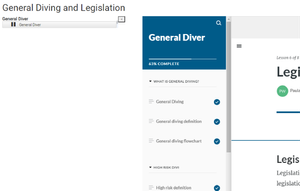

Hi there - I've done A LOT of courses in Moodle with Articulate SCORM packages. There are specific settings in the SCORM loading screen in Moodle that you'll want to play with to get the desired effect. The most "clean" I find is to have the Articulate content open in a new window. Then you'll want to disable the "course structure" like Paula did and also hide the Moodle activity title, etc.
Attached is a screenshot of some of the settings we use with our courses. i've been using these settings for years to create a "minimal" look for our SCORM packages in Moodle without editing actual Moodle base code.
- JonnyKowal5 years agoCommunity Member
Hi Leah,
Thanks for your reply. I see from other forum posts that you've been looking at this for quite some time (!) so I appreciate your help here. Incidentally, by "clean", do you mean to the degree whereby in the new window the Articulate course opens to full screen without weird margins, additional panels and the like? I.e. Just the articulate functionality. I appreciate that would take fine-tuning the settings - so thanks for sending the screenshot - but just wanting to know that it is actually doable.
Depending on the answer there, my remaining issue would be re user experience and those first impressions. Logging in and entering a fairly ugly screen (from what I've seen from others who have shared screenshots) that then asks participants to click something to then open the course in a new tab - I worry this might impact engagement, coming across as clunky. Any advice on that? Can the screen the have to open the course through be manipulated to look more presentable? Thanks again for your help.


Related Content
- 5 months ago
- 2 years ago