Forum Discussion

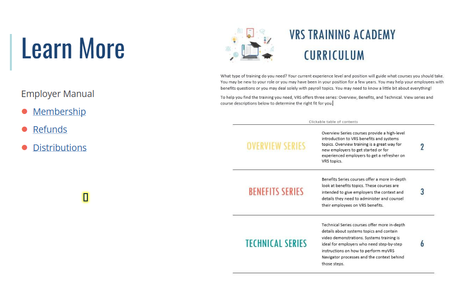
Focus indicator showing for text and an invisible spot
- 4 months ago
Hello everyone!
Happy to share that we've just released a new update for Storyline 360!
In Update 114, we've included essential fixes and new features. We've released a fix for: The accessibility focus indicator was misaligned when text was animated by paragraph.
Launch the Articulate 360 desktop app on your computer to take advantage of this update, and click the Update button next to Storyline 360. You’ll find our step-by-step instructions here.
Please let me know if you need additional help.


This User Guide article explains how to adjust the focus order: Storyline 360: Customizing the Focus Order of Slide Objects | Articulate - Community
By the way, it is helpful to upload a .story file when you have a question. However, for future reference, I suggest you upload an edited version that only has the slide(s) directly involved in the problem.
I just uploaded a new storyline file. The text is in the focus order, as it should be. The problem is that the focus indicator is highlighting it, and it should only highlight interactive objects, not text.
For the slide with an errant focus indicator, the only two items in the focus order are the two text boxes on the screen. The screenshot is decorative.
Related Content
- 5 months ago