Forum Discussion

HTML5 pixel alignment
Hi,
Anyone experiencing pixel misalignment when outputting to HTML5?
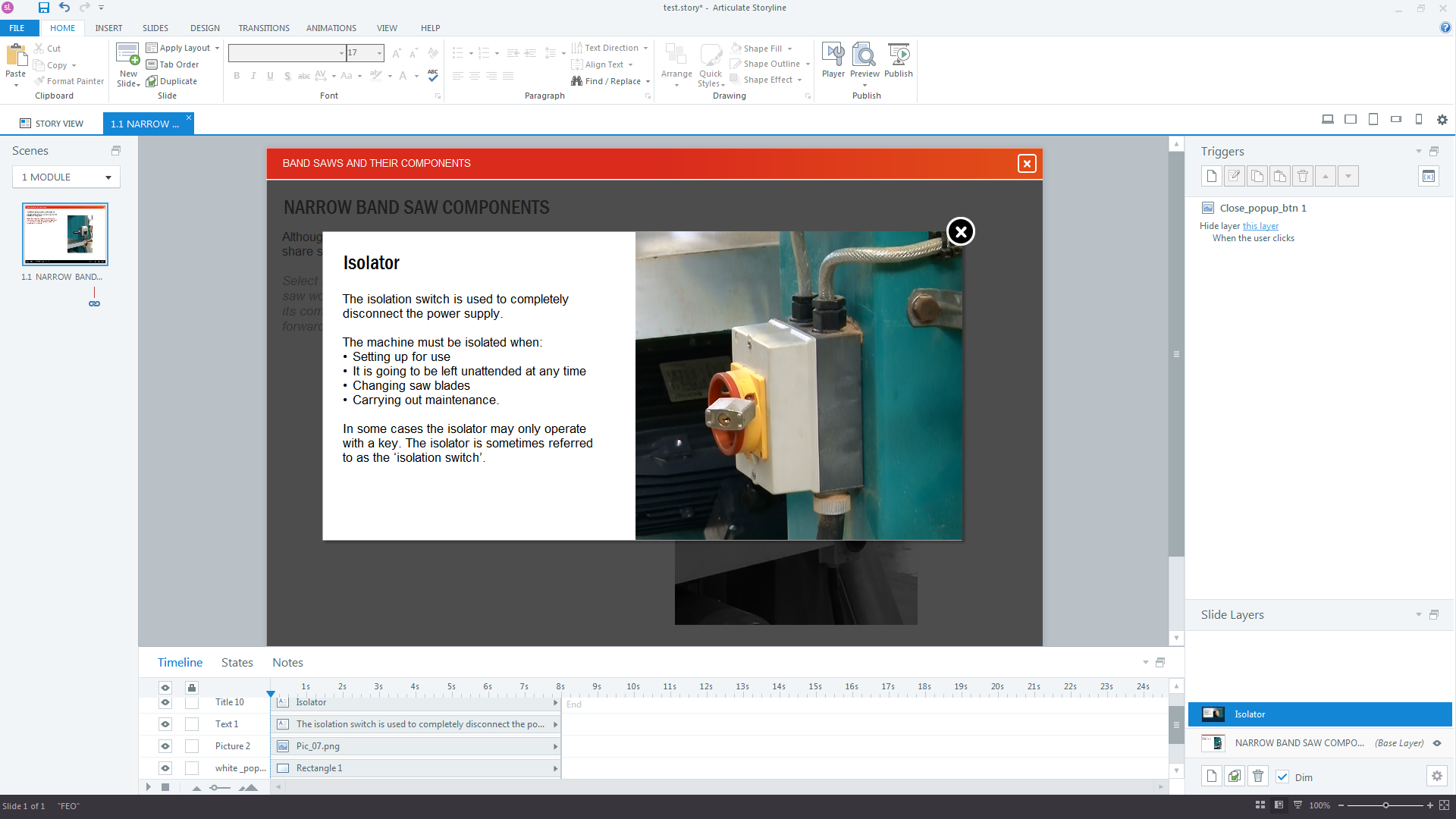
For example I have white shape blocks that have a picture on top, all aligned correctly so there are no gaps etc. Looks great on preview but these elements are misaligned when viewing in html5. A single pixel line shows either around, above or below the two elements.
29 Replies
Hi Paul,
What version of Storyline are you using? Can you screen some screenshots and a link to your course so that we could take a look?
- PaulKnightsCommunity Member
Sure, I have saved a single page of the course to highlight, just look on the popup layer. You will see that the white box is exactly the same height as the picture. When publishing to html5 this produces a single white pixel line at the bottom which should not be there.
However, if you make the white box a single pixel smaller the white line disappears so we know something is going wrong inside storyline. I've added a couple of screenshots too.
Thanks.
Hi there Paul,
Thanks so much for the screenshots and the project file. I'm testing this with a new PNG file, and I'm seeing similar behavior. I'm going to look a bit deeper, and I'll pop back in and let you know what I find!
Alright, Paul. I have a couple of links for you to test.
I do see a slight difference in the Flash output vs. the HTML5 output of your file. Take a look at these, and let me know if that matches what you were seeing:
I also uploaded your PNG image to a new Storyline file, along with 2 other PNG images. The white line seems to be most noticeable in with your image, but I do see a very faint white line with the other images, as well.
Here's a screen recording of what I saw in Chrome v60. I'm going to take this to my team, and we'll determine next steps. Sometimes they catch errors in my logic, and we don’t have a bug after all. Of course if that’s the case, I’ll let you know!
Thanks again for bringing this up here, and I'm sorry if it's slowing you down.
- PaulKnightsCommunity Member
Hi Alyssa, Seems much better to me as in the past we have had a pronounced white line before. Maybe its to do with the player scaling in different sized browser windows? Anyhow appreciate the feedback and investigation. Let me know if the team resolve the issue as having a pixel perfect application would go a long way to improve quality of the courses.
Thanks.
pk
I hear you, Paul. I will absolutely share an update here as soon as I get more information. Thanks!
- Elisabeth_WCommunity Member
Any update on this case? Seems I'm having the same problem that in Flash the pixel alignment is ok but in html5 the aligment is not looking proper. I'm working with pictures, overlayed by white transparent rectangles. The rectangles do lay on the same position, same size as the pictures. In Flash it's looking good but in html5 it looks like there is a thin border at the end of the picture. Thanks in advance for a short response.
You've come to the right place to stay updated on this bug, Lisi. We're still monitoring it's impact, and we'll share the news here as soon as a fix is released. You'll be notified immediately since you're now subscribed.
- AlissaPhillips-Community Member
We are also experiencing this issue. We have had several clients come back to us saying there are gaps around our images (when in fact they are extended way past the borders on the slide). This problem occurs when the user resizes their browser. It seems to be when the browser is full screen, it fixes the gap.
I have attached two screenshots of what our clients are seeing. This file was published for their LMS and the screenshots were taken while viewing in SCORM cloud.
Seeing as how we cannot deliver our products until this error is fixed, we are hoping for an update soon.
Hi Alissa,
Sorry you're running into this bug, and I know it has to be frustrating for you and your clients.
I think the problem you're seeing here is a bit different than what we've discussed earlier in this thread. From the looks of your screenshots, it appears the issue you're seeing is with the slide background.
I recently helped another community member with the same problem to work around this bug by adding the background image to the slide master. Perhaps that will work in your file, too!
I'd be happy to test a few solutions for you, if you don't mind sharing a sample of your file with me. You can attach it directly to a new thread comment.






Related Content
- 9 months ago
- 5 months ago
- 11 months ago
- 2 months ago