Forum Discussion

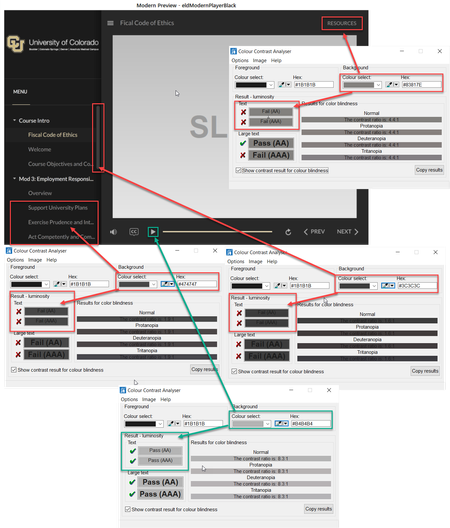
Modern Player Accessibility Issues with Color

Hi
I updated this morning and now lightboxes are behaving oddly. Please see this example.
Now when viewing in 360, engage interactions are not behaving correctly. The first time viewed, they view fine. Any time after that I get a white screen where the interaction should be and everything freezes - can’t close lightbox or use nav.
I have a course I'm working on that includes engage interactions in lightboxes as well as other lighboxed slides with no engage interactions. They are all behaving like this. In the example I provided, only the lightbox with the engage interaction is doing it.
This was not happening yesterday or any other day previously.
Other lessons with the same functionality that were uploaded to Review360 prior to this latest update are displaying correctly!
Nicole
03/24/21 Update - I reinstalled the previous version of Storyline and my files function correctly now. And again, all files that were published to 360 PRIOR to the latest update function correctly. Files published AFTER the latest update do not.
03/25/21 Update - The response I've received so far:
"Thanks for writing back and sharing your test results.
After careful testing, I have identified that using the lightbox trigger option "Use navigation controls" is causing the lightbox of Engage Interaction to freeze.
I’ve logged it as a possible software bug. From here, I’ll meet with my team to take a closer look so we can determine next steps."
Related Content
- 8 months ago