Forum Discussion

Player features in Lightbox slide not accessible
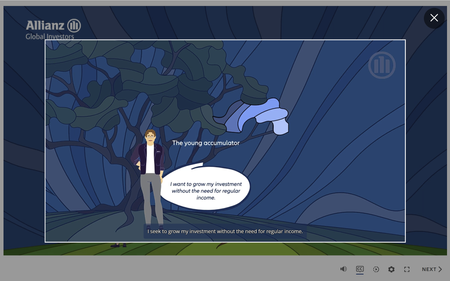

Hey IrisSchlabitz,
Happy to share some insight on this! Allow me to address each of your points individually.
Closed Caption Visibility Within a Lightboxed Slide
Thanks for following up and sharing how you've set this up in Storyline. For anyone else discovering this thread, Closed Captions within a lightbox slide do not display automatically. However, you can use the built-in Variable, Player.DisplayCaptions to determine when the captions will appear on a slide that's lightboxed. This Variable can be adjusted by a Trigger, with the Condition set to 'If this slide is lightboxed'.
Seekbar Visibility Within a Lightboxed Slide
Currently, Storyline does not support seekbar enablement when the lightboxed slide is active. Lightbox slides behave as an overlay on top of the main slide. Because of that, the lightbox cannot inherit the full set of player controls from where it was launched.
Thanks for letting us know this functionality is important to you. I'd love to provide our development team with insight into how this limitation is affecting you. If the seekbar were available while a lightbox is active, what would that change most for your learners? Would it give them more control over paced content, allow them to replay specific sections, or something else?
Looking forward to hearing from you!
thank you for your answer. Yes, indeed, it would make it easier for the learner to go through the content at their own pace, especially if they are looking for a specific part of the content.
The user could speed up the video before opening the Lightbox, but this only becomes apparent after they have already opened it (as the speed of videos are also only available within the main slide). They would then have to go back, adjust the speed, and start over.
And without a scrollbar, they also need to watch everything again from the beginning.
Therefore it would be great and sensible to have scrollbar and speed, both available in lightbox.