Forum Discussion

Remove Player Border - HTML5 output (Articulate Storyline 2)
Hello everyone-
I'm wondering is someone would be able to assist me in removing the player border completely. I am aware of the player options and changing the transparency to zero, however I'm trying to remove this completely.
I've published something the iPhone and it does not appear to be filling the browser because of this. I'd like it to be corner-to-corner with no gaps. I've even tinkered around with the javascript and still nothing. I'm familiar with javascript so if someone knows something there as a workaround, I'm open.
HELP PLEASE!!
20 Replies
- StephanieSuper Hero
Hi Maurice. Have you tried editing the story.html (and _html5) to remove the player border?
Look for this line:
var g_strWMode = "window"; // opaque | window (use "window" for optimal performance, opaque for webobject support)
and change it to this:
var g_strWMode = "transparent"; // opaque | window (use "window" for optimal performance, opaque for webobject support)
- mauriceharshawCommunity Member
Yes, the color is transparent, but there still appears to be margin/padding there.
- StephanieSuper Hero
To my knowledge that padding remains in place. You can make it transparent but cannot make it completely go away.
- mauriceharshawCommunity Member
:( ok thanks!
- NeilHanekomCommunity Member
Really..? Why...? Thats Really sad. That border is completely useless to me, why havent you guys thought of providing options in player editor to remove this. Now I have to use negative margins on my holding container to ged rid of this....
- AndrewDunnCommunity Member
I agree Neil - this needs to be an option - I'm using a workaround for now, but I don't like tweaking the CSS to fix an issue that shouldn't be there...
<body style="height: 100%; margin-top:-10px;" onunload="DoOnClose()" onbeforeunload="DoOnClose()">- ArturTrzebunia-Community Member
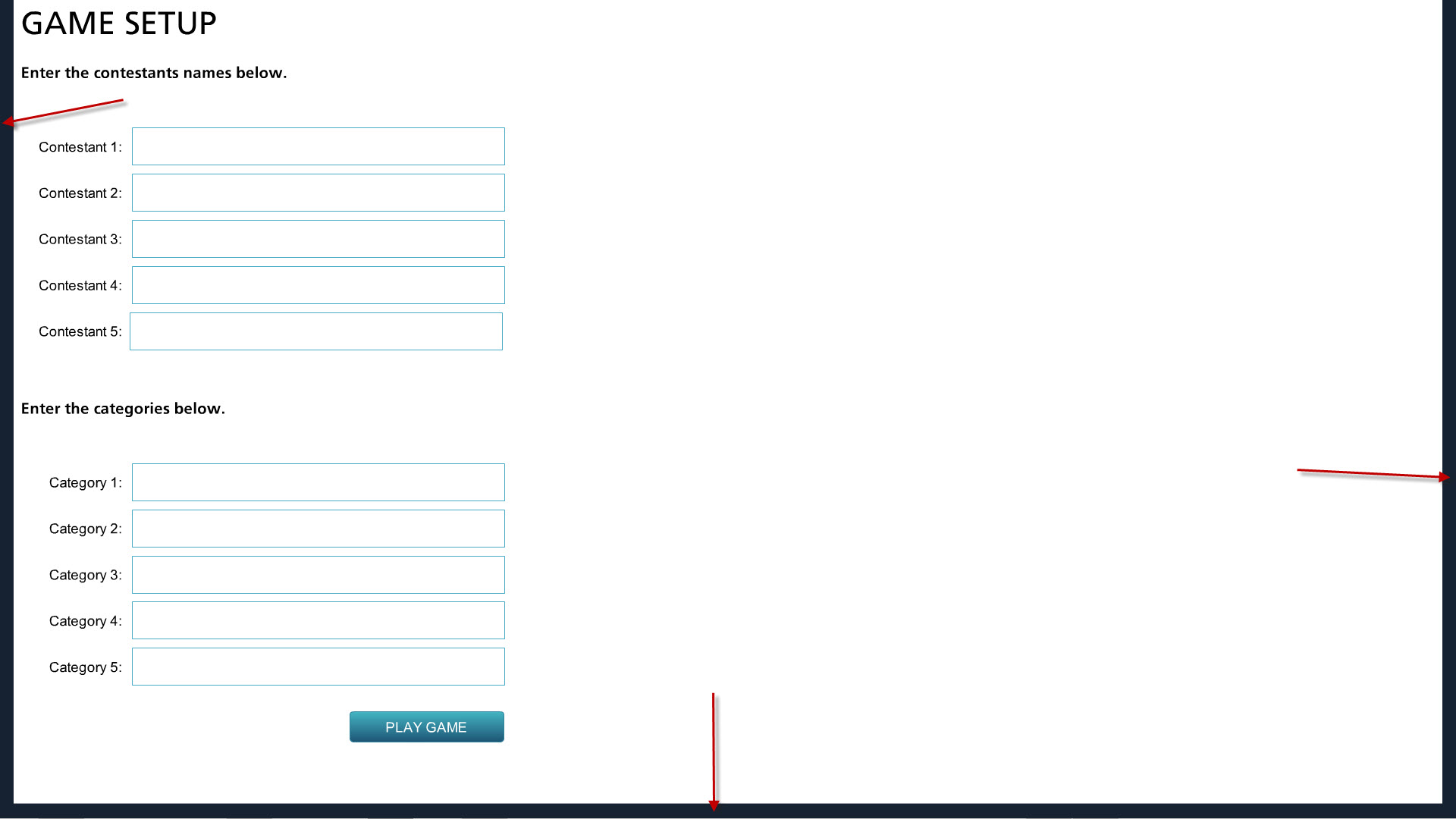
Andrew, this line of code is very helpful and works partially for me. Thank you! I'm using Chrome. the player aligns at the top without any margin/padding, but there's still margin/padding in left, right, and bottom, i.e. the player does not fill the browser window completely. How do I remove the left, right, and bottom padding so the player fills the browser. Any ideas/additional code? Please see attached image.
Thanks!
- harishBisht-4c3Community Member
want to remove full player need just white background without margin and padding. is there any solution for this issue.?
- parichayakanungCommunity Member
Yeah there is a solution to this issue..... Just have to make the border transparent in the player.
Go to player properties -> colours & effects -> Advanced Color editing ->
Choose Edit item: Base>> There would be seven base items like bg, border, diva, divb etc...
Just make them 100% transparent..........Your player becomes transparent.
Now to hide the previous and next button, just go to story view and select all the slides and uncheck the previous and next, under the slide navigation controls.
Thanks,
Parichaya
Hi Harish! Looks like Parichaya is assisting you here :)
Thanks Parichaya!
Hi Artur,
I don't know if Andrew is still subscribed to this thread, but you may want to message him directly using the "contact me" button on his profile as the changes to the code is not something that our Support team can assist with.








Related Content
- 11 months ago