Forum Discussion

Removing white space below and above a screencast
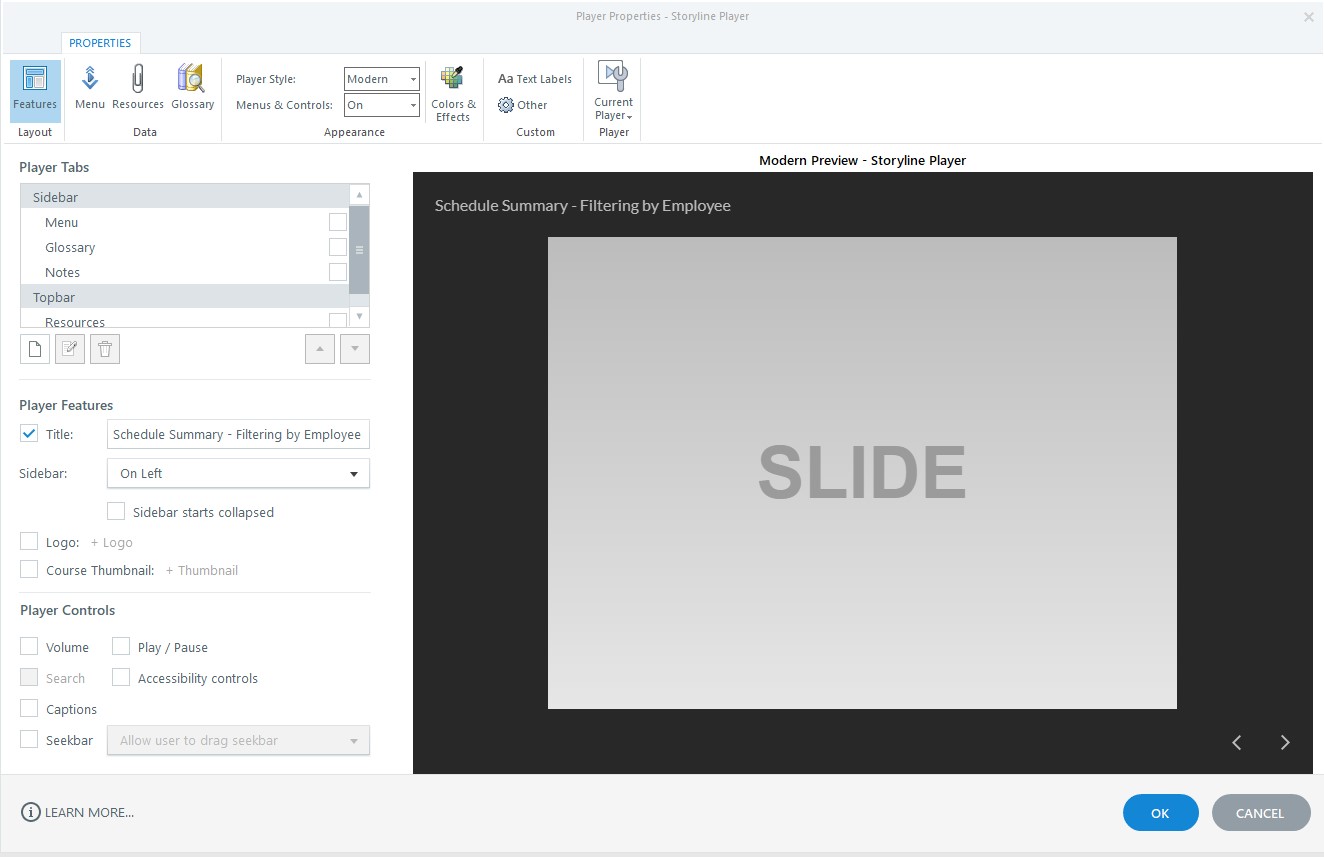
Hello, how do I remove the white space below/above a screencast? I want the screencast to cover the entire slide. Thank you!
10 Replies
Hi Kellie!
Great question! There are two ways to approach this. The first is to change the Player by using the Modern Player. The second is by changing the Story Size to the dimensions of the screen recording. I've created a demo for you walking through both approaches. Here's the link.
- KW-IDCommunity Member
Thank you, Lauren.
Where would I find the "Modern Player' functionality? Our software is Storyline 3. Also, my dimensions do not stay at 660 x 250 after being changed. Is it possible to do a zoom call - I can send you a link so I can share my screencast and ask a few questions?
Thank you,
Kellie
- RenGomezStaff
Hi Kellie,
Thanks for following up and sharing those additional details! Unfortunately, the Modern Player is only in Storyline 360, so you will not be able to use that function in Storyline 3.
It is odd that Lauren's second suggestion in regards to adjusting your story size is not saving. I've opened a case on your behalf with our support engineers to take a closer look at this and provide additional guidance!
Once they're done testing your file, they'll reach out with next steps!
- LearningMSCCommunity Member
Hi,
I'm also having a problem with white space above and below the screencast.
Storyline 360 set to Modern Player v3.56.26145.0
Microsoft Edge Version 95.0.1020.53 (Official build) (64-bit)
Windows 10 Enterprise v10.0.18363 Build 18363
Screen resolution 1920x1080Attached:
1. Results of choosing full screen recording
2. Results of choosing custom screen recording
3. Player settings
Thanks!
Mike - BeccaLevanCommunity Member
Welcome to E-Learning Heroes, Learning! ⭐️
I appreciate you sharing all these details! I've opened a support case on your behalf so one of our support engineers can step in to investigate. Stay tuned for one of my teammates to reach out shortly with an update!
- RosieBattyCommunity Member
Hello, I am having this same issue, has there been any updates to this? If so can you please share those with me. thank you.
Hi Rosie,
Thanks for reaching out and letting us know that you are experiencing a similar issue.
I was able to look at the cases for both Kellie and Mike, and the update is to be sure that your screen recording is the same size as your story size.
A Useful Technique for Recording High-Resolution Screencasts in Storyline 360
If you're experiencing a different issue or you'd still like our team to take a look, please share your project file with our support engineers here. It will be deleted when troubleshooting is complete.
- KellieWhitlowCommunity Member
Hello,
Our company uses Storyline 3, and I am still experiencing the same issues of my screencast showing white space below and above the screencast when inserted in my module.
Is there a way to have the screencast cover the entire slide? I inserted an image below what it looks like after I inserted the screencast.
Is there a functionality I should be selecting before or after the screencast to ensure it covers the entire slide?
Thank you for your help,
Kellie Whitlow
602.525.1417Hello Kellie!
I see that you reached out to our Support Engineers and are working with my teammate, Georvy! You're in great hands. We'll continue the conversation via email.
- RosieBattyCommunity Member
thank you!!! I got it. I was not matching the slide to the recording. Everything is as expected.










Related Content
- 1 month ago