Forum Discussion

Revisiting Animated PNGs as a GIF Alternative
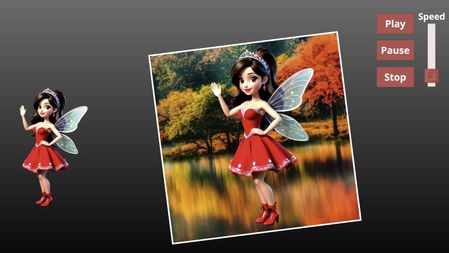


Hi, I'm an animator working with animated pngs. If I can ask, how did you get the smaller fairy (on the left) to animate after publishing? I had a look at your working file and the linked javascripts, but I know very little about it so I cannot tell if that's part of how you got it to work of if it's all just the cool speed controller.
The one on the left is just a native animated PNG image, inserted into the slide. The most updated version of Storyline plays these automatically, the same way inserted animated GIFs play. There is just no control over playback (due to the way that browsers render the images). The one on the right gets modified so that the PNG, which Storyline normally embeds into an SVG wrapper, is reworked into a canvas element still inside the original SVG. Once in the canvas, the JS library can control its playback.
- swe7 months agoCommunity Member
Thank you!! Turns out we weren't running the latest update. You are a lifesaver
Related Content
- 3 months ago