Forum Discussion

Rise feature request: multiple block selection
- 10 months ago
Hello everyone!
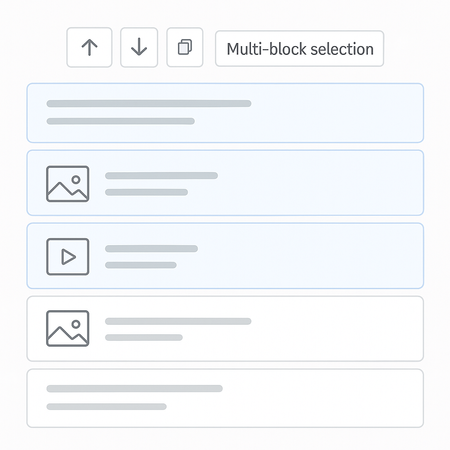
I'm happy to share that we have a new Manage Blocks experience in Rise 360! You can now drag and drop blocks within a lesson or copy them to another lesson. We'd love to have you share feedback via the embedded survey.

Hello everyone!
I'm happy to share that we have a new Manage Blocks experience in Rise 360! You can now drag and drop blocks within a lesson or copy them to another lesson. We'd love to have you share feedback via the embedded survey.
- AnneLanaway10 months agoCommunity Member
THIS IS AMAZING!!!! Thank you so much! :)
- Thom39210 months agoCommunity Member
That's great! This was really missing from the functionality, it will make things much easier! I had 1 point of feedback which I send via the form.
Really happy with all the work you and your team and putting into developing Rise! In the last 6 months we have had so much new features which really improve the workflow
- Thom3929 months agoCommunity Member
Hello Luciana,
Really happy with the tool, been using it a lot. Today I tried to do the same within a Microlearning but it seems to not be available there. This maybe is because the header for the microlearning is the header for the chapter overview in a normal e-learning.
Would be great to add the functionality across the board.- StevenBenassi8 months agoStaff
Hi Thom392!
Great to hear that you've been exploring Manage Blocks in Rise 360!
You're correct. Currently, our Manage Block feature is only available in standard Rise 360 courses. However, we are tracking a feature request to introduce the tool to Microlearnings as well. I've included your voice in the report, and we'll be sure to notify you as soon as we have news to share.
Have a great rest of your week!


Related Content
- 1 year ago