Forum Discussion

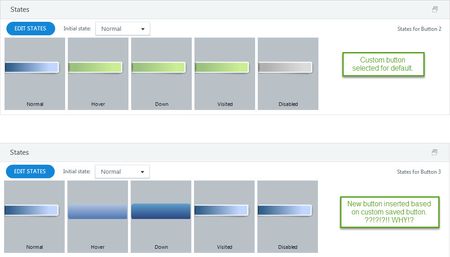
"Set as Default Button" not keeping all state changes

Hi Eva,
I apologize, I thought you were referring to using the format painter on custom buttons, like this:
It sounds like you'd like to use the format painter on radio buttons for quiz questions. You are correct that the format painter doesn't work there as it does on custom buttons, and I can understand how frustrating that is.
Until we have a fix, something that could help in the meantime is to change the radio button hover color to the same color as your slide background. To do that, click the Design tab >> Colors >> Create New Theme Colors. Then change the color of Control 1 to the same color as your slide background.
With that change, you'll still have a "hover" state for each radio button, but it will be invisible since it's the same color as your slide background.
Related Content
- 2 months ago
- 8 months ago
- 5 months ago