Forum Discussion

HalleyBox
8 months agoCommunity Member
Storyline 360 - Change Text Size for Feedback on Questions
Goodmorning!
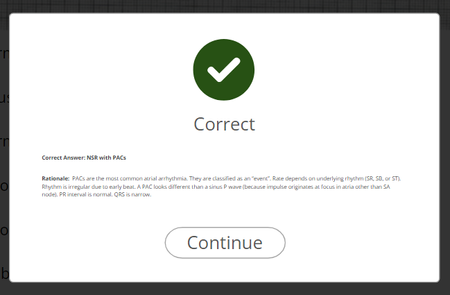
I was wondering if there was a way to increase the text size on immediate feedback provided after a quiz question? See pic below. When the window is in full screen it's semi-easier t...

KendalRasnake-1
8 months agoCommunity Member
If you select the feedback layer, and you have Slide View selected near the top right, you should be able to select the text box and adjust the size.
You may also wish to adjust the Feedback Master, which is accessible by using the Feedback Master button on the Design menu near the top left.
HalleyBox
8 months agoCommunity Member
This is what I needed. Thank you!