Forum Discussion

Storyline 360 Chromeless modern player


Hi Stefan,
With the modern player, we changed some of the color options to make it a lot easier for your course design. Take a look at the specifics here:
The modern player style makes customizing colors super easy. Just select a dark or light theme, then choose an accent color from the color selector (the default accent color choices come from your theme colors).
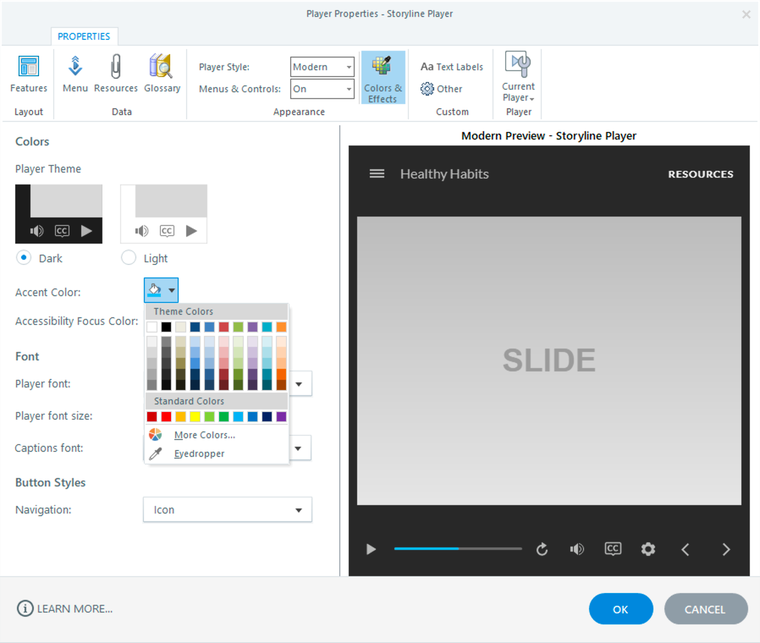
The neutral tones of the dark and light themes allow your content to be the focus of learners’ attention, while the player performs a supporting role in the background. And the accent color is used throughout the modern player to tie it all together. For example, the accent color highlights the current slide in the menu, identifies the selected tab in the sidebar, and shows the progress of the seekbar.