Forum Discussion

Storyline slide stuck loading
- 6 months ago
You could try to use the "brute force" approach and delete/rebuild the slide, or disable triggers and publish/test again.


Hi AlexKeene,
Thanks for sharing all those details, that helps paint a clearer picture. I can see why this one’s tricky to pin down, especially with it only happening once per user.
MichaelHinze’s suggestion is a good general fallback. Rebuilding the slide or isolating triggers can sometimes clear out anything unexpected in the setup.
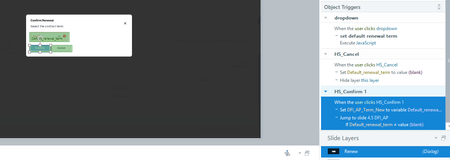
Since this is happening consistently on the last instance of that template and only once per user, it might be worth looking a bit closer at how the trigger and variable are behaving at runtime. Even though the trigger setup is identical to the other slides, something in the context of this specific instance may be affecting how it executes.
A couple of things that might help narrow this down:
- Temporarily remove the condition on the trigger to see if the slide transition works consistently
- Try replacing the hotspot with a simple button to see if the behavior changes
The fact that Review 360 shows the next screen in the screenshots is especially interesting, since it suggests the trigger is firing but the slide isn’t fully rendering for the learner.
If the issue continues, I’d recommend sharing your Storyline file in a support case so the team can take a closer look at what’s happening in your setup.
Related Content
- 6 months ago