Forum Discussion

Storyline slide stuck loading
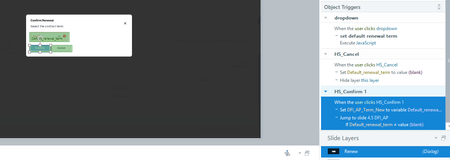
- 6 months ago
You could try to use the "brute force" approach and delete/rebuild the slide, or disable triggers and publish/test again.

Replacing the hotspot with a button seems to have fixed it.
EricSantos - I'd suggest that any time the best answer is "Oh that's weird, try building it again even though you've done everything correctly," the product team might want to take an actual interest in understanding what's causing the underlying issue. Troubleshooting basic triggers shouldn't be necessary; we're not doing complicated stuff on this slide. This is the type of thing that ought to "just work." Just some advice. Eventually, the Articulate AI tools will stop being shiny and new, and people will have access to similar tools that are cheaper (or free). When that happens, if you've been neglecting basic functionality and usability the way the issue I brought up suggests, you'll start losing market share the same way Captivate did.
- EricSantos5 months agoStaff
That’s a fair point, AlexKeene, and I appreciate you calling it out.
What’s happening here is that while the workaround resolved the issue, the underlying behavior you ran into isn’t something we’d expect, especially with a relatively straightforward setup.
In this case, replacing the hotspot with a button helping points to something specific in how that interaction was being handled at runtime, rather than an intended limitation of triggers or slide navigation.
You’re right that in situations like this, it should “just work,” and needing to rebuild or swap elements isn’t an ideal long-term solution.
If you still have a copy of the original file where the issue was happening, it would be really helpful for our team to take a closer look and understand what’s causing that behavior. You can share it in a support case here, and we’ll dig into it with you.

Related Content
- 6 months ago