Forum Discussion

Text Color Won't Change

RonPrice can you not change them on a case by case basis anymore? I need some of them to be white and some to be blue, but when I select the ones I need to change on the screen it doesn't let me change the colour on an individual basis (I don't need a global change).

Hi LisaPhillips-c2,
Jumping in here.
Ron’s suggestion is a great way to set hyperlink colors, and those are managed through the Hyperlink style, which applies them across the project rather than individually.
That’s why you’re not able to change individual hyperlink colors directly on the slide.
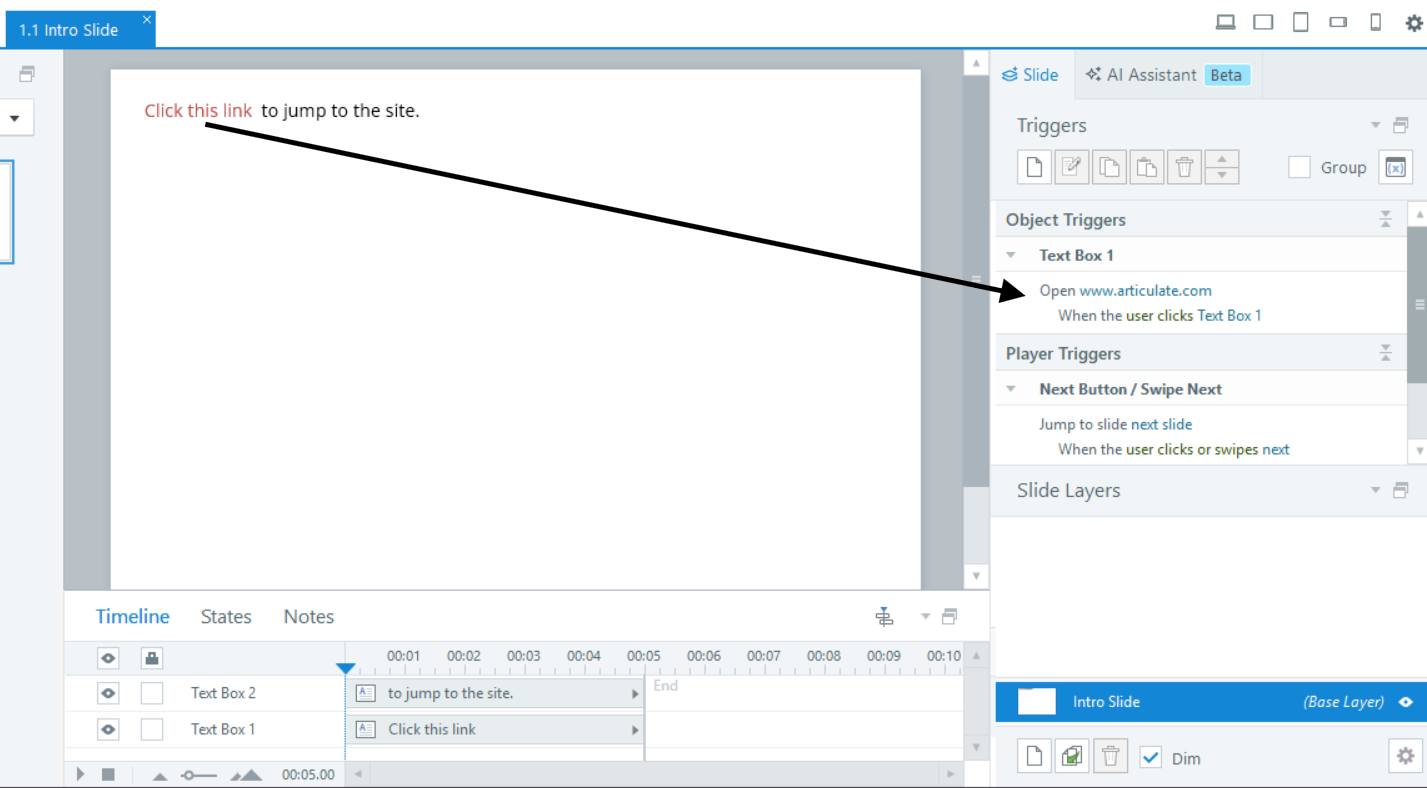
If you need different colors, one workaround is to format the text manually instead of using a hyperlink, then add a trigger such as Open URL/File when user clicks text. That way, you can control the color and still keep the link behavior.
- LisaPhillips-c25 months agoCommunity Member
Yes, thanks, I know you an do it that way as well. The issue is that you used to be able to change the colour when the hyperlink style was applied, and I have done that through all my modules, so now I have to go back and replace everything with the method you mentioned so they are accessible ... just wasn't sure if this was a glitch happening or if they changed the way this functioned. Sounds like the latter which is a real bummer for me... so much extra work to adjust them all now. :(
- EricSantos5 months agoStaff
Hi LisaPhillips-c2,
Thanks for taking the time to share more detail here. I can see how important it is to have flexibility when styling hyperlinks, especially when you need different colors within the same slide.
Right now, hyperlink colors in Storyline are managed through the Hyperlink text style, which applies those settings across the project rather than on a case-by-case basis. While it may have seemed possible to adjust hyperlink colors individually in the past, that behavior isn’t something that’s been consistently supported, as hyperlink formatting is designed to follow the text style.
I understand how that can make updates more time-consuming when your design calls for variation, so I’ve shared your feedback with our product team so they can take a closer look at the need for more flexibility in styling hyperlinks individually while keeping their functionality intact.
Thanks again for calling this out and for explaining how it impacts your workflow.
Related Content
- 2 years ago
- 1 year ago
- 8 years ago