Forum Discussion

Text is not wrapping in text entry boxes
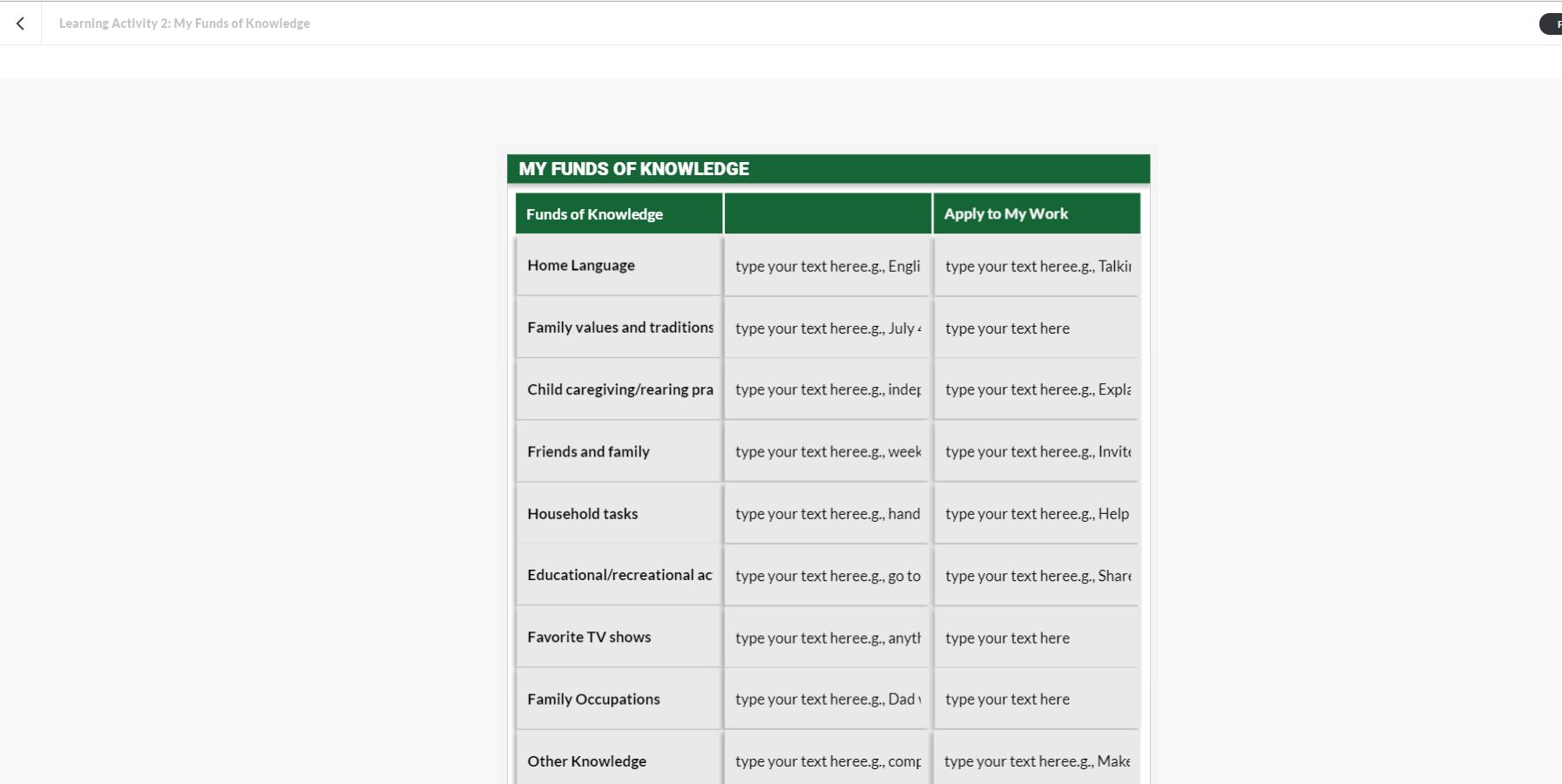
I am using a grid full of text entry boxes to create a table that can be filled in. Live in my storyline file it looks perfect while I'm working on it. In preview and when published and put into Rise, an overflow problem occurs. The text in the text entry fields are not wrapping, shrinking, or using a scroll bar, they are overflowing out of the fields.
I have "Wrap text in shape" checked and have even tried "Shrink text on overflow" to no avail.
Help!?
Hi Everyone!
I'm happy to share that we just released a new update for Storyline 360!
In version 3.107.35958.0 we included essential fixes and new features. One of the bugs we’ve fixed is:
- A scrollbar didn't appear as expected when text overflowed
Launch the Articulate 360 desktop app on your computer to take advantage of this update, and click the Update button next to Storyline 360. You’ll find our step-by-step instructions here.
Please let us know if you have any questions!

6 Replies
Hi Desiree,
Thanks for sharing those images here. Could you also share a copy of your .story file so that I can see how things were set up and all the settings you've used in your text boxes?
- XavierMangels-bCommunity Member
- BeccaLevanCommunity Member
Hello Xavier,
Just popping in here to note that I responded to your similar post here. If you have any questions, feel free to respond to Robert in your case so we can keep all communication going in one spot!
- MarkRamsey-ad71Community Member
I am having a similar issue with text overflow not turning on a vertical scrollbar. Attached is a very simple layout with the parameter settings as I believe they should be set in order to generate a vertical scroll bar. Is this a browser issue?
Hello Mark!
I appreciate you sharing a .story file with us! Unfortunately, what you're running into is a software bug that we've logged with our team. The scroll bar isn't appearing when input text exceeds the text entry field when using the Modern Player.
I've added your comments to the bug report so we can track customer impact and update you when a fix is released. Thank you for taking the time to share this with us!
Hi Everyone!
I'm happy to share that we just released a new update for Storyline 360!
In version 3.107.35958.0 we included essential fixes and new features. One of the bugs we’ve fixed is:
- A scrollbar didn't appear as expected when text overflowed
Launch the Articulate 360 desktop app on your computer to take advantage of this update, and click the Update button next to Storyline 360. You’ll find our step-by-step instructions here.
Please let us know if you have any questions!








Related Content
- 9 months ago
- 21 days ago