Forum Discussion

Unable to change Radio buttons select colours in Rise 360
There is major accessibility issue in Rise 360 in terms of how it manages its theme colours.
If I change the theme colour to Dark then the black focus indicator is invisible(#00005c), and if I use the light colours then the black focus indicator colour is visible, but with issue.
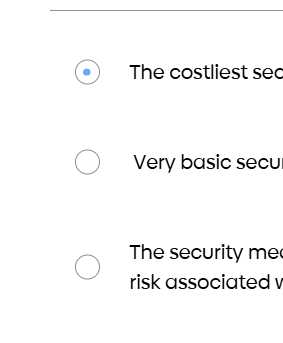
Now here the challenge is when I change the theme to light colours (#66abf0) then the selected Radio Buttons colours, quiz numbers and Quiz Start button becomes lighter in contrast with the white background and causes WCAG colour contrast issue.
Request Rise team to address this issue. I reported a case, but no solution till now.
Early solution to this is appreciated.
2 Replies
Hi SudeepaGanguly,
Thanks so much for calling this out!
Our team is currently looking into this, and I've added your case to the report. We understand how this could negatively impact a learner, and we appreciate you working with us. We'll reach out with any updates!
- CharlieWalkerCommunity Member
Hello eLearning Heroes,
I'm having similar issues to SudeepaGanguly. Has any progress been made on this issue? Our company uses a light colour scheme and it becomes an issue when the checks in the checkboxes and the dots in the radio buttons are close to invisible.It'd be great if you could make the checks or dots whatever colour you like, but even if they could be made black would suffice.
Thanks, Charlie.




Related Content
- 8 months ago
- 9 months ago
- 25 days ago
- 1 month ago
- 16 days ago