Forum Discussion

White Lines between lesson header and block
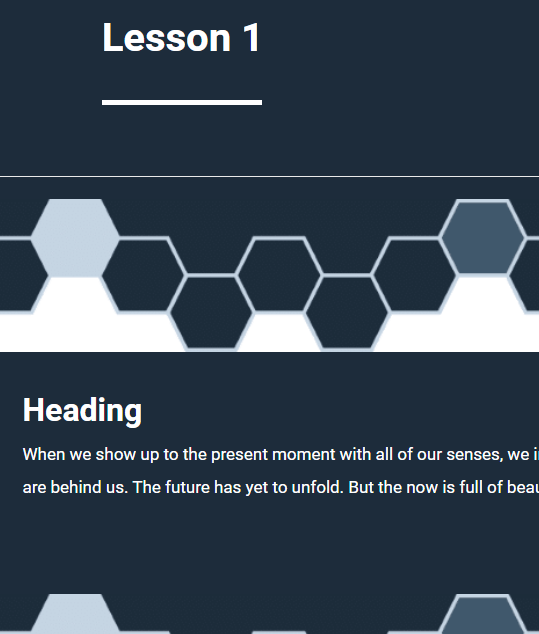
Hello, I am getting a visible white line between a lesson header and the first block only (when using dark colors). The block directly below the header is either a full width labeled graphic, theme colored spacer, or regular full width image, but all with the same result. It does not appear further down the page if there are two blocks with dark colors.
This problem is documented elsewhere, and apparently solved, but for me, it is specific to the lesson header. Also, if you adjust the theme parameters and change the Header Height to "small" then the line becomes larger, like a spacer. Set to medium and large it is a thin line. I'm using Edge but others on my team are experiencing it also using the Google browser. Screen shots attached.
Any additional ideas for this issue? Thanks, Jon
4 Replies
Hi JonMon & housfilae,
Sorry to hear you're experiencing this issue!
I can confirm that we have this behavior logged as a bug in Rise 360. This bug causes:
- A thin white line appears between a Lesson Header and the first Block that follows, when using the "Rise" course Theme, and dark colored Header/Block backgrounds.
I've included you both in the bug report that's being tracked so we can notify you as soon as a fix is ready.
Thanks for your patience. I'm sorry if this has been slowing you down!
Hello AmyGtt,
I'm sorry to hear you're experiencing this bug as well! I've added your insight to the bug report. We'll be sure to share any news of a fix in this thread in the future, so all are in the loop!
- housfilaeCommunity Member
I ran into this too and it turned out to be a tiny gap caused by the lesson header container and the first block not “touching” cleanly when dark backgrounds are used. In most cases it’s either a default background color showing through, or a 1px margin/padding or border between the header and the first block, which becomes more noticeable when you change header height.
What fixed it for me was setting the lesson background to match the header color and removing spacing at the top of the first block. If your platform allows custom CSS, try forcing the header and first block to have no bottom or top margin and no border, and set the background behind them to the same dark color. Also check if there is a “separator” or “block padding” setting enabled in the theme, because that can create the thin white line only at the header boundary.






Related Content
- 1 year ago
- 1 year ago