Forum Discussion

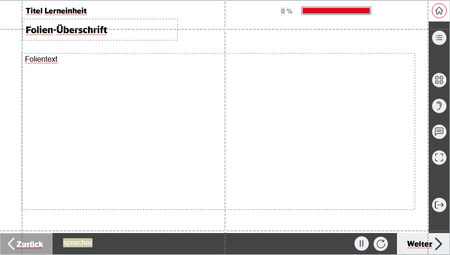
Audio-Button functions and states within selfbuild WBT menue and options


- 6 months ago
Hi Ann-Katharin105
I’ve replied to your new thread.
Nedim Thanks a lot for reaching out and also for your suggestion of posting in the other section! :) Posted my thread there and uploaded a SL file. I looked up your solution for the video-project. For my SL case, I used a simular query-JS.
The first JS was the following:
function toggleMute() {
const mediaElements = document.querySelectorAll('audio, video');
mediaElements.forEach(function(element) {
element.muted = !element.muted;
});
}
toggleMute();
The mute/unmute function worked (as well as the muted audio while progressing to another slide) - but even with variables, triggers and states, I was not able to keep the changed status of the ear icon: The audio was muted but the ear was not crossed out. It also did not work for keeping an audio and a video muted on the same slide.
So I experimented with other ways to solve it by using the following JS (and other variables, triggers):
var player = GetPlayer();
var muted = player.GetVar("vMuted");
player.SetVar("vMuted", !muted);
So, it would be awesome if you helped out. I am lost and maybe also did some errors in the project file. If at least the button is functioning (without the label of the extanded menue) it is a breakthrough.
But still, I want to give clarification: the label should be clickable and perform the same action (mute/unmute and change the button state) - just as you described.
Could you answer in the new thread so in case other members are joining the discussion there, they are up to date? :)
Thank you very much, Nedim!

Hi Ann-Katharin105
I’ve replied to your new thread.
Related Content
- 5 months ago
- 1 year ago