Forum Discussion

Rise Canvas
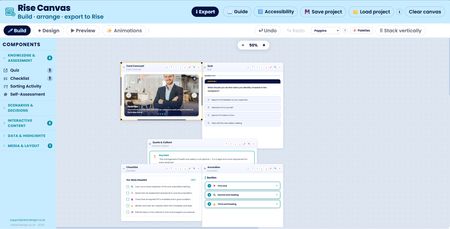

Another big batch of improvements has landed in Rise canvas. Here's what's new.
The standout addition is a shared brand palette system. If you build courses for multiple clients, you'll know the pain of typing the same brand hex codes into builder after builder. Now you can set them up once. A new Palettes button in the canvas toolbar opens a manager where you create up to four named palettes, one per client, say, "Acme Corp" or "NHS Trust". Within each palette you add colours either by picking them visually or by typing and pasting a hex code directly, and you can drag them to reorder or remove any you don't want. You choose which palette is active, and its colours then appear as a row of one-click swatches next to every single colour picker across all twenty builders. Click a swatch and the colour applies instantly. Switching the active palette only changes which shortcuts are offered, it never recolours work you've already done. Each palette can hold up to twenty colours, and you can delete a whole palette with a quick two-click confirm.
The audio builder picked up a useful new option. When autoplay mode is selected, you can now set a start delay, type any number of seconds and the narration will hold for that long after the block scrolls into view before playing. It's perfect for letting a slide settle before the voiceover kicks in. The delay field only appears when autoplay is selected, since it doesn't apply to the other modes. The audio builder was also tidied up so its toolbar matches the other builders.
Related Content
- 11 months ago
- 1 year ago
- 11 months ago
- 10 months ago