Forum Discussion

MaddieRich
2 months agoCommunity Member
Sliders and States
View the project here
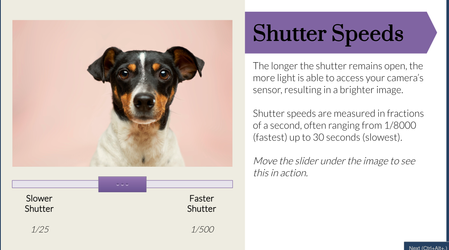
This is my first time participating in a challenge and this week's was a choose-your-own. I decided to utilize sliders and states to create an interactive short course on...

HB28
2 months agoCommunity Member
Finally found something that explains ISO etc. clearly! Loved the sliders and the dial on the camera. This has taught me something both as a learning designer and as a beginner photographer. What tools did you use outside of Storyline?
- MaddieRich2 months agoCommunity Member
Thank you! It took me quite a while to understand them and how they work together so I'm so happy it seemed clear! I used a screen capture program called "Snagit" to edit the image in varying degrees using the "Blur" tool. Then I created different states for the original image and replaced the original image in each blurred state with the correct blurred version. I really like Snagit as it also makes it really easy to redact information, add arrows/visual cues, and make quick screen capture videos.
Related Content
- 1 year ago
- 1 year ago
- 2 months ago
- 1 month ago