ai
27 TopicsAI Talking Heads: Uncanny Valley Test
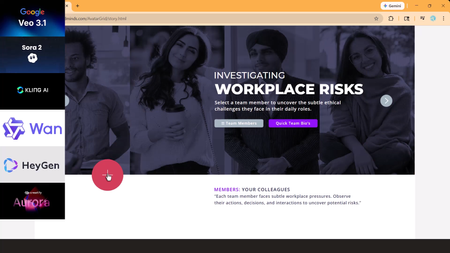
AI talking heads are everywhere, but most still fall straight into the Uncanny Valley. When lip-sync drifts or facial movements glitch, the learner stops focusing on the scenario and starts focusing on the AI mistake. I tested Veo 3.1, Kling 3.0, Creatify Aurora, Seedance 1.5, and HeyGen using the same image, script, and workplace scenario. One model clearly stood out as production-ready for realistic eLearning conversations. Watch the tutorial: https://www.youtube.com/watch?v=zroW6I7CGO0&t=317s Try the Storyline live demo: https://www.redesignedminds.com/AvatarGrid/story.html61Views0likes2CommentsAI Voice Generation emphasis in SL
Hi, Has anybody discovered a way to reliably coax the AI voice generation engine in SL360 to add emphasis to a word or phrase? For example in written text such as "read the instructions before starting", the italics and bold would strongly indicate the importance of reading before starting, and if I was creating my own voice recording I'd heavily lean into the word "before", to stress this. I haven't yet found a way to do this with the AI VG engine, and you can't add bold or italics to the text dialog. I've experimented with asterisks etc., but it tends to just garble the output. I know the whole point of AI is that it is supposed to work stuff like this out for itself through context and should do this automatically, but I do think it sometimes needs some guidance. Any ideas or tips? Thanks PaulSolved571Views3likes16CommentsIntuitive Role Playing Exercise with Feedback
Hello, is there an AI tool within Storyline or Rise where you can insert an intuitive back-and-forth role-playing activity that provides real-time feedback to users depending on their responses to help enhance communication skills during customer service calls?455Views1like13CommentsWhich type of certification adds more value: technical specialization or risk leadership?
Two new certifications were recently released: one focused on technical access management skills (PT-AM-CPE) and another centered on risk management leadership (ISO 31000 Lead Risk Manager). It made me think: Do technical, tool-focused certifications provide more immediate value than risk and governance credentials? At what point in a career does a risk-management certification start to make more sense? For preparation, I’ve seen some people mention practice-based platforms like CertBoosters. Have any of you here attempted something similar for these certifications, and what was your experience like? Please share your personal experience35Views0likes0CommentsTimed Gating to Support Compliance and Continuing Education Requirements
Is there a way to add a timer or delay in Rise before a Continue button or divider becomes active, so learners can’t just click straight through the content? We need this for compliance, particularly when we need to prove that learners spent a minimum amount of time in the training. I know I can use the Continue divider, but the learner can click through without reading and have the continue divider activate. I tried adding an audio file to each tab, for example, but it doesn't make them listen to an entire audio file within a tabs interaction before moving to the next tab or continuing the lesson.56Views0likes1CommentAvatarGrid (Unfolding UI) for Storyline
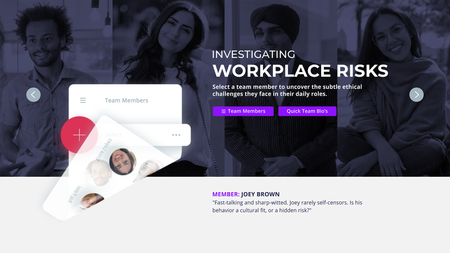
AI video is everywhere in learning design, but the experience hasn’t caught up. Too often, video is dropped onto a slide and left to do all the work. AvatarGrid challenges that approach. Built for Articulate Storyline, AvatarGrid is an unfolding UI system that uses purposeful motion and cinematic transitions to reveal content progressively. AI videos/images, created with Higgsfield AI, Nano Banana, and HeyGen AI, feel integrated, not pasted in, supported by layered vector UI. The result is an immersive, modern learning experience where motion has meaning. Every interaction supports the story. This is what video AI-first, motion-driven UXD looks like in practice. Watch the short tutorial: https://www.youtube.com/watch?v=iLXJ_-K4vXI53Views0likes0CommentsShow Us Your AI Makeover!
Whether you joined the AI Assistant: Beyond the Basics webinar or are just starting to explore what the AI Assistant can do, this challenge is for you. In the session, we shared ways to go beyond quick drafts, using AI to help with the trickier parts of course creation, like writing questions, refining lessons, generating images, or even creating scenarios. Now it’s your turn to experiment and share what you’ve built. 💡 Show us your “AI Makeover” Post a quick before-and-after example of how you used AI Assistant to transform your content. You could share: A short “before” snippet — like SME notes, a few bullet points, a slide, or a paragraph of draft text The “after” — what AI helped you build from it (for example, an outline, lesson, quiz, or visual) A quick note about how you refined or customized what AI created ✨ Or just join the conversation: What parts of your workflow feel easiest to improve with AI right now? Where are you still experimenting or getting stuck? Have you discovered any prompt tricks or creative uses worth sharing? Let’s use this thread to keep building on what was learned in the session and learn from each other’s experiments along the way.599Views3likes13CommentsPrompt suggestions for AI to write intro/instruction for interactive elements
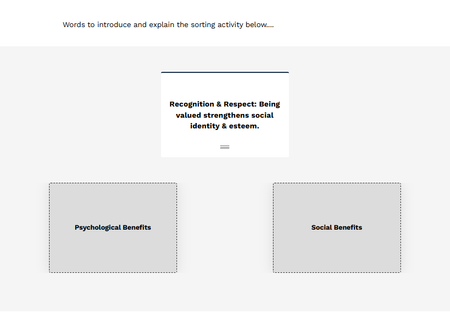
Hi All, I have recently watched the tutorial on AI Assistant: Custom Copy Editing Prompts and found it very helpful. It got me thinking about what I struggle most with when creating learning content and what would make my life easier. I've realised I really DON'T enjoy writing short intro, explainer or instruction text for interactive elements within my elearns so I end up putting in placeholder text (as shown below 😂) and was wondering if anyone has come up with any prompts for the AI Assistant that actually work? I have tried numerous prompts but get stuck because there is no way to reference 'the block below' or instruct the AI to refer to the content in the block below. I did think that it might be possible to get Storyline AI to summarise any interactive elements I create, then ask AI to turn it into an instruction or something but haven't tried this out yet. Look forward to seeing if anyone has a hack to make my life easier!300Views0likes3Comments