general e-learning
2955 TopicsCustom Block - Images/Gifs not loading/appearing
Hello! I am creating a custom block where the image/gif is on the left, the title and copy is on the right and below is an audio recording. I am running into issues where the content that I am uploading (images/gifs/videos) aren't loading when I preview or even upload. I have tried using it with other custom blocks and stock images from the Articulate library and the same story. I have cleared history/cache/data, updated my chrome, updated my laptop, made sure all my articulate apps are up to date (even though this is a RISE course) and even spoke to the custom blocks team at DevLearn in Las Vegas last week... wondering if anyone has any advice on how to solve this.258Views1like6CommentsStoryline 360 Tip: Placeholder Text
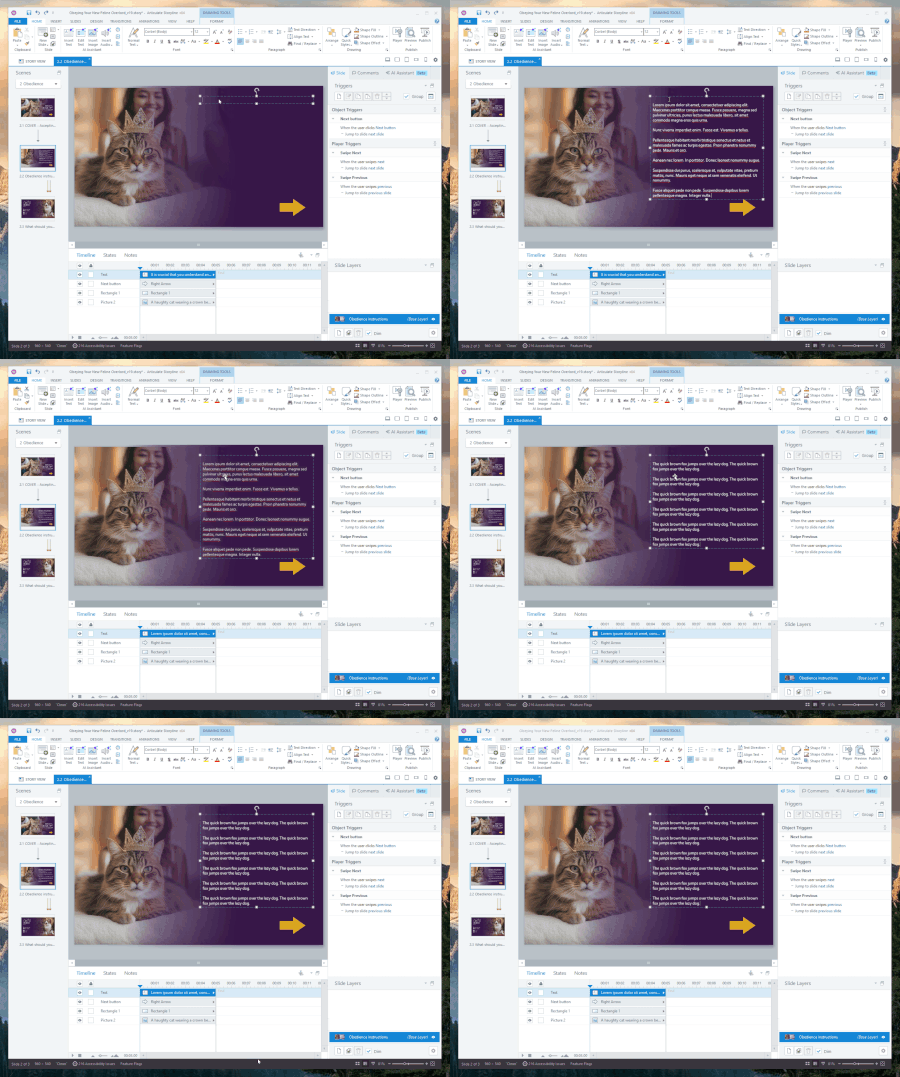
One thing that quietly slows down course building is waiting on final content. You want to design the layout. Test animations. Dial in spacing. Make sure interactions feel right. But the real text is still “coming soon,” so progress either stalls or you start designing around a sentence fragment and a prayer. Storyline has a better way to fake it responsibly. In any Storyline 360 text box, try this: =lorem() You’ll get placeholder Lorem Ipsum text right away. By default, it inserts 3 paragraphs with 3 sentences each. Enough to see how things really behave without waiting on real copy. Need to control it? This acts like a function call and takes two optional numbers. The first number is how many paragraphs you want. The second is how many sentences per paragraph. For example: =lorem(2,5) That gives you 2 paragraphs with 5 sentences each. Great for stress testing text-heavy slides. There’s also: =rand() This one generates paragraphs of the classic “the quick brown fox jumps over the lazy dog.” This function takes the same parameters, but defaults to 3 paragraphs of 5 sentences each. Slightly more readable than Latin, slightly more ridiculous, and honestly perfect for layout work. Why this matters: • You can keep building without waiting on content • You can design for real world text length early • You can focus on interactions and flow first Check out the attached gif to see this in action. Small feature. Big time saver. If you’ve got other Storyline tips that feel almost too small to mention but you use constantly, I want to hear them.8Views0likes0CommentsStoryline 360 now supports transparent WebM video
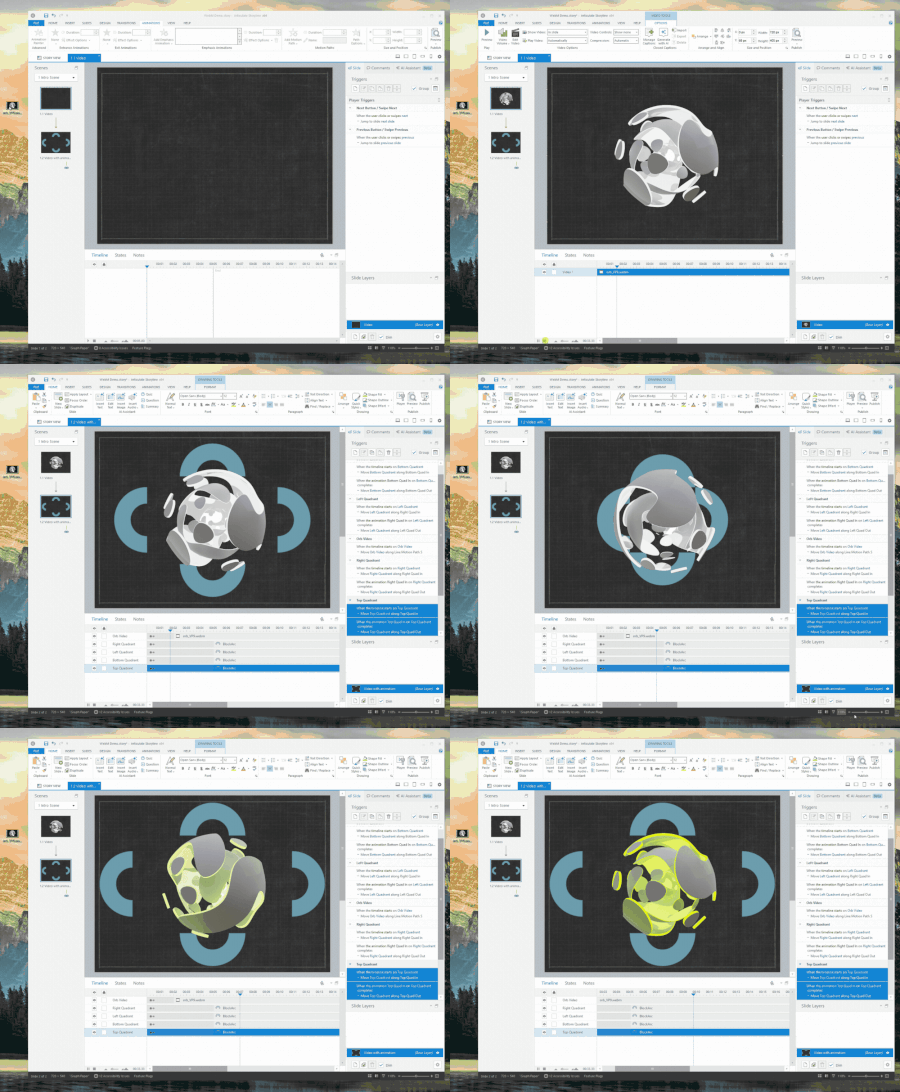
Hello and welcome to 2026, Storyline users! Toward the end of the last year, we quietly shipped something pretty powerful. You can now import WebM videos into Storyline, including those that use real alpha channel transparency. In the clip below, I’m dropping a WebM onto a slide with a textured background so you can clearly see that texture showing through the video. Then on the next slide, I add a few objects that animate behind the video while it’s playing. No boxes. No masking tricks. Just actual transparency doing what it’s supposed to do. This wasn’t a big splashy launch, but it meaningfully expands what you can create. If you’ve ever wanted motion graphics or visual effects with transparency that feel native to the slide, this opens that door. One important note: support for transparent WebM is solid in Chrome, Edge, Firefox, and other Chromium-based browsers. Safari and Apple devices don’t currently support WebM transparency in the same way, so this works best when your learners are on those supported browsers. I’m really curious about how you'll use this. What kinds of transparent video would be most valuable in your courses? Where does browser support influence your design decisions? What other video capabilities should we be thinking about next? Looking forward to the feedback.52Views1like0CommentsCourse performance issue on review link after attempting pre-assessment – slides loading very slow
Hello Community, I’m experiencing a performance issue in an Articulate Storyline course, when reviewing this course on review link and need technical guidance. Course details: ~250 content slides 55 assessment questions Structure: Pre-assessment → Course → Post-assessment For alpha review, all 55 questions were kept open/visible in the pre and post-assessment, and reviewing course from review link. Issue: When reviewing this course from review link, If I attempts all (or most) of the 55 questions first and then proceeds to the course, slide loading becomes very slow after ~50–60% course completion. Navigation turns sluggish and remaining slides take a long time to load. Query: Does Storyline retain assessment data in memory until course exit? Any recommended best practices or solution on this? Looking forward to technical insights or similar experiences. Thanks,18Views0likes0CommentsPrompt for "full body character shots" for the AI Image generator
Greetings, Simple question, hopefully, how can I tell the AI image generator to "give me a full body shot" of a character I'm listing traits for? I'm running into this issue and it drives me crazy: everytime I want Storyline to generate a character, of any kind, with various prompts, using the AI image generator, it cannot or heavily struggles to get me 4 "full body shots". I'm always asking for the portrait format, not square or landscape. In photography, a full body shot is "from head to toe, completely framing the subject". Right now, unless I'm adding "walking" to my prompts, I'm getting Italian shots (head to pelvis), portraits and close-ups. If I write "standing", "full body shot" and whatnot, it doesn't generate complete characters. Please note for traits, be eyes, hair, eyes, skin color, outfits and such, Articulate's AI is... pretty spot on. It's not perfect and there are mishaps, but design-wise, it gets the job done. However, if I ask for a character, I do expect a full body shot unless I'm asking specific framing prompts. I currently have the Dec. 17th 2025 version of Storyline (3.107.35974.0), if that can tell you how the AI was fine-tuned by now. I know there's a new update today, but... right now I'm using the December version, since I needed to update Storyline right away a few days ago and I can wait for later versions. Thanks in advance and have a nice day :)57Views0likes2CommentsHow do I get learner to input a current date?
Hello! I need to create a quiz question in which the learner has to enter the current date into a text field or select the current date from a drop down like a calendar. How do I set this up and I also need the feedback to say correct, incorrect, or try again? I'm a beginner in Storyline and I do not know JavaScript. Any step-by-step instructions will be appreciated. Thank you!Solved60Views0likes5Comments