javascript
47 TopicsMission: Survive the Stakeholder 😅 | Things to Say & Not Say to IDs
Hi everyone! 👋 For this week's challenge, I decided to gamify the classic "Instructional Designer eye twitch" moments we've all experienced during project kick-offs. Welcome to Mission: Survive the Stakeholder! In this short interaction, you play as a project manager meeting with Alex, your ID. Your goal is to choose the right things to say to get the project moving without causing his stress meter to max out. Behind the scenes: Visuals: I generated the 3D Pixar-style character states using AI to capture those perfect, relatable expressions of creeping panic. The Tech: To make the stress meter feel fluid, I built a custom HTML/CSS/JS interaction and embedded it as a Web Object in Storyline. The custom slider is dynamically synced with the background video, so Alex's reactions update smoothly in real-time as your score changes. You can play the demo here: Mission: Survive the Stakeholder I had so much fun putting this together. I’d love to hear your thoughts! Did you manage to keep Alex calm, or is he currently updating his resume? 😂Case: Operation Dopamine - A Noir Comic Mystery
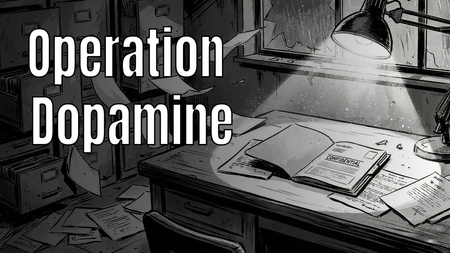
Hi E-Learning Heroes! 👋 For this week's Comic Book-Inspired Challenge, I decided to go full "Noir Detective" graphic novel style. 🕵️♂️✨ In my project, "Case: Operation Dopamine", the learner steps into the shoes of a private investigator exploring a ransacked laboratory. The mission? To find the 6 stolen components of Gamification (such as Engagement, Customer Lifetime Value, and Emotional Connection) and restore color to a black-and-white corporate world. 🔍 Play the interactive demo here: > Play Operation Dopamine I had so much fun blending storytelling, visual design, and instructional concepts into this one. I would love to hear your thoughts and feedback!Burning Questions
Hello! Another tongue-in-cheek demo, with a serious message. But I don't recommend that you take this passive-aggressive route to explain gamification to your boss... This demo is built around an oversized slider, which is animated using rapid state changes controlled by Javascript. Video sections created in Powtoon. Any questions, please ask. I promise I won't turn you into a computer game character in a burning building. Try it for yourself here: https://bit.ly/elhc542
Perfect Match?
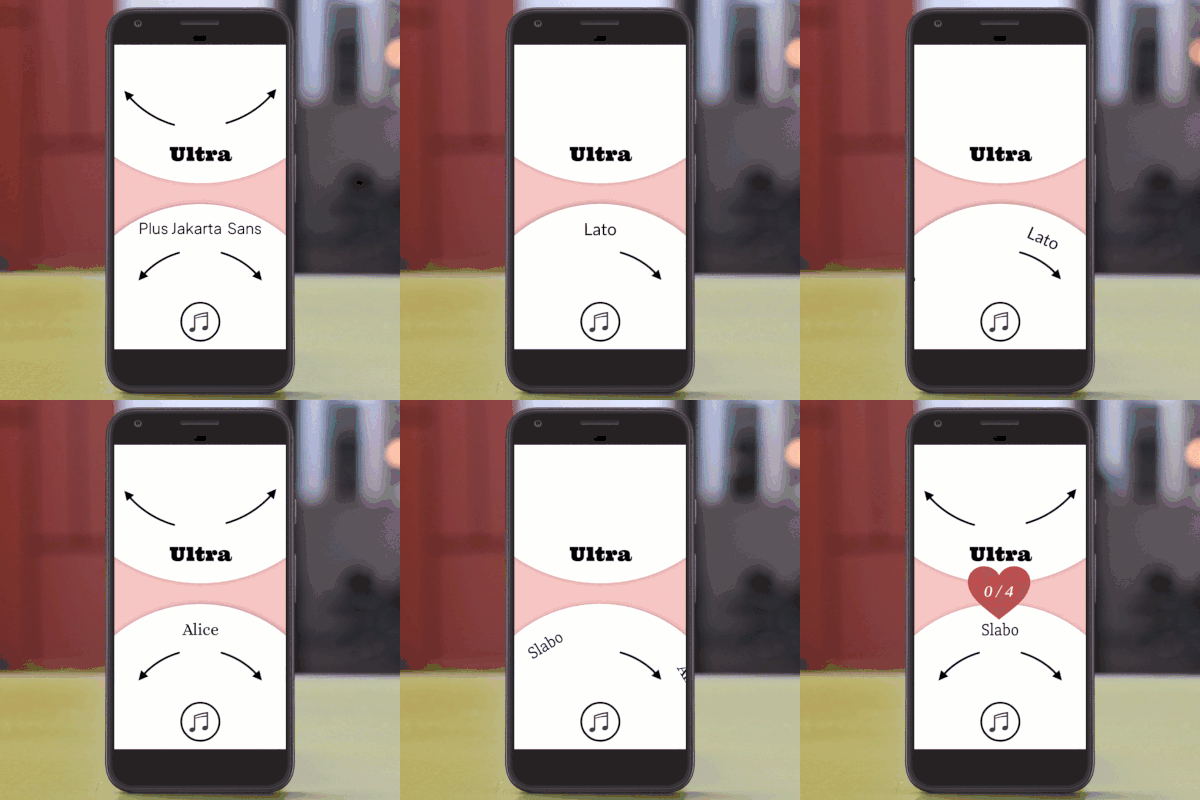
Hello! Typography is a big part of elearning design. And being a total font nerd, I love it when I find the 'Perfect Match'. This interaction is built around two dials and has been optimised for mobile phones. Javascript randomises the starting position of the dials at the start of each game. It also controls how far the dial turns with each tap. When the value of Dial1 and Dial2 match, a feedback layer is shown, and the score increases. When you hit 4/4, the game resets. The AI voiceover is 'Liam' with the style exaggerated to ~70, and I used Suno to create the game show-style theme tune. This plays on repeat until the score hits 4/4, when it is stopped and replaced by applause. But you can also mute the music during the game if it's not your jam. The content is based on this article. I had a lot of fun making this one! Let me know what you think. If you have any questions, please ask. PLAY HERE: https://bit.ly/elhc54065Views2likes0CommentsTurn That Light Off
Hello! Non-human characters can be a strong choice for your e-learning courses. They're often more popular with users than AI avatars. My characters always come across as a bit grumpy, for some reason... Believe it or not, this is a regular 'pick one' freeform question slide. The character was created using Nano Banana, and I manipulated it in Pixlr to create the different mouth shapes. The animation is achieved through rapid state changes, synchronised to the waveform of each bit of narration. This is controlled by Javascript that I wrote with the help of Claude.ai. The voice is Dave, one of my favourite Storyline AI voices, with the style exaggerated to 75 😀 Switch my demo on here: https://bit.ly/elhc539
2025: The Year AI Landed
If you're hearing this message, the machines have won, and Instructional Design is dead as we know it... Hello! For this week's #ELearningChallenge I've created an interactive video portfolio to highlight four projects I built this year with the help of artificial intelligence. Despite the apocalyptic tone, I'm excited about the creative possibilities of generative AI. I certainly couldn't have made this last year. Videos created using Powtoon's AI Text to Video feature and edited with Camtasia. And just like my recent coffee-making demo, this is also fully accessible from the keyboard. Anywhere you see an underlined letter in a button, that key will perform its function. If you're wondering how I changed the colour of the captions from white to black, and back again, to improve legibility during the intro... Code to change captions to white // Stop any existing observer first if (window.captionObserver) { window.captionObserver.disconnect(); } // Monitor for caption changes and force white color window.captionObserver = new MutationObserver(function() { var allCaptionElements = document.querySelectorAll('[class*="caption"], [class*="acc-"]'); allCaptionElements.forEach(function(element) { element.style.setProperty('color', 'white', 'important'); var children = element.querySelectorAll('*'); children.forEach(function(child) { child.style.setProperty('color', 'white', 'important'); }); }); }); window.captionObserver.observe(document.body, { childList: true, subtree: true, attributes: true }); Code to change captions back to black // Stop the white observer if (window.captionObserver) { window.captionObserver.disconnect(); } // Apply black once var allCaptionElements = document.querySelectorAll('[class*="caption"], [class*="acc-"]'); allCaptionElements.forEach(function(element) { element.style.setProperty('color', 'black', 'important'); var children = element.querySelectorAll('*'); children.forEach(function(child) { child.style.setProperty('color', 'black', 'important'); }); }); And yes, AI helped me do this! Sift through the wreckage of my career here: https://bit.ly/elhc534 Oh, and shout out to any fans of SILO.
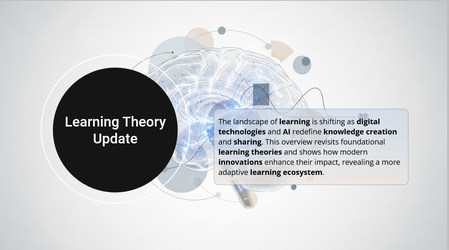
Learning Science Update
Challenge Submission – Minimal, Review-Friendly AI-Assisted Animation For this challenge, two slides from the Opportunity theme in the content library were selected as a focused demonstration of AI-assisted animation approaches. This submission explores how AI-assisted JavaScript prompting can be used to create effective motion design while remaining easy to review, understand, and reuse across projects. Slide 1 intentionally uses the first AI-suggested JavaScript animation without modification. The goal was to evaluate the quality of a default AI-generated timeline. From prompt to result, the animation was implemented in approximately two minutes, demonstrating how AI can quickly establish a clean, professional entrance sequence with minimal effort. Slide 2 introduces a hybrid animation approach, designed with readability and adaptability in mind: A simple JavaScript entrance animation handles the vertical timeline dots. Text boxes rely on lightweight opacity transitions. Manual time-shifting aligns text entrances with dot interactions. Instead of one complex JavaScript timeline controlling everything, the interaction logic is distributed: Motion is broken into small, understandable pieces. Timing relationships remain visible and adjustable. Reviewers can easily trace how each interaction affects the UI. The resulting experience still feels animated, but the perceived motion comes largely from: Delays and offsets Layer changes Consistent spatial relationships between dots and text This makes the approach easier to follow during review and simpler to apply to similar projects, especially compared to a single, tightly coupled JavaScript animation. The design demonstrates how thoughtful timing and minimal motion can deliver clarity, responsiveness, and polish—without increasing implementation complexity. View project here: #533_AI_Animations.story154Views2likes0Comments