drag and drop
5 TopicsMost accessible interactions
Hello everyone! I've received some feedback about a recent elearning that I created that drag and drop interactions aren't very accessible. I've read through a lot of the help documents about what makes learning content accessible, but I can't find much detail on designing accessible interactions. Would anyone have any information about what I should steer away from? And any ideas for interactions that I can use apart from click and reveal type interactions? Thank you so much!Solved1.7KViews1like13CommentsDnD - in Two Steps
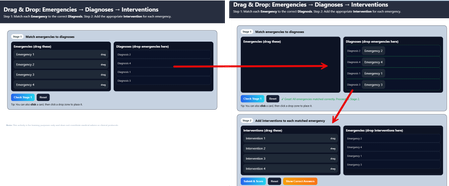
This learning was developed for medical staff to diagnose a specific type of emergency then once the diagnosis was determined, they needed to decide what was the appropriate Intervention. It was built with two stages. First determine the 'Diagnosis' for each 'Emergency,' then determine which 'Intervention' was needed for that diagnosis. Went through several iterations using AI to get it to this state, which is what was needed at the time....BUT now that I've been playing and as time permits -- the possibilities of what else I can do to make this more engaging are endless! Drag & Drop: Emergencies - Diagnoses - Interventions240Views0likes1CommentMagic JavaScript switch?
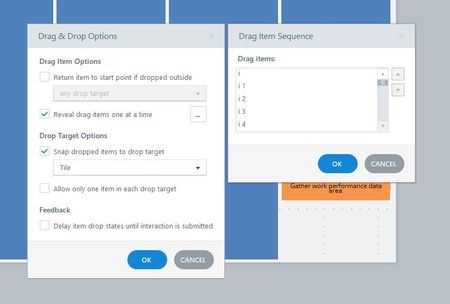
I have a drag and drop quiz with 95 drag options that are then added to a chart. This is all working beautifully and tiling onto the chart very nicely, but if I want to randomize the order that the 95 options appear in (on the drag sequence menu) then I have to manually drag them around to make them appear randomized. Has anyone ever incorporated javascript to make drag options appear in random order if they are appearing one by one? Apologies if this is unclear or not allowed to ask.Solved1.2KViews0likes7CommentsTriggers on a submit button for drag and drop
Hi all! Hoping someone here has needed to do this before and has an idea! I have a drag and drop slide that I want all the drag options to be on screen at the same time (not appear one at a time as we often do for slides where space is an issue). The slide is intended to get the reader to engage better with the content and review the strategies explained a couple of slides back. Now the challenge I have is space and position...want to keep button bottom right as this is where it best fits on the other interactive slides. So I want to have the submit button and hidden and change it to "normal" when all the drag items have been dropped whether they are correct or not. There could be so many combinations, I can't work out a simple and logical way to get a trigger to work for that. Any ideas? Thanks in advance. Jessica739Views0likes5CommentsDrag and Drop Usability
I have a drag and drop interaction where two of the answers should go into the "house" or target, and the other two should not. Is it possible when the wrong answers or objects go into the "house" that the automatically snap back and won't be allowed in the house? I also would like any comments anyone would have about usability and how I can make the interaction better. Thank you.199Views0likes2Comments