e-learning development
242 Topics*ENTRIES ARE NOW CLOSED* GIVEAWAY: DevLearn is coming — want to join us? 🎉
DevLearn is almost here (Nov 12–14)! Whether you’re already going or hoping to, we want to celebrate with the learning community. To share the excitement, we're giving away TWO DevLearn 3-Day Conference passes valued at $2,395 (travel and accommodations not included, U.S. residents only). 👉 To enter: Comment below and tell us: 💬 Why you want to go and/or what you hope to learn! That’s it! We’ll randomly select two winners from the comments. ⏰ Enter by: Tuesday, October 28, 2025 8:00 AM PT 🏆 Winners announced: Wednesday, October 29, 2025 by 5:00 PM PT Already have your ticket? Drop a “👋 I’ll be there!” so we know who to connect with in Vegas! UPDATE: Thank you to everyone who shared their stories! We’ve loved reading your entries and seeing so many opportunities to collaborate and learn from this amazing community. 🎉 Congratulations to our winners: Kaitlyn-Skyline and larryvanwave-ff We’re so excited for you and hope to do more fun giveaways like this in the future. Thanks again to everyone who participated!2.4KViews19likes73CommentsDo You Storyboard Before Building in Rise?
When I'm starting a new Rise course, I often sketch out a quick outline first. Other times, I build right in Rise (especially now with AI!) and organize as I go. Lately, I've been wondering how others approach it—especially when it comes to storyboarding or outlining content ahead of time. If you build Rise courses, I'd love to hear: Do you typically create a storyboard or outline before jumping into Rise? 📝 (And if you do, what does it usually look like—simple notes, a spreadsheet, something more detailed?) I'm gathering some insights for an upcoming community project and would love to learn from your processes! 🙌🏼2.3KViews2likes30CommentsPeer Pod Coming Soon: “New to Instructional Design” — Who’s Joining Us?
We’re kicking off a brand-new Peer Pod for anyone who’s new to instructional design and you’re invited! 🎉 Peer Pods are 4-week learning groups where community members explore a topic together through weekly prompts, curated resources, and shared discussion. Whether you’re a few days or several months into your role, this is your chance to connect with peers, reflect on key topics, and build confidence together. Here’s what we’ll explore: ✨ What to focus on as you get started 📦 Intro to Articulate 360 + course design best practices 🤝 Tips for working with SMEs 💻 Best practices for incorporating AI By the end, you’ll walk away with a stronger foundation and a group of peers cheering you on. 🗓 Start Date: Monday, January 12, 2026 Participants will be added to the private Peer Pod group about a week before we begin. 👉 Want to join? Fill out the registration form. 💬 Your turn: What Peer Pod topics do you want to see next? If you could join a focused 4-week learning group, what topic would you choose? Drop your ideas below so we can build pods around what you want most. 🙌1.6KViews14likes36CommentsENTRIES ARE NOW CLOSED: Where in the World Is Articuland? 🌍🕵️♀️
Articuland is going international in 2026, and we’re taking the experience to three cities around the world. Before we reveal where we’re headed, let’s play a game. 🕵️♀️ Your challenge: Can you correctly identify the cities based on a few clues? Below, you’ll find the three stops on our global Articuland tour. Each stop comes with three hints. 💬 Drop where you think Articuland is coming in the comments. 🎁 What’s in it for you? The first 10 people to correctly identify a city will receive a 20% off code for an Articuland ticket to the location of their choosing. Everyone who correctly identifies at least one city will be entered into a random drawing to win one Articuland ticket to the location of their choosing. ⏰ Important dates Submissions close: March 23 at 12 pm ET Cities + winners revealed: March 24 👉 One entry per person. Ticket prize covers admission only (no airfare or hotel). Official Rules apply. Ready to put your detective skills to the test? Let’s see what you’ve got 🧠🌍 🕵️♀️ Stop One Rain is always a possibility A city of iconic bridges and neighborhoods Home to a famous underground 🕵️♂️ Stop Two A strong connection to bold, recognizable art and architecture A city where design shows up everywhere Sun, sea, and streets built for wandering 🕵️♀️ Stop Three A city where you hear many languages in one day A skyline often used in movies and TV Known for neighborhoods with their own personalities Think you’ve cracked it? 👀 Tag a friend, compare cities, and see who gets it right before the big reveal. And if you’re already thinking ahead, tickets for our U.S. Articuland events are on sale now, with global event registration opening soon. More details coming your way on March 24! Until then… happy geography lesson 🌍💛1.3KViews1like23CommentsDesigning Immersive Phone Conversations in Storyline
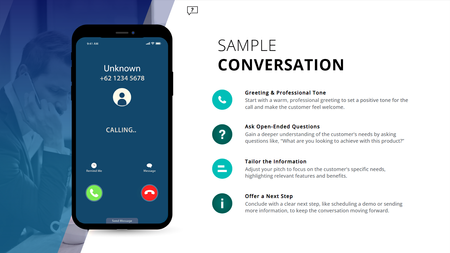
Ever have two characters talk in a training module, but it still feels flat; even with speech bubbles, audio, and triggers? This (FREE) Storyline phone conversation template changes that. Whether you're designing for sales, compliance, healthcare, or support, it creates real, layered convos that feel like you're eavesdropping on a call. Animated phone effects Realistic voiceover dialogue Transparent APNG waveforms (way better than GIFs!) Custom triggers for pick-up/end call Clean, modern layout with animated text Watch how it works: https://www.youtube.com/watch?v=kMpUcYJRNnE Preview the demo: https://www.redesignedminds.com/Discuss/story.html Download it free: https://drive.google.com/file/d/19AvmE7q3PAUbXoNKIViQtPNqCwUoFDQW/view?usp=sharing If your training includes a conversation, this is how you bring it to life.1.3KViews10likes14CommentsAI‑powered, real‑time role‑play platforms
Hello Heroes! Has anyone cracked this yet? I’m exploring AI‑powered, real‑time role‑play platforms that can be embedded directly into an Articulate Rise Multimedia Embed block and run within the Rise frame—without sending learners outside the course or requiring a separate login. I’ve tested a few options, including Yoodli, but that experience redirects learners out of Rise. Other platforms I’ve reviewed are either cost‑prohibitive or not transparent with pricing. Has anyone successfully integrated a truly seamless, experiential role‑play experience into Rise? I’d love to hear what you’ve tried, what’s come close, or where you hit barriers. Thank you!1.3KViews2likes14CommentsIntuitive Role Playing Exercise with Feedback
Hello, is there an AI tool within Storyline or Rise where you can insert an intuitive back-and-forth role-playing activity that provides real-time feedback to users depending on their responses to help enhance communication skills during customer service calls?1.3KViews1like20CommentsCongrats to our Build-a-thon Winners!
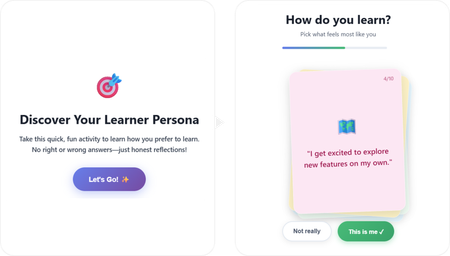
That’s a wrap on our first-ever Build-a-thon 🎉 Huge shout-out to all of our participants. 👏 The creativity, experimentation, and problem-solving on display were incredible. If you participated, you should’ve received a badge on your profile — well deserved! It was a very close race for 1st, 2nd, and 3rd place, but I’m excited to officially announce our winners, based on community votes. ✨Build-a-thon Winners✨ 🥇 First Place: “Meet Your Learner Persona” by ClaudiaNadol891 This project is a masterclass in thoughtful prompt design and clean UX. The stacked-card interaction feels polished and intuitive, and it’s a great example of how you can create something playful inside a Rise Code Block without overwhelming the learner. If you’re curious how to blend AI + intentional design, this is one to study. 🥈 Second Place: Accessibility Reality Checker by SheriLee This build shows the power of turning content into a decision. Instead of explaining accessibility, it puts you in the driver’s seat and makes the tradeoffs visible. It’s a strong example of how short, focused interactions can create real impact. 🥉 Third Place: Paint by Num-Birds by ArthaLearning03 (Aamir Aman, Tal Castillo, and Ryan Young) This team pushed the creative boundaries of the Code Block. The layered, paint-by-numbers approach turns a complex skill into a hands-on challenge. It’s a great example of how you can move beyond default interactions and build something immersive and unexpected. We loved seeing how much thought and creativity went into these builds! If you didn’t participate this time, I hope you’ll explore the entries and see just how far you can push the Rise Code Block. If you haven’t already, join the Rise Code Block Group to keep the conversation going. And if you decide to try something yourself, post in Share Examples — we’d love to see it and cheer you on! What should our next Build-a-thon challenge be? Drop your ideas below 👇1.3KViews8likes1CommentSomething big is coming
If you’ve noticed the countdown on the homepage, there’s a reason…👀 On September 10, we’ll share an Articulate 360 announcement during the Articuland Orlando keynote, and you can join us virtually from wherever you are. Expect a first look at what’s next, plus a few things we’re especially excited to share with this community. Register for the free keynote livestream → Will you be joining us for the keynote? Let us know whether you’ll be tuning in to the livestream or joining us in Orlando. 👋 Or tag a buddy who won’t want to miss it. We’re excited to celebrate this moment with all of you! 🎉1.2KViews6likes17CommentsAI Voice Generation emphasis in SL
Hi, Has anybody discovered a way to reliably coax the AI voice generation engine in SL360 to add emphasis to a word or phrase? For example in written text such as "read the instructions before starting", the italics and bold would strongly indicate the importance of reading before starting, and if I was creating my own voice recording I'd heavily lean into the word "before", to stress this. I haven't yet found a way to do this with the AI VG engine, and you can't add bold or italics to the text dialog. I've experimented with asterisks etc., but it tends to just garble the output. I know the whole point of AI is that it is supposed to work stuff like this out for itself through context and should do this automatically, but I do think it sometimes needs some guidance. Any ideas or tips? Thanks PaulSolved1.2KViews3likes16Comments