e-learning essentials
93 TopicsBest Certification for Breaking into Instructional Design field
I am mentoring an Educator (with a Master's in Teaching) and 15 years of teaching fifth-grade science as well as pre-school. This educator wants to transfer her skills to break into the Instructional Design field. What are the best certifications programs for this type of professional?7.2KViews2likes20CommentsPeer Pod Coming Soon: “New to Instructional Design” — Who’s Joining Us?
We’re kicking off a brand-new Peer Pod for anyone who’s new to instructional design and you’re invited! 🎉 Peer Pods are 4-week learning groups where community members explore a topic together through weekly prompts, curated resources, and shared discussion. Whether you’re a few days or several months into your role, this is your chance to connect with peers, reflect on key topics, and build confidence together. Here’s what we’ll explore: ✨ What to focus on as you get started 📦 Intro to Articulate 360 + course design best practices 🤝 Tips for working with SMEs 💻 Best practices for incorporating AI By the end, you’ll walk away with a stronger foundation and a group of peers cheering you on. 🗓 Start Date: Monday, January 12, 2026 Participants will be added to the private Peer Pod group about a week before we begin. 👉 Want to join? Fill out the registration form. 💬 Your turn: What Peer Pod topics do you want to see next? If you could join a focused 4-week learning group, what topic would you choose? Drop your ideas below so we can build pods around what you want most. 🙌1.6KViews14likes36CommentsDesigning Immersive Phone Conversations in Storyline
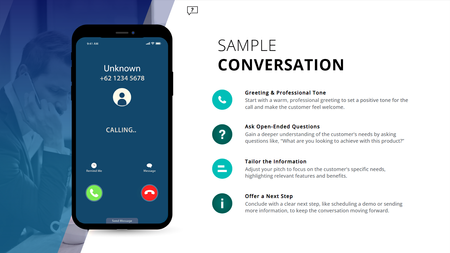
Ever have two characters talk in a training module, but it still feels flat; even with speech bubbles, audio, and triggers? This (FREE) Storyline phone conversation template changes that. Whether you're designing for sales, compliance, healthcare, or support, it creates real, layered convos that feel like you're eavesdropping on a call. Animated phone effects Realistic voiceover dialogue Transparent APNG waveforms (way better than GIFs!) Custom triggers for pick-up/end call Clean, modern layout with animated text Watch how it works: https://www.youtube.com/watch?v=kMpUcYJRNnE Preview the demo: https://www.redesignedminds.com/Discuss/story.html Download it free: https://drive.google.com/file/d/19AvmE7q3PAUbXoNKIViQtPNqCwUoFDQW/view?usp=sharing If your training includes a conversation, this is how you bring it to life.1.4KViews10likes14CommentsWho here has an e-learning portfolio?
Hey all—as I've been chatting with community members lately, something that's coming up a lot is e-learning portfolios. I thought it might be interesting to start a thread and have folks share your portfolios in the comments. Bonus points if you add a couple of notes to your comment about what you see as best practices for portfolio creation—if I get a bunch of comments here I can create a summary of best practices for folks who don't have portfolios yet to read! Really looking forward to seeing some of these 🙌1.2KViews2likes16CommentsExpert Insight Needed!
Hi Everyone! I am a graduate student in an Instructional Design and Performance Technology program. In my Distance Learning Policy and Planning course, we are conducting an informal research investigation on current use of technology in our field. We are tasked with finding out what practitioners are using out in the real world, and how they feel about those technologies. Can you please share the platforms you use and your own personal feelings about these technologies (what works well, what is challenging, etc.) for purposes such as: Delivering instruction or training (such as an LMS) Communication and collaboration Assessments or testing Analytics Thank you so much for helping me learn from your experience!899Views6likes17CommentsOrganising project phases
Hi there! I'm curious to learn how others organise the workflow when creating E-Learning content. I personally find kind of challenging the final revision, in which I need to check that everything in the content is well and adjusted. I was thinking in creating a checklist that could be used as a support but I don't really know what kind of format could really be useful... any idea? How do you usually check that everything is perfect right before delivering?899Views2likes21CommentsRISE- Automatic Certificate Creation
I've been playing around with how to create a custom certificate in a Rise course and I've finally found a workaround using an embedded form that creates and delivers a PDF. Check it out: https://share.articulate.com/IcrVo3X-PV5k7x9CMMFkx I've been struggling with this for a long time and I know a handful of you have been too. Hope it helps! ps. I used the AI Assistant to create this mini course based off of the video I recorded outlining the steps, which I also included as content within the course to follow along.800Views7likes6CommentsCourse Design Best Practices
Hello everyone...a few months ago, our Senior eLearning Instructional Designer retired and I've inherited a catalog of eLearning courses that were authored in Storyline 2. I'm working on updating courses as needed and turning my attention to better processes and best practices for course design. One of the standards I'm examining is course navigation and baseline expectations for any given course with regard to seat time, whether it has audio, etc. Because the courses I'm updating and developing will be authored in the new versions of Storyline and Rise, there is also a learning curve for the organization on using these new player interfaces. I've seen a number of creative ways this has been done, but wanted to ask if there were any recommendations for things that have worked well for you. For things like orienting the learner to the player controls, fullscreen options, etc. do you recommend creating a Lightbox overlay for Storyline courses at the beginning? What about Rise courses? Do you include a block at the beginning, during the introduction that shows learners how to use the player, etc.? I appreciate any creative inspiration and recommendations! Added screenshots as examples. My apologies for not knowing the author of the first example. I grabbed a quick screenshot when I saw this in one of the community downloads as it was very close to what I'm wanting to do. The second is an example (from a recent video course I just finished) of similar information I'd like to include in eLearning courses.Solved799Views0likes3CommentsHow are you approaching learning creation in your organization beyond “traditional” L&D use cases?
Hey ELH community 👋, We know that learning creation doesn’t live solely within L&D or instructional design teams. In large organizations especially, managers, training, enablement teams, and other departments are increasingly creating their own learning to meet team and business needs. We’re curious how that’s playing out in your organization. If you’re in L&D, what’s holding you back from bringing on more teams create courses in Articulate? Are there particular challenges—technical, process-related, or cultural—that make it harder to open things up? And if you have scaled and democratized course creation with Articulate beyond L&D, what’s helped it work well? We’d love to learn from your experiences; what’s working, what’s not, and what would make it easier. ~ The Articulate Research Team600Views9likes5CommentsTurn a PPT Into a Rise 360 SCORM
Hello! I am new to Articulate and I am looking for something very specific. At my job, we already have a lot of great teaching material in PowerPoint. Now, we are trying to converting the PPT-content into a SCORM-file each. It worked fine with Storyline, but it is shown through the player. I am actually looking for the Articulate Rise 360 feel, having one page beneath the last. Is there any way to change the setting and achieve what I am looking for? Thank you so much! Love, KathiSolved599Views0likes5Comments