Forum Discussion

Best Way to Create Multi-Part Spelling Quiz in Storyline 360 with Custom Scoring
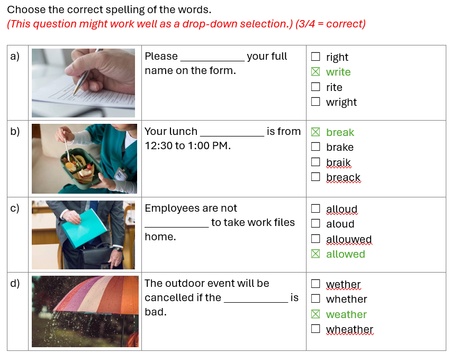
Thank you Michael so much for the example. If no feedback is needed, could I delete the 2 correct/incorrect layers? Would this affect the scoring? And how do I ensure the scoring is correct when all 4 correct answer was selected? To be specific, which trigger was set up to achieve the scoring please? Thanks again for your time and advice.

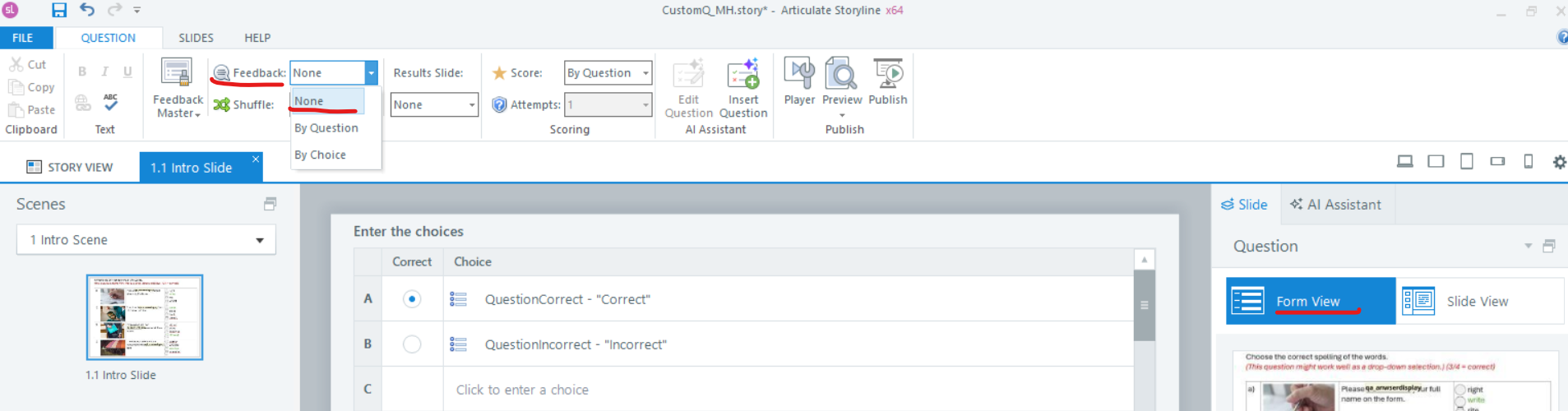
To turn off the feedback layers, you can select the None option in Form View.
In the second screenshot, I highlighted the triggers that calculate the score and then sets the offscreen Correct button to selected when the score is >=3.

- ElaineWu-18cd256 months agoCommunity Member
Hi Michael,
I have completed 2 questions based on your example. Each question is worth 1 point, and learners need to successfully complete all 4 sub-questions to earn that point.
However, I've encountered an issue: when learners finish question 1, the selected words automatically appear in question 2 as well.
Could you please help me understand:
- What is causing this issue and how to fix it?
- How to verify that the scoring is properly configured to award 1 point per question (only when all 4 sub-questions are answered correctly)?
Thank you for your assistance.