Forum Discussion

Conditional Triggers/Hot Spots
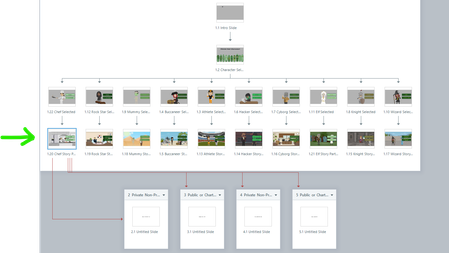
- 8 months ago
Is there a reason all of your variables are set to True by default? If they’re already True, clicking to set them True again doesn’t change anything.
As it stands, it looks like there are effectively no conditions at all, so the triggers execute in order regardless of logic. That would explain why everything ends up going to Scene 2.
Try setting all the variables in the trigger panel to False first, then run the flow again and see whether that changes the behavior.

Thank you for the response, JudyNollet. I see what you mean, that it is prioritizing the jump rather than the "True/False" variables I set to the hot spots. I forgot to include these in my original post but these are the names of the hot spots:
Layer 1 where it asks Private or PublicLayer 2 where it asks NSLP or SFSP only
I made some text variables as you suggested as well but am having a little trouble figuring out how they fit into the puzzle. I am just sort of lost right now as it seems like my true/false variables should be sufficient. I hope that the additional above screenshots help. I tried adding some else statements but I'm sure I am doing something else wrong here.
JudyNollet Not sure why my screenshots didn't post. This is from the layer that asks "Private or Public"
This is the layer that asks NSLP or SFSP Only.
My idea is "When user clicks NSLP (and if they hit private on previous layer) then the user goes to scene 2." Conversely, when "When the user clicks NSLP" (and they clicked public on the previous layer) then user goes to scene 3."
Related Content
- 3 months ago
- 1 year ago