Forum Discussion

ERROR 5 in Google Chrome when uploading
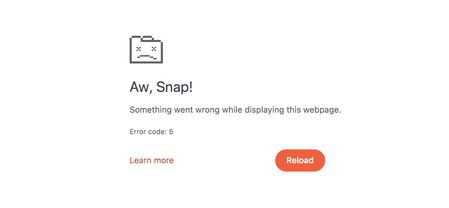
Thank you EricSantos and Happy New Year,
As for Chrome updates, in the browser info I read: "Updates have been disabled by the administrator". Perhaps this is because we work on company laptops managed by the IT department.
The problem persists even in Incognito mode, and JavaScript is enabled. The only solution is to upload the material using Safari.
What makes me smile is that with other MP4 files from other projects, uploading works as usual. In these videos, we only made some edits and reduced their “weight,” since they are video lessons lasting about 3 hours and Rise uploading limit is 1gb!
- EricSantos4 months agoStaff
Thanks for the update, GianniRanucci, and Happy New Year to you as well!
That note about Chrome updates being disabled by your IT team is really helpful. If Chrome isn’t able to stay fully up to date, that could explain why the issue continues there, even in Incognito mode, while Safari works as expected.
The fact that other MP4 files upload without trouble also suggests this isn’t a general Rise limitation, but something specific to how these longer videos are being handled by Chrome in your managed environment. Using Safari as a workaround is perfectly fine in the meantime.
If you’d like us to dig into this further, you’re welcome to open a support case so we can take a closer look at the files and setup. That would give us a chance to see whether things like file size, encoding, or browser restrictions might be contributing. You can do that here if you choose:
https://articulatecase.comIf you decide to reach out, including one of the affected MP4 files (or its export settings) along with your Chrome version details would be especially helpful.

Related Content
- 1 year ago