Forum Discussion

CarlFink1
2 months agoCommunity Member
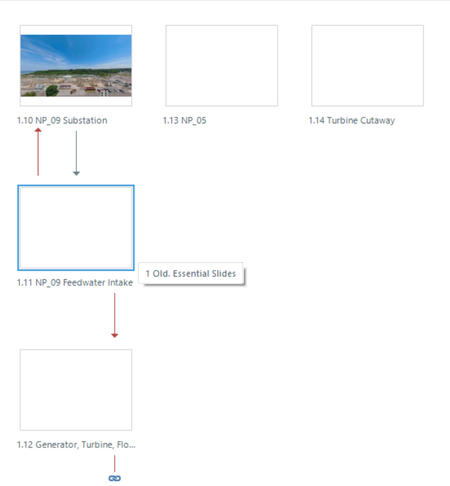
Story View: thumbnails go blank
Anyone else noticing that sometimes, in Story View, all, or all but one, of the thumbnails become blank voids?
I can restore the thumbnails by switching to the Master view, then back, FWIW...

KellyAuner
2 months agoStaff
I'm happy to help. I have a few clarifying questions first:
- Does this seem to happen at random, or can you recall a specific action you took before the thumbnails appeared blank?
- Are you working on and saving your file locally?
- Has this happened across multiple files?
I'm not seeing other reports of this issue at the moment. I did find an isolated case that was resolved by importing the slides into a new Storyline file. If you give that a try, please let me know if the behavior persists!

CarlFink1
2 months agoCommunity Member
I listed the specific action in the threadstarter:
- Begin in Story view
- Open a slide by double-clicking
- Close the slide by clicking the tiny "x" in the view toolbar (?) above the slide view. You know, the bar that lists STORY VIEW (inexplicably in all caps) and then shows a tile for each open slide?
- Repeat. The thumbnails blank out, for me, about every 5-10 times I do that. I haven't done extensive testing, but it seems as if navigating to multiple slides (not just opening and closing the same slide) can make it more likely.
File is saved locally.
Yes, it has happened in multiple files.
- LucianaPiazza2 months agoStaff
Hello CarlFink1,
Thanks for sharing these details about the thumbnails going blank in Story View. I wasn’t able to replicate this behavior on my end, so I’d like our Support Engineers to take a closer look.
I’ve opened a support case on your behalf, and you’ll hear from our team shortly via email. We appreciate your patience!

Related Content
- 1 year ago
- 10 years ago
- 2 years ago