Forum Discussion

Storyline Crashing After Using AI Audio Feature
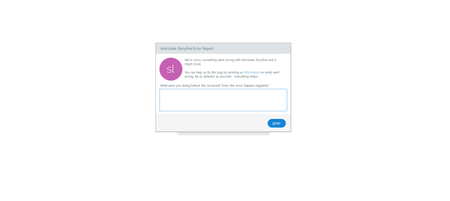

Yes I've experienced this same issue in the past few days! Mine was only showing that error message when I went to 'preview' the slide/project with AI audio I'd just added/edited the words of. The error message unfortunately made Storyline unresponsive; only way out was to End Task on the Storyline app in Windows Task Manager.
So as you say I've been adding the AI audio, then saving, quitting and relaunching the project, and then that seemed to allow me to preview without the error message appearing. Let's hope Articulate fixes it soon, but you are not alone! Let's both 'submit a case': https://access.articulate.com/support/contact/360-teams
- StevenBenassi2 months agoStaff
Hi EmmaJFord_ID,
Sorry to hear you're having trouble previewing AI Audio in Storyline.
I see that your support case is being handled by my teammate, Janina. It looks like she just replied to your e-mail, sharing insight and suggestions.
We can continue the conversation there!

Related Content
- 1 month ago