Forum Discussion

Text Color Won't Change
I haven't used Storyline in a hot minute (Maybe 3-4 months), and now, as I start my next project, I've discovered that I can't change the text color on hyperlinks. Unfortunately, the standard/default blue doesn't have great contrast with our black backgrounds.
How do we change this now?
Updating because I found a way - hopefully, one of a few and not the ONLY way - but I edited the theme colors and selected the color I wanted for all hyperlinks, and it updated. I did not want to remove my post in case this can help someone else.
9 Replies
- RonPricePartner
Hyperlink colors can be changed under Text Styles
- LisaPhillips-c2Community Member
RonPrice can you not change them on a case by case basis anymore? I need some of them to be white and some to be blue, but when I select the ones I need to change on the screen it doesn't let me change the colour on an individual basis (I don't need a global change).
Hi LisaPhillips-c2,
Jumping in here.
Ron’s suggestion is a great way to set hyperlink colors, and those are managed through the Hyperlink style, which applies them across the project rather than individually.
That’s why you’re not able to change individual hyperlink colors directly on the slide.
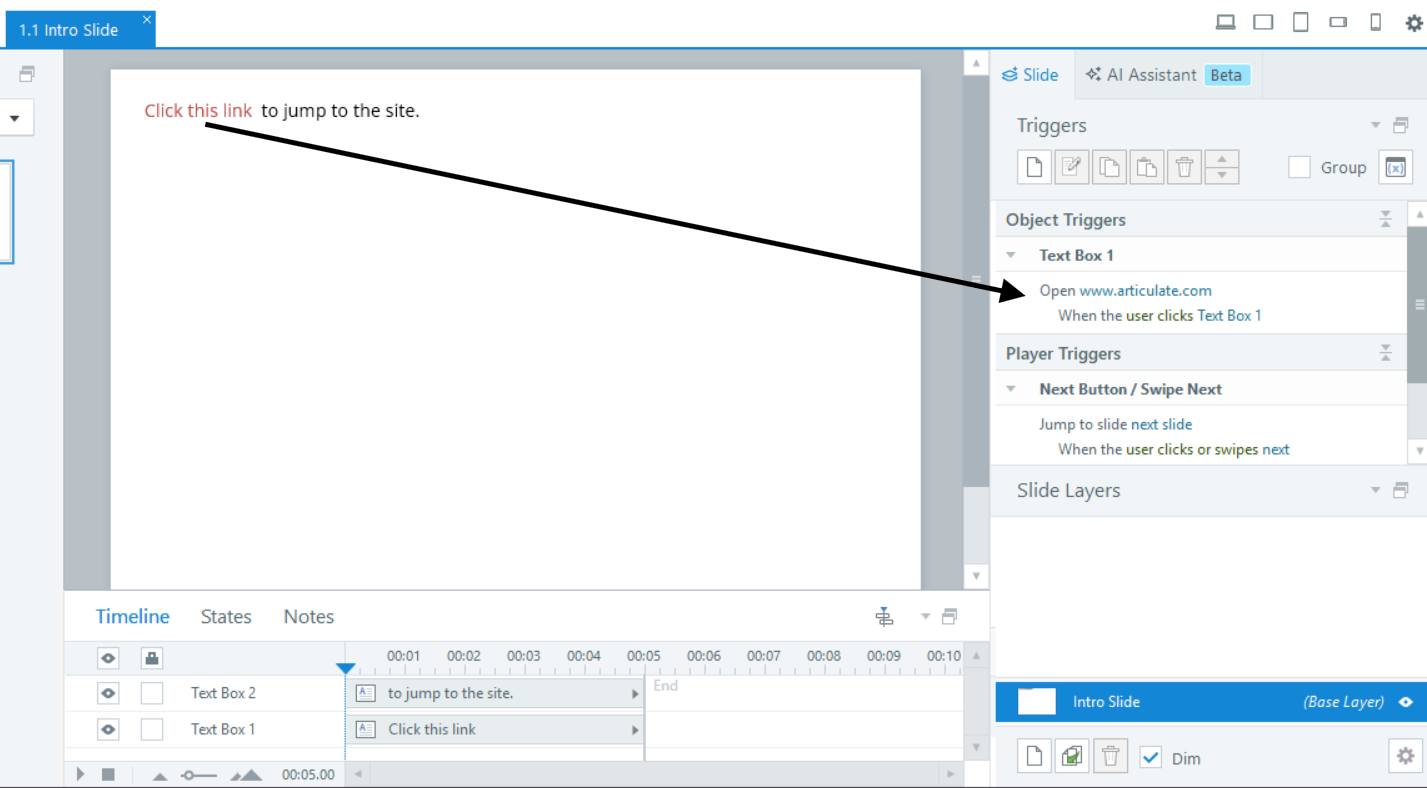
If you need different colors, one workaround is to format the text manually instead of using a hyperlink, then add a trigger such as Open URL/File when user clicks text. That way, you can control the color and still keep the link behavior.
- LisaPhillips-c2Community Member
Yes, thanks, I know you an do it that way as well. The issue is that you used to be able to change the colour when the hyperlink style was applied, and I have done that through all my modules, so now I have to go back and replace everything with the method you mentioned so they are accessible ... just wasn't sure if this was a glitch happening or if they changed the way this functioned. Sounds like the latter which is a real bummer for me... so much extra work to adjust them all now. :(
- daynwilkins2Community Member
This is a real bummer for me too. I have both dark text on light backgrounds and light text on dark backgrounds, so one hyperlink colour just doesn't work for me. Up until now, I have simply changed the hyperlink colour to white when my text appears on a dark background by directly formatting the text. They both have ample contrast ratios for accessibility. I don't understand why I can no longer do this?
EricSantos - your method makes the entire text box a link rather than just the highlighted text. That doesn't work for me. - daynwilkins2Community Member
Neither can I get RonPrice method to work. Creating a new hyperlink style seems to be overridden with the default style once I add the hyperlink.
Hi daynwilkins2, HannahWright-70, & LisaPhillips-c2,
Happy to provide some insight here.
Storyline supports modifying Hyperlinked text color independently from Text Styles, and Theme Colors. The issue being discussed in this thread was related to a Storyline bug that we resolved in version 3.113.36519.0. This bug prevented Hyperlink formatting from being updated as expected. Moving forward, you should be able to manually change Hyperlink text to any preferred color.
However, we are tracking another active Storyline bug affecting the hover behavior of Hyperlinked text:
- When a Slide has multiple Hyperlink texts with different colors, the last color used gets applied to other Hyperlink texts when hovering during preview/publishing.
Please let us know if you have experienced this issue, so we can include you in the bug report that's being tracked.
Looking forward to hearing from you!
- daynwilkins2Community Member
Thanks Steven. Apologies. That will teach me to update Storyline more frequently!





Related Content
- 2 years ago
- 1 year ago
- 8 years ago