Forum Discussion

How to Build a Rotating Video Carousel in Articulate Storyline
2 min read
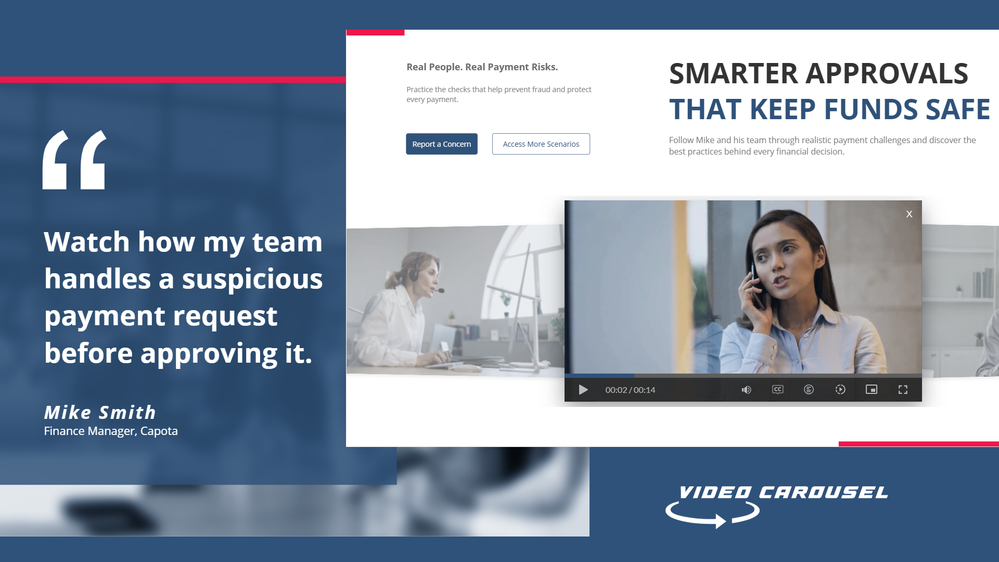
Three videos. Click a side tile and the whole set glides across, the outer tiles scaling and blurring back into depth. It loops in both directions and never dead-ends.
Try the live demo first. Then here is how it goes together.
The videos stay in Storyline
They sit on three slide layers, Vid01, Vid02 and Vid03, as ordinary Storyline video. That matters. You keep your seekbar, your accessibility settings and your normal publish pipeline. Swapping in your own footage is just right click, Change Media.
The carousel is a web object
A small folder of HTML, CSS and JavaScript sits on top and draws the three tiles. The front tile lines up exactly behind the real video, so what learners click is Storyline, not a picture of Storyline.
The look and motion live in one file
Open config.js in Notepad. Tile size, swing distance, tilt, blur, fade, speed, play button colour and background are each one line with a plain-English comment. Change a number, save. There is no code to write.
The folder rule nobody expects
This is the step that may trip up almost everyone. Storyline copies the web object folder when you insert it, so pointing it back at the same folder shows you the old version no matter how many times you save. Rename the folder, repoint the web object at the new name, then publish.
Why it looks blank in Preview
Web objects do not render in Storyline Preview. You have to publish to see the carousel run. This is normal Storyline behaviour and nothing is broken.
See it running
Open the live carousel demo and click the side tiles to feel how the motion reads.
Watch the full tutorial on YouTube for the complete build.
2 Replies
- ronald-hicksCommunity Member
Clever architecture — and the most important decision is the one you made first: keeping the videos as native Storyline objects on layers. Putting the video files inside the web object instead is a tempting shortcut, but it costs you the seekbar, keyboard controls, and closed captions in one stroke. Your split — Storyline owns the media and accessibility, the web object owns only the cosmetic motion — is exactly the right division of labor. And the folder-copy gotcha is a genuine time-saver; that's the kind of thing that costs someone an afternoon the first time they hit it.
- paulnjuguna-b75Community Member
Thanks Ronald, actually the seekbar, keyboard controls (haven't checked yet), and closed captions seem to work.

Related Content
- 1 month ago