code block
129 TopicsBeyond the Standard Blocks: Six Custom HTML Interactions in Rise 360
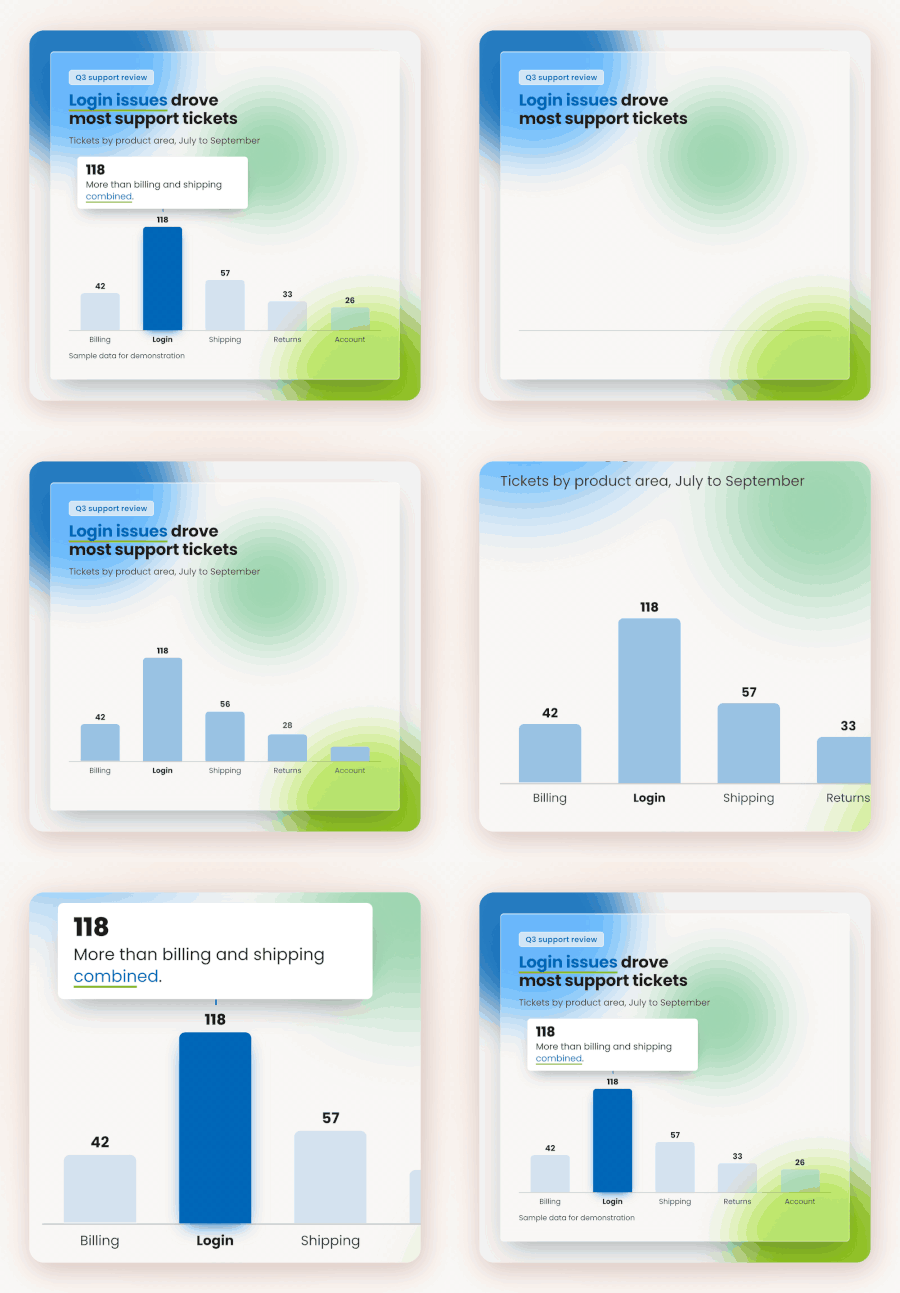
Hi everyone, I've been experimenting with custom HTML interactions in Rise 360 for quite a while, and I thought I'd share six examples of what I've been working on. It started with a familiar problem. Rise is a great authoring tool, but sometimes the interaction I have in mind doesn't fit neatly into the available blocks. I wanted more creative control over how learners explore information, make decisions, practice skills, and receive feedback. AI made building custom HTML interactions much more accessible, but I quickly discovered another problem. Getting AI to create something was one thing. Getting it to look and behave exactly the way I wanted was another. Changing fonts, colors, layouts, images, feedback, or even the placement of a button could turn into endless rounds of prompting. And then I'd start another project and do it all over again. That frustration eventually led me to develop a library of customizable HTML interaction generators. Instead of rebuilding everything from scratch, I could focus on the learning experience and have more control over the finished interaction. I put together a Rise 360 course featuring six examples. Each demonstrates a different approach to engaging learners. Here are the six interactions Balanced Decision Not every decision has a clear right or wrong answer. Sometimes learners need to weigh competing priorities, consider evidence, and make a judgment call. Balanced Decision uses an interactive balance scale where learners place different factors on the scale and watch how their choices tip the balance. It's a visual way to explore trade-offs, practice critical thinking, and recognize that good decisions often involve competing considerations. Branching Chat Scenario A conversational simulation where learners choose how to respond in realistic situations. Their decisions influence how the conversation unfolds, allowing them to practice communication, judgment, and problem-solving in a safe environment. Lane Sort An interactive sorting activity where learners move items into the appropriate categories. It's a simple way to practice classification, recognize patterns, and apply knowledge, with immediate feedback along the way. Reverse Hotspot A different take on the traditional hotspot interaction. Instead of clicking visible markers to reveal information, learners actively investigate an image to locate specific elements. It encourages observation, exploration, and discovery. Image Blender A visual comparison interaction that lets learners blend between images. It's particularly useful for examining changes over time, identifying differences, and exploring visual relationships that might be difficult to communicate through text alone. Chart Spotlight An interactive approach to data visualization. Rather than presenting a static chart and expecting learners to interpret it, Chart Spotlight lets them explore individual data points, reveal additional context, and focus on the information that matters. Explore the interactions in Rise 360 Review Link All six examples are included in one course, so you can experience how they work directly inside Rise. A few things I've learned along the way The biggest lesson has been that building an interaction and designing a meaningful learning experience aren't necessarily the same thing. Just because we can make something interactive doesn't mean we should. A flashy animation isn't automatically good instructional design, and clicking on something doesn't necessarily mean learning is happening. What excites me about HTML code blocks is that they give us more options. We don't have to abandon Rise or accept the limitations of its standard interactions. We can extend what it does while keeping the learning objectives at the center of our design decisions. And perhaps my favorite discovery has been that AI doesn't have to make all the design decisions for us. With the right tools, we can keep the creative control where it belongs, with the instructional designer. I'd love to hear what others have been experimenting with using HTML code blocks in Rise 360.191Views4likes2CommentsDecision Trees: Exploring the Road Not Taken
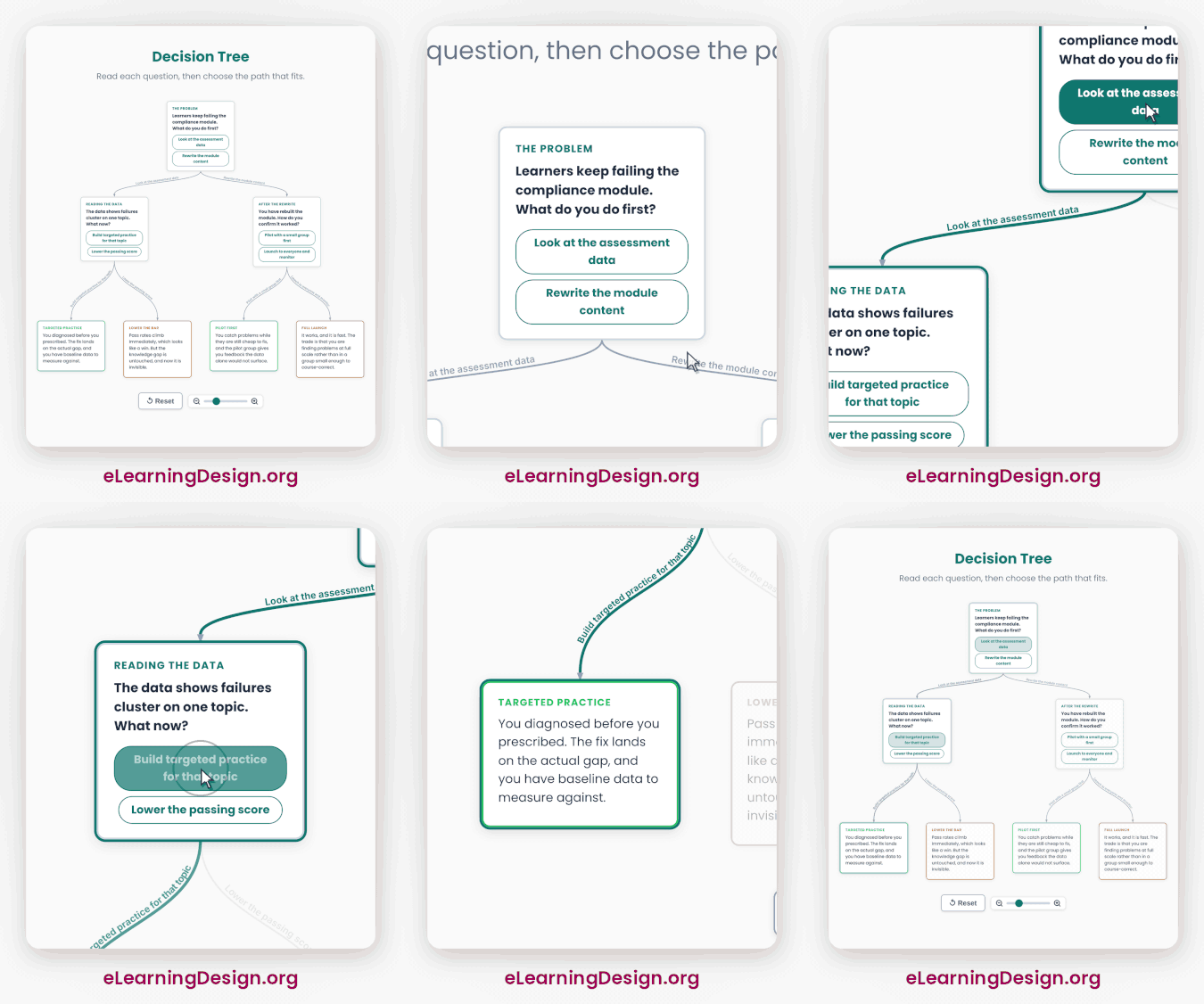
We ask learners to make decisions all the time. But how often do we give them the opportunity to see what would have happened if they'd made a different choice? That's one of the things I like most about decision trees. Instead of presenting a question, collecting an answer, and moving on, a decision tree allows learners to explore how one choice influences the next. They can follow a path to its conclusion, return to an earlier decision, and discover how a different choice changes the outcome. Sometimes the most valuable learning happens when they explore the path they didn't take. When would I use a decision tree? Decision trees work particularly well when decisions have consequences that aren't immediately obvious. A few examples: Troubleshooting: Explore how different diagnostic decisions lead to different solutions. Customer service: Follow the consequences of different responses to a customer situation. Leadership development: Examine how communication and management decisions influence team outcomes. Compliance and policy: Apply policies to realistic situations where context influences the appropriate response. Process training: Understand how an early decision affects subsequent steps, responsibilities, or outcomes. Why does this work for learning? What I particularly like about decision trees is that they encourage learners to examine the relationships between decisions and consequences. They're practicing more than recall. They're applying information, analyzing cause-and-effect relationships, comparing alternatives, and evaluating outcomes. These are the kinds of thinking we want learners to develop, particularly when the goal is sound judgment rather than memorizing information. There's also value in being able to backtrack. When learners revisit an earlier decision and explore another branch, they can compare outcomes and reconsider their original reasoning. And unlike real life, a poor decision doesn't require an incident report. About this interaction The example in the GIF explores decisions surrounding a compliance training problem. Learners follow different paths, examine the consequences, and return to explore alternatives. I built the interaction as standalone HTML, so it can be embedded into Articulate Rise 360 using an Embed block or incorporated into Storyline 360 as a web object. The content and visual design can be customized for different learning scenarios. I'm curious how others are using branching activities. Do you typically guide learners toward one correct outcome, or give them the freedom to explore multiple paths and compare what happens?298Views3likes2CommentsAccessible Drag-and-Drop Builder
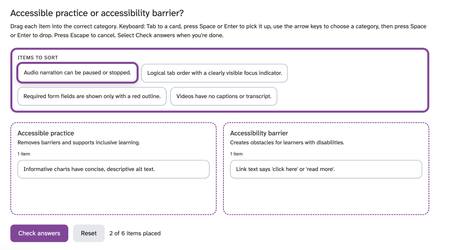
Hello friends! I've recently created a tool to help me build drag-and-drop interactions in Rise that are fully accessible: keyboard navigable, adequate touch targets, screen reader announcements, and more. I've called it the Card Sort Studio, and you can try it out here: https://studio.A11ySpot.com You can try it out in an example course here: https://inclusivepixel.github.io/accessible-drag-and-drop/#/ I recently had the course and interactions tested by a blind screen reader user, and he said they were "so smooth" - and very well designed. I'd love your feedback on this new tool - let me know what you think, and if you have any suggestions for improvement!220Views1like5CommentsCustom HTML code blocks inside Rise 360: six short examples
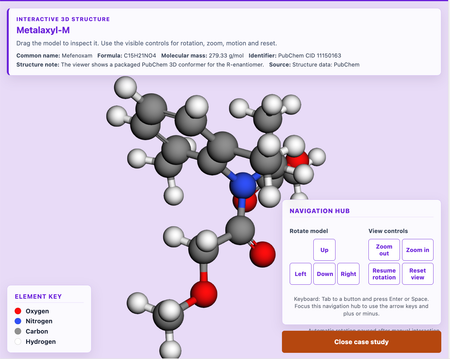
Hi all, As many have been doing, I’ve been building my own HTML blocks to sit inside Rise 360, and wanted to share where they’ve got to. Why build my own? Rise has some limitations and glitches, and it doesn’t always let me have full branding and style. I like the look of CSS and JavaScript branding tokens and behaviours... those micro-interactions that support the learner’s journey. Code blocks are also really useful for quizzes and knowledge checks. Build those in Rise 360 and an update tends to reset progress in some LMSs, even with a connected package. As a code block, it doesn’t cause that issue. What caught me out this round: • Mobile: getting every build working on phones, using a full device emulator as best as possible. • Glitches between pages, and not just pages, between clicks. Rather like Storyline, you just have to make sure everything’s lined up. Each course holds one block, as a learner would see it: • Confidence self-check: https://360.articulate.com/review/content/d58cf155-636e-4f43-82c9-1832035cd504/review • 3D molecule viewer with a case study: https://360.articulate.com/review/content/438ac80f-37c1-4fc9-9e63-bf352321f713/review • Reveal cards: https://360.articulate.com/review/content/ce4bf4c4-569b-4952-a194-979d0c778cec/review • Chart-choice swipe: https://360.articulate.com/review/content/f520b311-9cc7-49d2-aa67-f79c8dba84ff/review • Magnifier: https://360.articulate.com/review/content/52955237-15b1-4735-a948-9dd001060ae2/review • Reflection notepad: https://360.articulate.com/review/content/b9fdc4cf-8d53-4cf5-8200-828eba12524a/review The main thing I want to show is that you don’t have to step away completely from Rise 360. You can supplement and enhance it with bespoke blocks, once you understand the learner journey and those interactions... interactive WITHOUT being gimmicky. Happy to talk through how I built any of them and pass on my "coding" pitfalls 😁397Views4likes8CommentsLabel the Image: More Than Dragging Words Onto a Picture
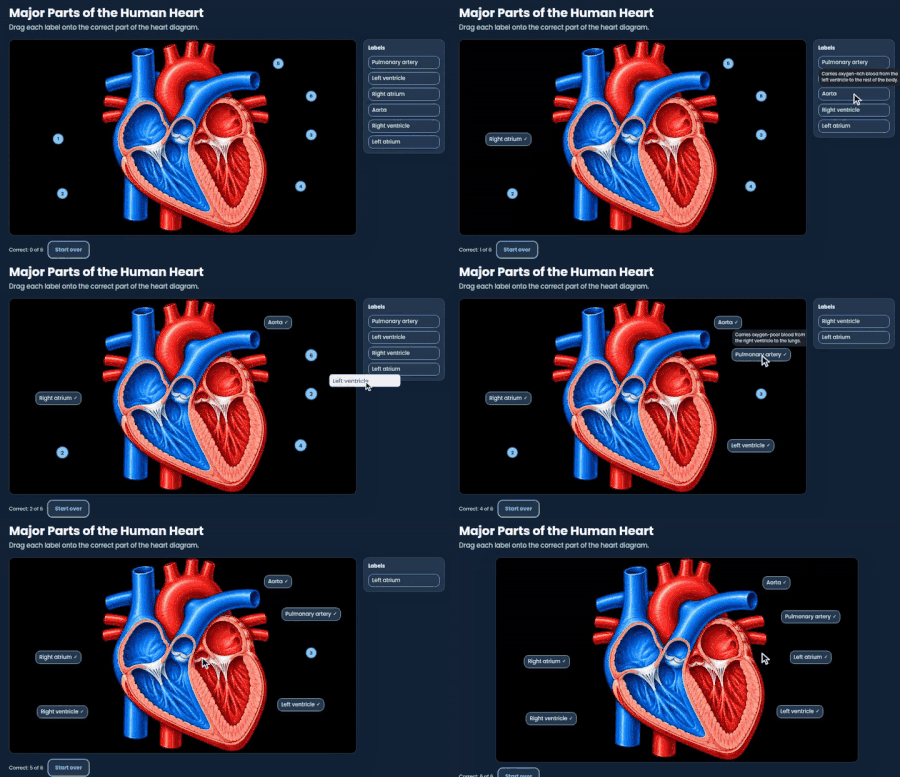
I've always liked image labeling as a learning activity, especially when learners need to identify something on an actual image, whether that's anatomy, equipment, a software screen, or a diagram. But there's a reason to use it beyond making a course more interactive. What's happening cognitively? There's a difference between looking at a diagram with everything already labeled and having to figure out where those labels belong. Learners have to examine visual details, recognize differences, and connect what they know to what they're seeing. That's visual discrimination and spatial identification at work. And when learners have already studied the material, the activity can also reinforce retrieval and recognition. When does image labeling make sense? A few examples: Anatomy: Identify structures and their locations within a larger system Equipment training: Recognize components before learning how to operate or maintain them Software training: Locate important controls and interface elements Safety training: Identify hazards, safety equipment, or critical features in a workplace image Of course, image labeling isn't going to teach someone how to diagnose a mechanical failure or explain how the heart functions. But when the objective is to recognize, distinguish, or locate something accurately, it's a useful approach. Making it easier to build I recently created a little generator to take the tedious part out of building these interactions. Upload an image, position your labels, customize the design, and export the finished activity into a Rise 360 Code Block or Storyline 360 web object. I used this human heart diagram to test it, and thought I'd share both the finished interaction and the builder for anyone who might find them useful. Try the interaction: Label the Image Example Build one out yourself: Label the Image342Views3likes2CommentsI Built an AI Role Play With No AI (and Claude Was a Very Good Sport About It) 🤖🚫
Last week at an ATD conference, I watched a demo where learners talked to an AI avatar client, asked questions, and got real feedback at the end. My first thought: I need this. My second thought: my budget cannot afford this. 💸 So I did what any reasonable designer would do. I opened Claude and asked it to help me build an AI simulation... without any AI. Asking an AI to fake being an AI is a little like asking a chef to make you a microwave dinner. I half expected some pushback. Instead it said “totally doable” and then flagged everything wrong with my mockup and outline. Haha. Rude. Also correct. 😅 Meet Jordan Blake Jordan is an Operations Manager whose routing errors have tripled, and she wants a 45 minute mandatory course for 300 people. By Friday. You know her. We’ve all met Jordan. 🙃 The learner’s job is to run a discovery conversation and figure out if training is really the answer. (Spoiler: an IT update in September might be involved. Shhh.) So how do you fake a smart conversation? A big table. Like, a really big table. Every topic Jordan knows about (the errors, what changed, who’s affected, the data) has a long list of trigger words. When the learner types, the code scores their message against every topic and picks the best match. It’s the same basic idea as Copilot pulling from resources, minus the part where it actually understands you. 😂 Then we layered on the stuff that makes it feel real: Follow ups. Say “tell me more” or “why?” and Jordan goes deeper on whatever you just asked. Two questions at once. “Who’s affected and when did it start?” gets both answers. Typos. “Has anythign chnaged?” still works. Bless. Personality. Small talk, thank yous, and yes, if you ask “Are you a bot?” she tells you she’s a very real manager with a very real deadline. The right panel does the coaching Jordan’s Mood shifts live, from Open to Defensive. Meeting Clock counts down every turn, so rambling costs you. Case Notes fill in as you uncover clues, so learners can see their discovery building. At the end, a scorecard rates Discovery, Root Cause, Relationship, and Recommendation, with specific coaching for each one. The honest part It’s not AI, and I tell learners that on the Tips page. Jordan responds to key words, and if she misses, the suggested questions keep things moving. I’d rather be upfront than have someone think the “AI” is broken. Trust matters, even with a fake client. 😄 Want to build your own? Start with the real performance problem, then work backward to the clues. Write triggers the way people actually talk, then test with someone who didn’t build it. Let the twists react to learner choices, not turn numbers. Built in a Rise 360 Code Block, uploaded as a zip, zero API keys required. 🎉 Give Jordan a try and tell me what you’d ask her first! Is Training Really the Answer?553Views4likes8Comments3D Timeline: A Timeline Learners Travel Through
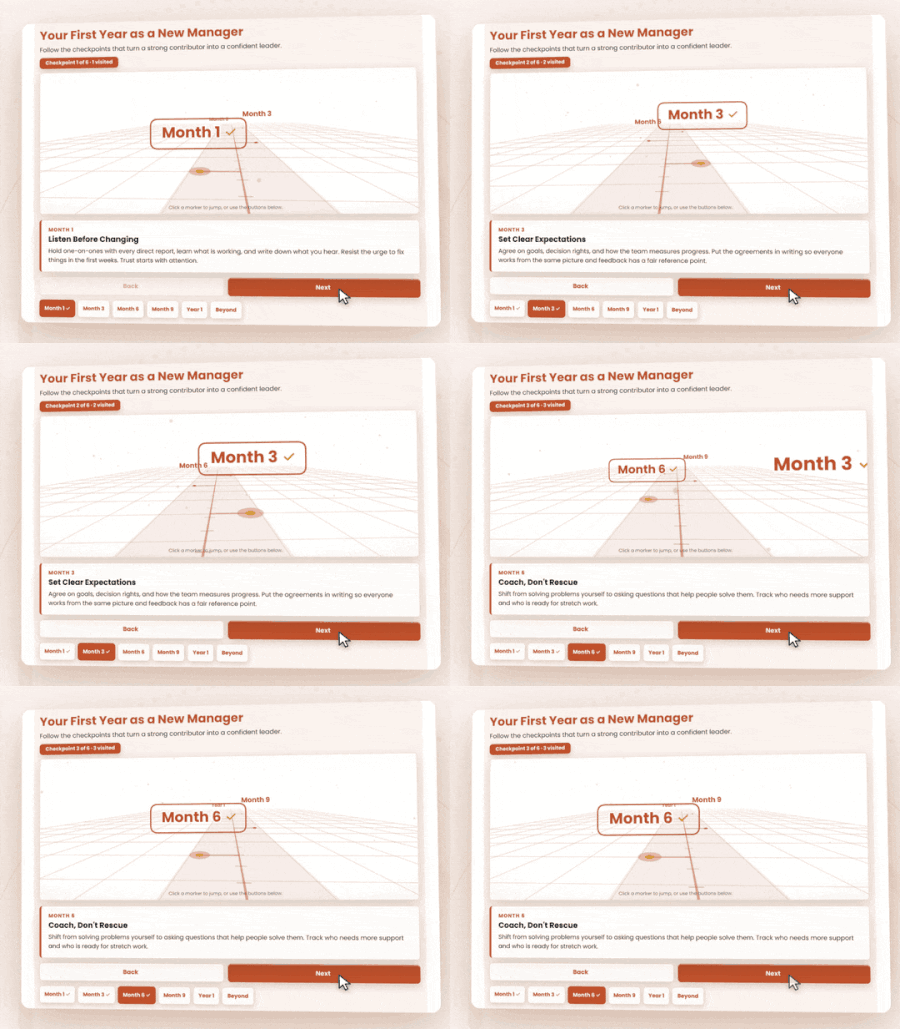
You have six milestones and a deadline. The SME sends a slide with a line, six dots, and a paragraph under each one. Learners skim it and click Next. I wanted to try something different. The 3D Timeline turns each milestone into a stop on a path. Learners move forward one checkpoint at a time, and the details for each stop appear as they arrive. Why This Works for Learning When sequence matters, how we present information makes a difference. Rather than displaying every event at once, this interaction uses segmentation and progressive disclosure to help learners process information one milestone at a time. The 3D path also provides a visual representation of sequence and progression, making it easier to follow how events unfold. At Bloom's Understand level, learners can identify milestones, explain their significance, and recognize chronological relationships. Pairing the timeline with questions about what changed between milestones can encourage deeper analysis. How to Use It in Articulate I built this using my 3D Timeline generator at eLearningDesign.org. It includes Quick Build, which lets you generate milestone content using your preferred AI tool, then paste everything back into the generator at once. Colors, content, and styling are customizable. The completed interaction exports as HTML. Rise 360: Add a Code block and insert the generated HTML, or upload a compatible HTML project ZIP. Storyline 360: Insert the exported HTML as a Web Object. Other platforms: Use the HTML export with authoring tools or learning platforms that support custom HTML. No need to rebuild the interaction with individual layers, triggers, or animations. Explore the Example https://e-learning-tools.vercel.app/3dtimeline.html How It Was Created The interaction was created using the 3D Timeline tool at eLearningDesign.org. https://www.elearningdesign.org/new-generators/3d-timeline416Views7likes5CommentsI Vibe Coded a Course About Vibe Coding 🤖✨
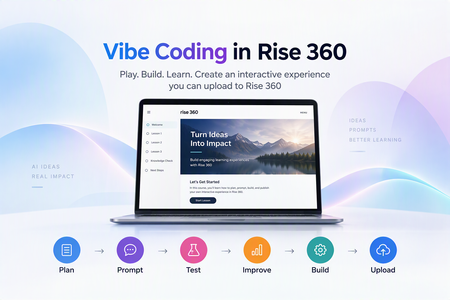
Every week someone in this community asks some version of “Do I need to learn JavaScript to use the Code block?” My answer is no. You need a clear learning goal, a good AI partner, and a willingness to hit Preview about forty times. So I built a short course to show exactly how that works. What is vibe coding, anyway? 🎧 Vibe coding means describing the experience you want, letting AI write the code, and then testing and refining until it works. You stay the designer and AI does the typing. For Rise 360, that means you can build custom practice activities, branching choices, and games that native blocks can’t do (yet). What’s inside 📚 It’s seven short screens, all living in a single Code block: 🔹 A quick practice question so learners feel a custom interaction right away 🔹 When to use Add code and when to use Upload project 🔹 Five flip cards on the things that trip people up 🔹 A prompt builder: pick a topic, an audience, and a behavior, and it writes a full AI prompt for you 🔹 A revision prompt builder that makes you describe what you actually saw (no “it looks weird, fix it” allowed 😄) 🔹 A test checklist, plus quick fixes for the most common Code block headaches Try it 👉 Vibe Coding in Rise 360 And if you want to see where vibe coding can go once you get comfortable, play my Halloween game, Ghosts & Gourds the Haunted Hunt 👻🎃 Your turn 💬 Have you tried vibe coding in Rise yet? What’s the weirdest bug AI has handed you? Drop it below. I promise mine are worse. 🤣465Views5likes2CommentsMy New “Missed Questions Only” Quiz Format for Rise 360.
One quiz. Many chances. Zero wasted time Ever wished you could skip the boring parts of a quiz and just focus on what you got wrong? Well, now you can. I’ve created a “Missed Questions Only” quiz — a smarter, faster way to learn. Instead of starting from scratch, you get a second chance only at the questions you missed. No wasted time, no repeating what you already know — just targeted practice that helps you master the tricky stuff and hit that perfect score. It’s like a quiz with a built-in comeback round — your mistakes become your roadmap to success. Ready to turn wrong answers into wins? Give it a try and see how well you know your fun facts. 🔗 Rise Link: https://360.articulate.com/review/content/7126ec89-ff0c-4595-bac3-a0fe5e2c6a26/review 🖥️ Code Block: Copy the code below. 📄 Template: See an example of my template for organizing images, questions, answers, and each JS snippet. <div id="quiz-app"> <div class="quiz-card"> <div class="quiz-header"> <div> <div class="quiz-label">Fun Facts Quiz</div> <h2 id="quiz-title">Quiz</h2> </div> <div class="quiz-status"> <span id="round-badge">Round 1</span> <span id="progress-text">Question 1 of 1</span> </div> </div> <div id="scorebar" class="scorebar"> <div>Correct: <strong id="correct-count">0</strong></div> <div>Incorrect: <strong id="incorrect-count">0</strong></div> <div>Remaining in Round: <strong id="remaining-count">0</strong></div> </div> <div id="question-container"> <img id="question-image" src="" alt="Question Image" style="max-width:100%; border-radius:12px; margin-bottom:16px; display:none;" /> <div id="question-text" class="question-text"></div> <div id="answers" class="answers"></div> <div id="feedback" class="feedback"></div> </div> <div class="quiz-actions"> <button id="next-btn" disabled>Next</button> <button id="retry-btn" style="display:none;">Retry Missed Questions</button> <button id="restart-btn" style="display:none;">Restart Full Quiz</button> </div> </div> </div> <style> /* Same styling as before */ * { box-sizing: border-box; } body { margin: 0; font-family: Arial, Helvetica, sans-serif; background: #f4f7fb; color: #1f2937; } #quiz-app { max-width: 900px; margin: 0 auto; padding: 20px; } .quiz-card { background: #ffffff; border: 1px solid #dbe4f0; border-radius: 16px; padding: 24px; box-shadow: 0 8px 24px rgba(0,0,0,0.06); } .quiz-header { display: flex; justify-content: space-between; align-items: start; gap: 16px; margin-bottom: 18px; } .quiz-label { font-size: 12px; font-weight: 700; letter-spacing: .08em; text-transform: uppercase; color: #2563eb; margin-bottom: 6px; } .quiz-header h2 { margin: 0; font-size: 28px; } .quiz-status { display: flex; flex-direction: column; gap: 8px; align-items: flex-end; font-size: 14px; } .quiz-status span { background: #eef4ff; color: #1d4ed8; padding: 8px 12px; border-radius: 999px; font-weight: 600; } .scorebar { display: flex; flex-wrap: wrap; gap: 12px; margin-bottom: 22px; padding: 12px; background: #f8fafc; border: 1px solid #e5e7eb; border-radius: 12px; font-size: 14px; } #question-image { display: block; /* ensure image is shown */ max-width: 920px; /* maximum width */ max-height: 300px; /* maximum height */ width: 100%; /* scale to container width if smaller */ height: auto; /* maintain aspect ratio */ margin: 0 auto 16px auto; /* center horizontally with bottom margin */ object-fit: contain; /* scale image without cropping */ border-radius: 12px; /* consistent border radius */ background-color: #f3f4f6; /* subtle background color for empty space */ } .question-text { font-size: 22px; font-weight: 700; line-height: 1.35; margin-bottom: 20px; } .answers { display: grid; gap: 12px; } .answer-btn { width: 100%; text-align: left; border: 2px solid #d1d5db; background: #fff; color: #111827; border-radius: 12px; padding: 14px 16px; font-size: 16px; cursor: pointer; transition: .2s ease; } .answer-btn:hover:not(:disabled) { border-color: #93c5fd; background: #f8fbff; } .answer-btn:disabled { cursor: default; opacity: 1; } .answer-btn.correct { border-color: #16a34a; background: #ecfdf3; color: #166534; font-weight: 700; } .answer-btn.incorrect { border-color: #dc2626; background: #fef2f2; color: #991b1b; font-weight: 700; } .feedback { margin-top: 18px; min-height: 28px; font-size: 16px; font-weight: 600; } .feedback.correct { color: #15803d; } .feedback.incorrect { color: #b91c1c; } .quiz-actions { display: flex; gap: 12px; margin-top: 22px; flex-wrap: wrap; } .quiz-actions button { border: none; border-radius: 10px; padding: 12px 18px; font-size: 15px; font-weight: 700; cursor: pointer; } #next-btn { background: #2563eb; color: #fff; } #next-btn:disabled { background: #9ca3af; cursor: not-allowed; } #retry-btn { background: #f59e0b; color: #fff; } #restart-btn { background: #111827; color: #fff; } .final-message { padding: 18px; border-radius: 14px; background: #effaf3; border: 1px solid #86efac; color: #166534; font-size: 18px; line-height: 1.5; } .small-note { margin-top: 10px; font-size: 14px; color: #4b5563; } MeDia (max-width: 640px) { .quiz-header { flex-direction: column; align-items: flex-start; } .quiz-status { align-items: flex-start; } .question-text { font-size: 20px; } } </style> <script> // Questions with imageUrl placeholder (replace URLs with your uploaded Rise 360 images) const fullQuiz = [ { question: "Which animal can sleep standing up?", imageUrl: "https://images.articulate.com/f:jpg,a:retain,b:fff,w:1680,q:90/rise/courses/YLUYT4CI3ckYMonl07a4CHihYXT3CnUJ/z45b6W_xMLJUUJld.jpg", options: ["Horse", "Dog", "Penguin", "Kangaroo"], answer: "Horse" }, { question: "What is the only food that essentially never spoils?", imageUrl: "https://articulateusercontent.com/rise/courses/Kg8aAYIS9RJvSNl0YFM3mOw3o8OQbz5c/MddUJBQTsySlOvqv.jpg", options: ["Rice", "Honey", "Peanut butter", "Chocolate"], answer: "Honey" }, { question: "True or False: Bananas are berries, but strawberries technically aren’t.", imageUrl: "https://articulateusercontent.com/rise/courses/Kg8aAYIS9RJvSNl0YFM3mOw3o8OQbz5c/GSei0ep7BuNe7mfL.png", options: ["True", "False"], answer: "True" }, { question: "What is a group of flamingos called?", imageUrl: "https://articulateusercontent.com/rise/courses/Kg8aAYIS9RJvSNl0YFM3mOw3o8OQbz5c/9bCYyNGee1QQRUWC.jpg", options: ["A flock", "A flamboyance", "A parade", "A bouquet"], answer: "A flamboyance" }, { question: "Which country has more pyramids than any other country in the world?", imageUrl: "https://articulateusercontent.com/rise/courses/Kg8aAYIS9RJvSNl0YFM3mOw3o8OQbz5c/srrP1z5U7J1QaYow.jpeg", options: ["Egypt", "Mexico", "Sudan", "Peru"], answer: "Sudan" }, { question: "Which animal has fingerprints so similar to humans that they can be difficult to tell apart?", imageUrl: "https://articulateusercontent.com/rise/courses/Kg8aAYIS9RJvSNl0YFM3mOw3o8OQbz5c/z32I4pCG_PvYZDUD.jpg", options: ["Chimpanzee", "Koala", "Raccoon", "Sloth"], answer: "Koala" }, { question: "How many hearts does an octopus have?", imageUrl: "https://articulateusercontent.com/rise/courses/YLUYT4CI3ckYMonl07a4CHihYXT3CnUJ/1EOT8Ml6xu2_Lmvd.png", options: ["1", "2", "3", "8"], answer: "3" }, { question: "Which fruit floats in water because about 25% of its volume is air?", imageUrl: "https://articulateusercontent.com/rise/courses/Kg8aAYIS9RJvSNl0YFM3mOw3o8OQbz5c/kRIyy568MhLPiEFd.jpg", options: ["Apple", "Orange", "Grape", "Strawberry"], answer: "Apple" }, { question: "What is the national animal of Scotland?", imageUrl: "https://images.articulate.com/f:jpg,a:retain,b:fff,w:1680,q:90/rise/courses/YLUYT4CI3ckYMonl07a4CHihYXT3CnUJ/Tl89HrMYH0AyvzF2.jpg", options: ["Highland cow", "Golden eagle", "Unicorn", "Red deer"], answer: "Unicorn" }, { question: "True or False: A day on Venus is longer than a year on Venus.", imageUrl: "https://articulateusercontent.com/rise/courses/Kg8aAYIS9RJvSNl0YFM3mOw3o8OQbz5c/WBnprMTKTGmJCPre.jpg", options: ["True", "False"], answer: "True" }, { question: "What is a group of crows called?", imageUrl: "https://articulateusercontent.com/rise/courses/Kg8aAYIS9RJvSNl0YFM3mOw3o8OQbz5c/QhTq5yGSSxZC45ZF.jpg", options: ["A mystery", "A murder", "A mob", "A shadow"], answer: "A murder" }, { question: "What is a group of owls called?", imageUrl: "https://articulateusercontent.com/rise/courses/Kg8aAYIS9RJvSNl0YFM3mOw3o8OQbz5c/d_g79Dx03aWnVP2S.jpg", options: ["A parliament", "A council", "A jury", "A congress"], answer: "A parliament" }, { question: "What is a group of giraffes called?", imageUrl: "https://articulateusercontent.com/rise/courses/YLUYT4CI3ckYMonl07a4CHihYXT3CnUJ/-jRiKJcZZX1mWlfh.jpg", options: ["A tower", "A skyscraper", "A stretch", "A column"], answer: "A tower" }, { question: "What is a group of rhinos called?", imageUrl: "https://articulateusercontent.com/rise/courses/Kg8aAYIS9RJvSNl0YFM3mOw3o8OQbz5c/jilS2EvEMWFQCHLN.jpg", options: ["A crash", "A charge", "A stampede", "A rumble"], answer: "A crash" }, { question: "What is a group of porcupines called?", imageUrl: "https://articulateusercontent.com/rise/courses/Kg8aAYIS9RJvSNl0YFM3mOw3o8OQbz5c/WwtKh0xFKUgG07x1.jpg", options: ["A pricker", "A prickle", "A pincushion", "A spike"], answer: "A prickle" }, { question: "What is a group of zebras called?", imageUrl: "https://articulateusercontent.com/rise/courses/YLUYT4CI3ckYMonl07a4CHihYXT3CnUJ/G-vljexS-nyS4lg3.jpg", options: ["A dazzle", "A stripe", "A blur", "A flash"], answer: "A dazzle" }, { question: "What is a group of hippos called?", imageUrl: "https://articulateusercontent.com/rise/courses/Kg8aAYIS9RJvSNl0YFM3mOw3o8OQbz5c/M-1LbZ5VHqL28Ez4.jpg", options: ["A splash", "A bloat", "A barrel", "A wallow"], answer: "A bloat" }, { question: "What is a group of ferrets called?", imageUrl: "https://articulateusercontent.com/rise/courses/Kg8aAYIS9RJvSNl0YFM3mOw3o8OQbz5c/ob7XOK2dtuA2btB-.jpg", options: ["A mischief", "A trouble", "A business", "A chaos"], answer: "A business" }, { question: "What is a group of ravens called?", imageUrl: "https://articulateusercontent.com/rise/courses/YLUYT4CI3ckYMonl07a4CHihYXT3CnUJ/L6_Yxla0T9t97Qx8.jpg", options: ["An unkindness", "A darkness", "A conspiracy", "A haunting"], answer: "An unkindness" }, { question: "What is a group of bears called?", imageUrl: "https://articulateusercontent.com/rise/courses/Kg8aAYIS9RJvSNl0YFM3mOw3o8OQbz5c/5fA5geB-XbftAeB6.jpg", options: ["A grumble", "A sleuth", "A lumber", "A maul"], answer: "A sleuth" } ]; let currentQuiz = []; let currentIndex = 0; let selectedAnswer = null; let totalCorrect = 0; let totalIncorrect = 0; let roundNumber = 1; let missedQuestions = []; const questionContainer = document.getElementById("question-container"); const questionImage = document.getElementById("question-image"); const questionText = document.getElementById("question-text"); const answersEl = document.getElementById("answers"); const feedbackEl = document.getElementById("feedback"); const nextBtn = document.getElementById("next-btn"); const retryBtn = document.getElementById("retry-btn"); const restartBtn = document.getElementById("restart-btn"); const correctCountEl = document.getElementById("correct-count"); const incorrectCountEl = document.getElementById("incorrect-count"); const remainingCountEl = document.getElementById("remaining-count"); const progressTextEl = document.getElementById("progress-text"); const roundBadgeEl = document.getElementById("round-badge"); function shuffle(array) { const arr = [...array]; for (let i = arr.length - 1; i > 0; i--) { const j = Math.floor(Math.random() * (i + 1)); [arr[i], arr[j]] = [arr[j], arr[i]]; } return arr; } function prepareQuiz(questions) { return shuffle(questions).map(q => ({ ...q, options: shuffle(q.options) })); } function initQuiz() { currentQuiz = prepareQuiz(fullQuiz); currentIndex = 0; selectedAnswer = null; totalCorrect = 0; totalIncorrect = 0; roundNumber = 1; missedQuestions = []; retryBtn.style.display = "none"; restartBtn.style.display = "none"; nextBtn.style.display = "inline-block"; questionContainer.style.display = "block"; renderQuestion(); updateScore(); } function startRetryRound() { currentQuiz = prepareQuiz(missedQuestions); currentIndex = 0; selectedAnswer = null; missedQuestions = []; roundNumber++; retryBtn.style.display = "none"; restartBtn.style.display = "none"; nextBtn.style.display = "inline-block"; questionContainer.style.display = "block"; renderQuestion(); updateScore(); } function renderQuestion() { const q = currentQuiz[currentIndex]; // Show or hide image depending on if imageUrl is set if (q.imageUrl) { questionImage.src = q.imageUrl; questionImage.style.display = "block"; } else { questionImage.style.display = "none"; } feedbackEl.textContent = ""; feedbackEl.className = "feedback"; nextBtn.disabled = true; selectedAnswer = null; roundBadgeEl.textContent = `Round ${roundNumber}`; progressTextEl.textContent = `Question ${currentIndex + 1} of ${currentQuiz.length}`; remainingCountEl.textContent = currentQuiz.length - currentIndex; questionText.textContent = q.question; answersEl.innerHTML = ""; q.options.forEach(option => { const btn = document.createElement("button"); btn.className = "answer-btn"; btn.type = "button"; btn.textContent = option; btn.addEventListener("click", () => handleAnswer(btn, option, q.answer)); answersEl.appendChild(btn); }); } function handleAnswer(button, chosen, correct) { if (selectedAnswer !== null) return; selectedAnswer = chosen; const buttons = document.querySelectorAll(".answer-btn"); buttons.forEach(btn => btn.disabled = true); if (chosen === correct) { button.classList.add("correct"); feedbackEl.textContent = "Correct!"; feedbackEl.className = "feedback correct"; totalCorrect++; } else { button.classList.add("incorrect"); feedbackEl.textContent = "Incorrect."; feedbackEl.className = "feedback incorrect"; totalIncorrect++; missedQuestions.push(currentQuiz[currentIndex]); } updateScore(); nextBtn.disabled = false; } function updateScore() { correctCountEl.textContent = totalCorrect; incorrectCountEl.textContent = totalIncorrect; remainingCountEl.textContent = currentQuiz.length > 0 ? Math.max(currentQuiz.length - currentIndex - (selectedAnswer ? 1 : 0), 0) : 0; } function goNext() { currentIndex++; if (currentIndex < currentQuiz.length) { renderQuestion(); updateScore(); } else { showRoundResults(); } } function showRoundResults() { questionText.textContent = ""; answersEl.innerHTML = ""; feedbackEl.textContent = ""; questionImage.style.display = "none"; nextBtn.style.display = "none"; if (missedQuestions.length > 0) { questionText.innerHTML = ` <div class="final-message" style="background:#fff7ed;border-color:#fdba74;color:#9a3412;"> <strong>Round ${roundNumber} complete.</strong><br> You have <strong>${missedQuestions.length}</strong> question(s) to retry. <div class="small-note">Click the button below to retake only the questions you missed.</div> </div> `; retryBtn.style.display = "inline-block"; restartBtn.style.display = "inline-block"; remainingCountEl.textContent = missedQuestions.length; } else { questionText.innerHTML = ` <div class="final-message"> <strong>Congratulations!</strong><br> You have answered all questions correctly. <div class="small-note"> Final score: ${totalCorrect} correct, ${totalIncorrect} incorrect attempts. </div> </div> `; retryBtn.style.display = "none"; restartBtn.style.display = "inline-block"; remainingCountEl.textContent = 0; } } nextBtn.addEventListener("click", goNext); retryBtn.addEventListener("click", startRetryRound); restartBtn.addEventListener("click", initQuiz); initQuiz(); </script>709Views6likes6CommentsStop Paying for AI Twice: The Chatbot Workaround Your Learners Already Have
Here's something nobody tells you when you start building AI into your courses: every time a learner uses it, it costs you (or your company) real money. Credits, tokens, API calls, whatever you want to call it, it all adds up. And the more your course gets used, the more it costs. That's a weird incentive for something we're supposed to want learners using more, not less. 💸 So I started asking a different question. What if I didn't build the AI into the course at all? What if I just pointed learners toward the AI they already have? The Realization My learners already have access to ChatGPT, Copilot, or our own internal AI tool. They use these tools every day at work. So instead of wiring up a custom chatbot that racks up a bill with every click, I built something much simpler: a page that hands learners five ready to copy prompts and tells them to paste them into whatever AI assistant they already use. No API key. No per-use cost. No new tool to learn. Just prompts that work with what's already sitting in their browser. Meet the Ask AI Learning Coach It's a Code Block I drop into a lesson (or the end of a course) that gives learners five prompts: Summarize the lesson Explain it simply Give me a real world example Build a study guide Quiz me They copy the one they want, paste it into whichever AI assistant they already use, and get a personalized response on the spot. The trick that makes this actually work: I also give them a PDF of the lesson content to upload first. Without it, the AI is just guessing at what "this lesson" even means. With it, the response is grounded in what you actually taught. That one small step is the difference between a gimmick and something genuinely useful. The Part I Didn't Expect I built this to save money. What I didn't expect is that it also teaches something. Every time a learner uses one of these prompts, they're practicing a real skill: how to hand an AI assistant some context and ask for exactly what they need. That's not a throwaway skill. That's the same skill they need for literally everything else AI touches at work right now. So this one little Code Block ends up doing two jobs at once. It saves the training budget, and it quietly builds AI literacy on the side. I didn't plan for both of those to happen from the same idea, but I'll take it. 🙌 Built to Reuse, Not Rebuild The whole thing is zero code to drop in and reuse. Swap in a new lesson PDF, keep the same HTML file, and it works in a Rise 360 Code Block or a Storyline 360 Web Object. Same five minutes of setup, every single course. One Gotcha Worth Knowing If you build this in Rise, here's one that got me. Rise 360's Code Block runs in a locked down sandbox that blocks file downloads triggered from inside it, even a PDF sitting in the same zip. It worked fine in Storyline's Web Object, just not in Rise, and it took a little digging to figure out why. The fix ended up being simple. Instead of bundling the lesson PDF inside the Code Block, I drop it right below as its own Attachment Block (Rise has one built in, under Multimedia). Learners still grab the file, it just lives next to the block instead of inside it. Small change, but the kind of thing you only find out by testing both platforms yourself. Consider this your shortcut. 😄 I built this one with Claude, from the first draft of the page through working out the PDF grounding trick, the responsive layout, and the little details like equal size cards and a custom video wrapper for the intro. I turned the whole thing into a microlearning course, so everything you need is in one place: the HTML file, a course/lesson template, and step by step instructions. Check it out! 😉 The Ask AI Learning Coach: Your New Favorite Code Block What's your workaround for AI costs in your courses? I'd love to hear what other are doing.368Views2likes2Comments