code block
126 TopicsCustom HTML code blocks inside Rise 360: six short examples
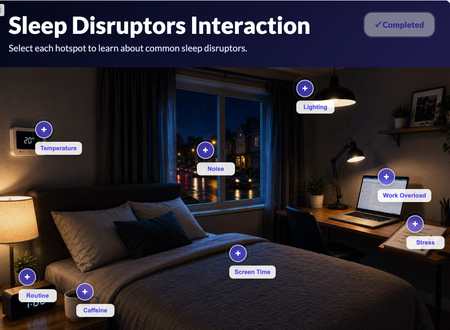
Hi all, As many have been doing, I’ve been building my own HTML blocks to sit inside Rise 360, and wanted to share where they’ve got to. Why build my own? Rise has some limitations and glitches, and it doesn’t always let me have full branding and style. I like the look of CSS and JavaScript branding tokens and behaviours... those micro-interactions that support the learner’s journey. Code blocks are also really useful for quizzes and knowledge checks. Build those in Rise 360 and an update tends to reset progress in some LMSs, even with a connected package. As a code block, it doesn’t cause that issue. What caught me out this round: • Mobile: getting every build working on phones, using a full device emulator as best as possible. • Glitches between pages, and not just pages, between clicks. Rather like Storyline, you just have to make sure everything’s lined up. Each course holds one block, as a learner would see it: • Confidence self-check: https://360.articulate.com/review/content/d58cf155-636e-4f43-82c9-1832035cd504/review • 3D molecule viewer with a case study: https://360.articulate.com/review/content/438ac80f-37c1-4fc9-9e63-bf352321f713/review • Reveal cards: https://360.articulate.com/review/content/ce4bf4c4-569b-4952-a194-979d0c778cec/review • Chart-choice swipe: https://360.articulate.com/review/content/f520b311-9cc7-49d2-aa67-f79c8dba84ff/review • Magnifier: https://360.articulate.com/review/content/52955237-15b1-4735-a948-9dd001060ae2/review • Reflection notepad: https://360.articulate.com/review/content/b9fdc4cf-8d53-4cf5-8200-828eba12524a/review The main thing I want to show is that you don’t have to step away completely from Rise 360. You can supplement and enhance it with bespoke blocks, once you understand the learner journey and those interactions... interactive WITHOUT being gimmicky. Happy to talk through how I built any of them and pass on my "coding" pitfalls 😁47Views1like2CommentsLabel the Image: More Than Dragging Words Onto a Picture
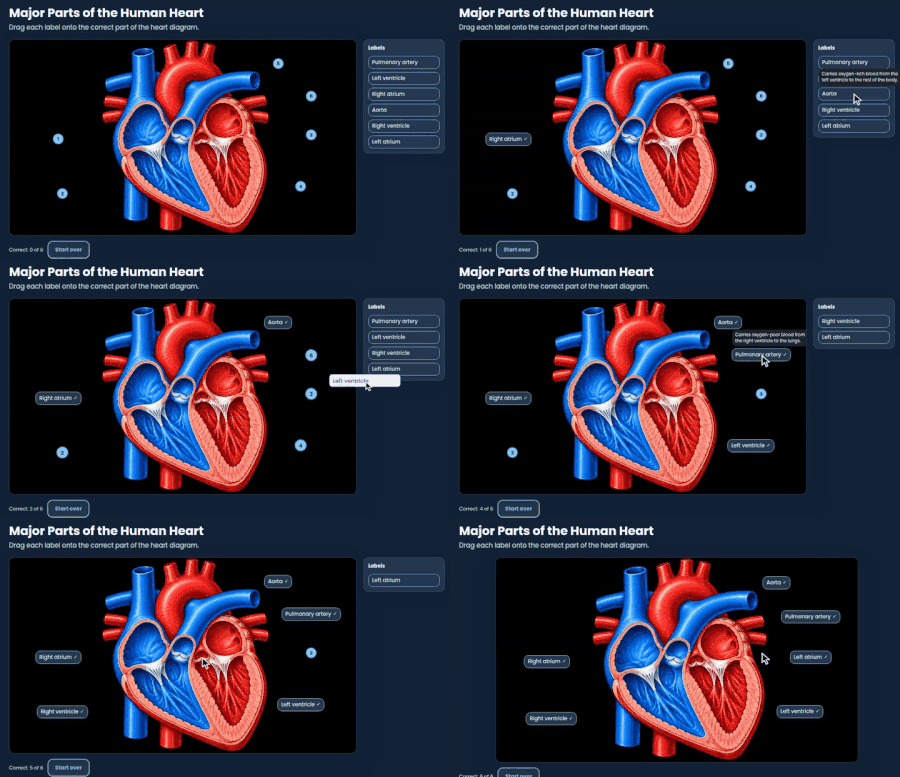
I've always liked image labeling as a learning activity, especially when learners need to identify something on an actual image, whether that's anatomy, equipment, a software screen, or a diagram. But there's a reason to use it beyond making a course more interactive. What's happening cognitively? There's a difference between looking at a diagram with everything already labeled and having to figure out where those labels belong. Learners have to examine visual details, recognize differences, and connect what they know to what they're seeing. That's visual discrimination and spatial identification at work. And when learners have already studied the material, the activity can also reinforce retrieval and recognition. When does image labeling make sense? A few examples: Anatomy: Identify structures and their locations within a larger system Equipment training: Recognize components before learning how to operate or maintain them Software training: Locate important controls and interface elements Safety training: Identify hazards, safety equipment, or critical features in a workplace image Of course, image labeling isn't going to teach someone how to diagnose a mechanical failure or explain how the heart functions. But when the objective is to recognize, distinguish, or locate something accurately, it's a useful approach. Making it easier to build I recently created a little generator to take the tedious part out of building these interactions. Upload an image, position your labels, customize the design, and export the finished activity into a Rise 360 Code Block or Storyline 360 web object. I used this human heart diagram to test it, and thought I'd share both the finished interaction and the builder for anyone who might find them useful. Try the interaction: Label the Image Example Build one out yourself: Label the Image67Views1like1CommentMy Custom Rise Block Component Library
Hi everyone! I wanted to share a custom library of Rise-compatible interactive components I’ve been building and experimenting with for eLearning projects. The library includes custom-designed blocks and interactions intended to help make Rise courses more engaging, flexible, and visually dynamic beyond the default block set. You can explore the library here: https://cognitoblox.netlify.app/ This is an ongoing project, and I’d genuinely love feedback from the community: Which components do you find most useful? What kinds of interactions would you like to see added? Any ideas for improving usability or accessibility? Happy to connect with fellow developers who are experimenting with custom Rise code blocks as well! Thanks for checking it out1.2KViews21likes20CommentsI Built an AI Role Play With No AI (and Claude Was a Very Good Sport About It) 🤖🚫
Last week at an ATD conference, I watched a demo where learners talked to an AI avatar client, asked questions, and got real feedback at the end. My first thought: I need this. My second thought: my budget cannot afford this. 💸 So I did what any reasonable designer would do. I opened Claude and asked it to help me build an AI simulation... without any AI. Asking an AI to fake being an AI is a little like asking a chef to make you a microwave dinner. I half expected some pushback. Instead it said “totally doable” and then flagged everything wrong with my mockup and outline. Haha. Rude. Also correct. 😅 Meet Jordan Blake Jordan is an Operations Manager whose routing errors have tripled, and she wants a 45 minute mandatory course for 300 people. By Friday. You know her. We’ve all met Jordan. 🙃 The learner’s job is to run a discovery conversation and figure out if training is really the answer. (Spoiler: an IT update in September might be involved. Shhh.) So how do you fake a smart conversation? A big table. Like, a really big table. Every topic Jordan knows about (the errors, what changed, who’s affected, the data) has a long list of trigger words. When the learner types, the code scores their message against every topic and picks the best match. It’s the same basic idea as Copilot pulling from resources, minus the part where it actually understands you. 😂 Then we layered on the stuff that makes it feel real: Follow ups. Say “tell me more” or “why?” and Jordan goes deeper on whatever you just asked. Two questions at once. “Who’s affected and when did it start?” gets both answers. Typos. “Has anythign chnaged?” still works. Bless. Personality. Small talk, thank yous, and yes, if you ask “Are you a bot?” she tells you she’s a very real manager with a very real deadline. The right panel does the coaching Jordan’s Mood shifts live, from Open to Defensive. Meeting Clock counts down every turn, so rambling costs you. Case Notes fill in as you uncover clues, so learners can see their discovery building. At the end, a scorecard rates Discovery, Root Cause, Relationship, and Recommendation, with specific coaching for each one. The honest part It’s not AI, and I tell learners that on the Tips page. Jordan responds to key words, and if she misses, the suggested questions keep things moving. I’d rather be upfront than have someone think the “AI” is broken. Trust matters, even with a fake client. 😄 Want to build your own? Start with the real performance problem, then work backward to the clues. Write triggers the way people actually talk, then test with someone who didn’t build it. Let the twists react to learner choices, not turn numbers. Built in a Rise 360 Code Block, uploaded as a zip, zero API keys required. 🎉 Give Jordan a try and tell me what you’d ask her first! Is Training Really the Answer?264Views2likes8CommentsMeet Your New Co-Presenter: What I Learned Building with AI Avatars in Rise 360
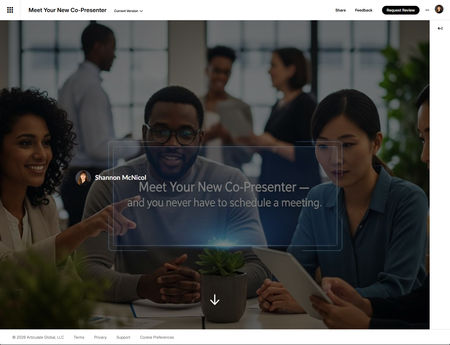
If you've been following along on E-Learning Heroes lately, you've probably noticed AI Avatars starting to pop up in people's Rise 360 projects. I decided to take it for a real spin — not just a quick test, but an actual microlearning build — and I want to share what I found. The good, the genuinely useful, and the "wish I'd known that before I hit publish." The result is a five-slide microlearning called Meet Your New Co-Presenter, built entirely in Rise 360 with AI Avatars as the hook. Here's what I learned along the way. What AI Avatars actually does In case you haven't tried it yet: AI Avatars is a native Rise 360 feature that generates a lifelike on-screen presenter from a written script. You type what you want the avatar to say, choose a presenter style, and Rise generates a speaking video — no camera, no studio, no scheduling a subject matter expert who keeps canceling on you. It lives inside Rise as a Media Block, which means it drops cleanly into your lesson flow just like any other media element. The generated video includes Rise's native player controls automatically, so learners can pause, rewind, and replay without any extra setup on your end. For certain use cases — quick scenario illustrations, course introductions, process overviews — it's a genuinely useful addition to the toolkit. And the speed of it is real. From script to generated avatar, you're talking minutes, not days. What worked well The hook moment is powerful. There's something genuinely compelling about opening a course with a speaking presenter that you built from a single paragraph of text. For the first slide of this microlearning, I used an AI Avatar to deliver the hook line — "What if your next training course already had a presenter?" — and then immediately showed learners the exact script that produced it. The meta moment landed exactly the way I hoped. Script-first thinking is actually good instructional design practice. Because the avatar reads exactly what you write, you're forced to write the way people talk, not the way people write slide decks. Short sentences. Active voice. A conversational rhythm. Those are things we should be doing anyway — AI Avatars just enforces it. Iteration is fast. Don't like how something sounds? Rewrite a sentence, regenerate, and you've got a new version in a couple of minutes. No reshoots. No re-recording. No waiting on anyone. That speed genuinely changes how you think about revision. Avatar selection is a real design decision — and a good one. The range of avatar styles available gives you enough variety to be intentional about representation. Choosing a presenter who reflects your learner audience is a small decision with real impact on engagement and trust. You can build a custom avatar — and it's easier than you think Here's the part that genuinely surprised me, and that I think more IDs need to know about: you're not limited to the preset avatar options. You can create a custom AI Avatar using a plain-language prompt describing exactly who you want your presenter to be. For this microlearning, I created a custom avatar from scratch using this prompt: A professional woman in her 50s with long, straight auburn-brown hair and bangs. She has light skin, green-hazel eyes, and a warm, confident smile. She is wearing a black blazer over a black turtleneck. She is standing in a modern professional office environment with soft, neutral lighting. Her expression is approachable and knowledgeable — like a trusted subject matter expert presenting to colleagues. She faces the camera directly with a poised, engaging demeanor. That's it. One paragraph. And what came back was a polished, realistic-looking presenter that felt like she belonged in the course — not a generic stock character, but someone with a specific look, a specific energy, and a specific professional context. Think about what that means for your work. If you're building for a specific industry, you can describe a presenter who looks like they actually work in that field. If you have brand guidelines around representation, you can build a presenter who reflects them precisely. If your learner audience is specific — frontline healthcare workers, financial advisors, retail managers — you can describe a presenter who looks like a trusted colleague rather than a generic talking head. A few tips for writing custom avatar prompts that get good results: Be specific about appearance. Hair color and style, eye color, approximate age, skin tone — the more detail you give, the more consistent and intentional the result. Vague prompts produce vague avatars. Describe the setting, not just the person. The background matters more than you'd think. "Modern professional office with soft neutral lighting" reads completely differently than "bright open-plan workspace" or "clinical white background." The environment signals context to your learner before the avatar says a single word. Name the energy, not just the look. Phrases like "approachable and knowledgeable," "warm but authoritative," or "confident and direct" genuinely influence how the avatar presents. Think of it like writing a casting note for an actor. Iterate the prompt, not just the script. If the first result isn't quite right, adjust the prompt description and regenerate. Small tweaks — changing "business casual" to "blazer and turtleneck," for example — can shift the result meaningfully. The custom avatar prompt is, in my view, one of the most underrated parts of this feature. The ability to describe your ideal presenter and actually get them — without a casting call, a shoot day, or a post-production budget — is genuinely remarkable. Use it intentionally. What to know before you dive in Here's where I want to be honest with you, because the E-Learning Heroes community deserves the real version, not the marketing version. You cannot edit the generated video. This is the big one. Once Rise generates your avatar video, what you get is what you get. There's no trim tool. No way to cut a section. No way to splice takes together. I ran into this firsthand: for some reason, my avatar was still visibly moving — still talking — at the very end of the clip, even after the script had ended. It looked awkward. And there was nothing I could do about it. No way to cut those last few seconds. I actually left that version in the microlearning intentionally so you can see exactly what I mean — go ahead and watch through to the end of the first slide and you'll catch it. The only fix was to rewrite the script, add a cleaner closing line, and regenerate the whole thing and hope the new version ended more gracefully. If you're used to working with tools like Camtasia or even a basic video editor where you can trim a clip to the frame, this limitation will feel significant. Plan your scripts carefully on the front end — because you can't fix it on the back end. You cannot export the avatar video out of Rise. The generated video lives inside Rise and that's where it stays. You can't download it, bring it into another tool for editing, or repurpose it elsewhere. If you were hoping to grab the file and use it in a Storyline project or a standalone MP4, that's not currently possible. The Media Block is the only home for AI Avatars. This has layout implications. Because AI Avatars only lives in a Rise Media Block, you don't have the layout flexibility to, say, place the avatar side by side with text content in the same block. I originally designed this microlearning with a two-column layout — avatar on the left, script context on the right — but had to rethink it when I realized the Media Block doesn't support that kind of custom positioning. I ended up stacking the avatar above the Code Block content, which actually worked fine once I reframed it: the avatar speaks first, then learners look down and see the script that produced it. Flexibility is limited overall. Beyond the editing and export limitations, you're working within whatever Rise generates. You can influence the output through your script, but you can't control pacing, emphasis, pause timing, or the avatar's gestural behavior in any granular way. What you see is what the AI decided to do with your text. How I worked around the limitations A few things that helped: Write for endings. Since you can't trim, your last line matters a lot. Write a clean, definitive closing sentence that gives the avatar a natural stopping point. Something like "Let's take a look at how it works" worked better for me than an open-ended line that trailed off. Keep scripts short and focused. The shorter the script, the easier it is to regenerate if something doesn't land right. I kept every avatar script in this microlearning to 20–30 seconds. Fast iteration is only an advantage if you're not regenerating a two-minute monologue every time. Use the avatar strategically, not on every slide. I originally planned to include an AI Avatar on each of the five slides. After working through the layout constraints and the Media Block limitation, I scaled back to just the first slide. That was actually the right call — one strong hook moment is more impactful than a talking head on every screen, and it kept the rest of the microlearning moving at a good pace. Lean into Code Blocks for layout control. Since the avatar lives in a Media Block and I needed more visual control over the surrounding content, I built each slide's content layout as a custom Code Block. This gave me full control over typography, spacing, animations, and interactivity — things Rise's native blocks don't always offer. If you're comfortable with HTML, CSS, and JavaScript, Code Blocks are where you can push Rise further than it's designed to go. The bottom line AI Avatars is a genuinely useful feature — with real constraints. It's fast, it's accessible, and it removes a meaningful barrier for IDs who want a human presence in their courses but don't have the budget, equipment, or scheduling flexibility for recorded video. But go in clear-eyed. You're trading editorial control for speed and convenience. If your workflow depends on being able to trim, cut, export, or precisely control the output, you'll run into walls. If you can write a tight script, embrace iteration, and design around the tool's constraints rather than against them — you'll find a lot to like. I'd love to hear how others are using AI Avatars in their own projects — especially if you've found creative workarounds I haven't thought of yet. Drop your thoughts in the comments below. Meet Your New Co-Presenter1.3KViews7likes8CommentsMy New “Missed Questions Only” Quiz Format for Rise 360.
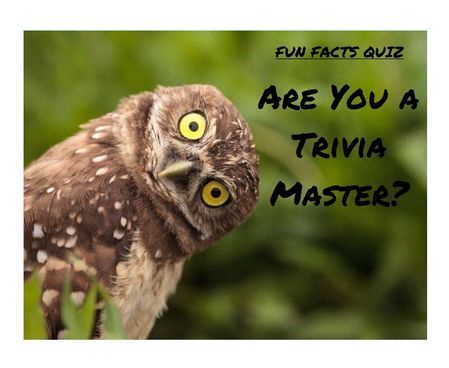
One quiz. Many chances. Zero wasted time Ever wished you could skip the boring parts of a quiz and just focus on what you got wrong? Well, now you can. I’ve created a “Missed Questions Only” quiz — a smarter, faster way to learn. Instead of starting from scratch, you get a second chance only at the questions you missed. No wasted time, no repeating what you already know — just targeted practice that helps you master the tricky stuff and hit that perfect score. It’s like a quiz with a built-in comeback round — your mistakes become your roadmap to success. Ready to turn wrong answers into wins? Give it a try and see how well you know your fun facts. 🔗 Rise Link: https://360.articulate.com/review/content/7126ec89-ff0c-4595-bac3-a0fe5e2c6a26/review 🖥️ Code Block: Copy the code below. 📄 Template: See an example of my template for organizing images, questions, answers, and each JS snippet. <div id="quiz-app"> <div class="quiz-card"> <div class="quiz-header"> <div> <div class="quiz-label">Fun Facts Quiz</div> <h2 id="quiz-title">Quiz</h2> </div> <div class="quiz-status"> <span id="round-badge">Round 1</span> <span id="progress-text">Question 1 of 1</span> </div> </div> <div id="scorebar" class="scorebar"> <div>Correct: <strong id="correct-count">0</strong></div> <div>Incorrect: <strong id="incorrect-count">0</strong></div> <div>Remaining in Round: <strong id="remaining-count">0</strong></div> </div> <div id="question-container"> <img id="question-image" src="" alt="Question Image" style="max-width:100%; border-radius:12px; margin-bottom:16px; display:none;" /> <div id="question-text" class="question-text"></div> <div id="answers" class="answers"></div> <div id="feedback" class="feedback"></div> </div> <div class="quiz-actions"> <button id="next-btn" disabled>Next</button> <button id="retry-btn" style="display:none;">Retry Missed Questions</button> <button id="restart-btn" style="display:none;">Restart Full Quiz</button> </div> </div> </div> <style> /* Same styling as before */ * { box-sizing: border-box; } body { margin: 0; font-family: Arial, Helvetica, sans-serif; background: #f4f7fb; color: #1f2937; } #quiz-app { max-width: 900px; margin: 0 auto; padding: 20px; } .quiz-card { background: #ffffff; border: 1px solid #dbe4f0; border-radius: 16px; padding: 24px; box-shadow: 0 8px 24px rgba(0,0,0,0.06); } .quiz-header { display: flex; justify-content: space-between; align-items: start; gap: 16px; margin-bottom: 18px; } .quiz-label { font-size: 12px; font-weight: 700; letter-spacing: .08em; text-transform: uppercase; color: #2563eb; margin-bottom: 6px; } .quiz-header h2 { margin: 0; font-size: 28px; } .quiz-status { display: flex; flex-direction: column; gap: 8px; align-items: flex-end; font-size: 14px; } .quiz-status span { background: #eef4ff; color: #1d4ed8; padding: 8px 12px; border-radius: 999px; font-weight: 600; } .scorebar { display: flex; flex-wrap: wrap; gap: 12px; margin-bottom: 22px; padding: 12px; background: #f8fafc; border: 1px solid #e5e7eb; border-radius: 12px; font-size: 14px; } #question-image { display: block; /* ensure image is shown */ max-width: 920px; /* maximum width */ max-height: 300px; /* maximum height */ width: 100%; /* scale to container width if smaller */ height: auto; /* maintain aspect ratio */ margin: 0 auto 16px auto; /* center horizontally with bottom margin */ object-fit: contain; /* scale image without cropping */ border-radius: 12px; /* consistent border radius */ background-color: #f3f4f6; /* subtle background color for empty space */ } .question-text { font-size: 22px; font-weight: 700; line-height: 1.35; margin-bottom: 20px; } .answers { display: grid; gap: 12px; } .answer-btn { width: 100%; text-align: left; border: 2px solid #d1d5db; background: #fff; color: #111827; border-radius: 12px; padding: 14px 16px; font-size: 16px; cursor: pointer; transition: .2s ease; } .answer-btn:hover:not(:disabled) { border-color: #93c5fd; background: #f8fbff; } .answer-btn:disabled { cursor: default; opacity: 1; } .answer-btn.correct { border-color: #16a34a; background: #ecfdf3; color: #166534; font-weight: 700; } .answer-btn.incorrect { border-color: #dc2626; background: #fef2f2; color: #991b1b; font-weight: 700; } .feedback { margin-top: 18px; min-height: 28px; font-size: 16px; font-weight: 600; } .feedback.correct { color: #15803d; } .feedback.incorrect { color: #b91c1c; } .quiz-actions { display: flex; gap: 12px; margin-top: 22px; flex-wrap: wrap; } .quiz-actions button { border: none; border-radius: 10px; padding: 12px 18px; font-size: 15px; font-weight: 700; cursor: pointer; } #next-btn { background: #2563eb; color: #fff; } #next-btn:disabled { background: #9ca3af; cursor: not-allowed; } #retry-btn { background: #f59e0b; color: #fff; } #restart-btn { background: #111827; color: #fff; } .final-message { padding: 18px; border-radius: 14px; background: #effaf3; border: 1px solid #86efac; color: #166534; font-size: 18px; line-height: 1.5; } .small-note { margin-top: 10px; font-size: 14px; color: #4b5563; } MeDia (max-width: 640px) { .quiz-header { flex-direction: column; align-items: flex-start; } .quiz-status { align-items: flex-start; } .question-text { font-size: 20px; } } </style> <script> // Questions with imageUrl placeholder (replace URLs with your uploaded Rise 360 images) const fullQuiz = [ { question: "Which animal can sleep standing up?", imageUrl: "https://images.articulate.com/f:jpg,a:retain,b:fff,w:1680,q:90/rise/courses/YLUYT4CI3ckYMonl07a4CHihYXT3CnUJ/z45b6W_xMLJUUJld.jpg", options: ["Horse", "Dog", "Penguin", "Kangaroo"], answer: "Horse" }, { question: "What is the only food that essentially never spoils?", imageUrl: "https://articulateusercontent.com/rise/courses/Kg8aAYIS9RJvSNl0YFM3mOw3o8OQbz5c/MddUJBQTsySlOvqv.jpg", options: ["Rice", "Honey", "Peanut butter", "Chocolate"], answer: "Honey" }, { question: "True or False: Bananas are berries, but strawberries technically aren’t.", imageUrl: "https://articulateusercontent.com/rise/courses/Kg8aAYIS9RJvSNl0YFM3mOw3o8OQbz5c/GSei0ep7BuNe7mfL.png", options: ["True", "False"], answer: "True" }, { question: "What is a group of flamingos called?", imageUrl: "https://articulateusercontent.com/rise/courses/Kg8aAYIS9RJvSNl0YFM3mOw3o8OQbz5c/9bCYyNGee1QQRUWC.jpg", options: ["A flock", "A flamboyance", "A parade", "A bouquet"], answer: "A flamboyance" }, { question: "Which country has more pyramids than any other country in the world?", imageUrl: "https://articulateusercontent.com/rise/courses/Kg8aAYIS9RJvSNl0YFM3mOw3o8OQbz5c/srrP1z5U7J1QaYow.jpeg", options: ["Egypt", "Mexico", "Sudan", "Peru"], answer: "Sudan" }, { question: "Which animal has fingerprints so similar to humans that they can be difficult to tell apart?", imageUrl: "https://articulateusercontent.com/rise/courses/Kg8aAYIS9RJvSNl0YFM3mOw3o8OQbz5c/z32I4pCG_PvYZDUD.jpg", options: ["Chimpanzee", "Koala", "Raccoon", "Sloth"], answer: "Koala" }, { question: "How many hearts does an octopus have?", imageUrl: "https://articulateusercontent.com/rise/courses/YLUYT4CI3ckYMonl07a4CHihYXT3CnUJ/1EOT8Ml6xu2_Lmvd.png", options: ["1", "2", "3", "8"], answer: "3" }, { question: "Which fruit floats in water because about 25% of its volume is air?", imageUrl: "https://articulateusercontent.com/rise/courses/Kg8aAYIS9RJvSNl0YFM3mOw3o8OQbz5c/kRIyy568MhLPiEFd.jpg", options: ["Apple", "Orange", "Grape", "Strawberry"], answer: "Apple" }, { question: "What is the national animal of Scotland?", imageUrl: "https://images.articulate.com/f:jpg,a:retain,b:fff,w:1680,q:90/rise/courses/YLUYT4CI3ckYMonl07a4CHihYXT3CnUJ/Tl89HrMYH0AyvzF2.jpg", options: ["Highland cow", "Golden eagle", "Unicorn", "Red deer"], answer: "Unicorn" }, { question: "True or False: A day on Venus is longer than a year on Venus.", imageUrl: "https://articulateusercontent.com/rise/courses/Kg8aAYIS9RJvSNl0YFM3mOw3o8OQbz5c/WBnprMTKTGmJCPre.jpg", options: ["True", "False"], answer: "True" }, { question: "What is a group of crows called?", imageUrl: "https://articulateusercontent.com/rise/courses/Kg8aAYIS9RJvSNl0YFM3mOw3o8OQbz5c/QhTq5yGSSxZC45ZF.jpg", options: ["A mystery", "A murder", "A mob", "A shadow"], answer: "A murder" }, { question: "What is a group of owls called?", imageUrl: "https://articulateusercontent.com/rise/courses/Kg8aAYIS9RJvSNl0YFM3mOw3o8OQbz5c/d_g79Dx03aWnVP2S.jpg", options: ["A parliament", "A council", "A jury", "A congress"], answer: "A parliament" }, { question: "What is a group of giraffes called?", imageUrl: "https://articulateusercontent.com/rise/courses/YLUYT4CI3ckYMonl07a4CHihYXT3CnUJ/-jRiKJcZZX1mWlfh.jpg", options: ["A tower", "A skyscraper", "A stretch", "A column"], answer: "A tower" }, { question: "What is a group of rhinos called?", imageUrl: "https://articulateusercontent.com/rise/courses/Kg8aAYIS9RJvSNl0YFM3mOw3o8OQbz5c/jilS2EvEMWFQCHLN.jpg", options: ["A crash", "A charge", "A stampede", "A rumble"], answer: "A crash" }, { question: "What is a group of porcupines called?", imageUrl: "https://articulateusercontent.com/rise/courses/Kg8aAYIS9RJvSNl0YFM3mOw3o8OQbz5c/WwtKh0xFKUgG07x1.jpg", options: ["A pricker", "A prickle", "A pincushion", "A spike"], answer: "A prickle" }, { question: "What is a group of zebras called?", imageUrl: "https://articulateusercontent.com/rise/courses/YLUYT4CI3ckYMonl07a4CHihYXT3CnUJ/G-vljexS-nyS4lg3.jpg", options: ["A dazzle", "A stripe", "A blur", "A flash"], answer: "A dazzle" }, { question: "What is a group of hippos called?", imageUrl: "https://articulateusercontent.com/rise/courses/Kg8aAYIS9RJvSNl0YFM3mOw3o8OQbz5c/M-1LbZ5VHqL28Ez4.jpg", options: ["A splash", "A bloat", "A barrel", "A wallow"], answer: "A bloat" }, { question: "What is a group of ferrets called?", imageUrl: "https://articulateusercontent.com/rise/courses/Kg8aAYIS9RJvSNl0YFM3mOw3o8OQbz5c/ob7XOK2dtuA2btB-.jpg", options: ["A mischief", "A trouble", "A business", "A chaos"], answer: "A business" }, { question: "What is a group of ravens called?", imageUrl: "https://articulateusercontent.com/rise/courses/YLUYT4CI3ckYMonl07a4CHihYXT3CnUJ/L6_Yxla0T9t97Qx8.jpg", options: ["An unkindness", "A darkness", "A conspiracy", "A haunting"], answer: "An unkindness" }, { question: "What is a group of bears called?", imageUrl: "https://articulateusercontent.com/rise/courses/Kg8aAYIS9RJvSNl0YFM3mOw3o8OQbz5c/5fA5geB-XbftAeB6.jpg", options: ["A grumble", "A sleuth", "A lumber", "A maul"], answer: "A sleuth" } ]; let currentQuiz = []; let currentIndex = 0; let selectedAnswer = null; let totalCorrect = 0; let totalIncorrect = 0; let roundNumber = 1; let missedQuestions = []; const questionContainer = document.getElementById("question-container"); const questionImage = document.getElementById("question-image"); const questionText = document.getElementById("question-text"); const answersEl = document.getElementById("answers"); const feedbackEl = document.getElementById("feedback"); const nextBtn = document.getElementById("next-btn"); const retryBtn = document.getElementById("retry-btn"); const restartBtn = document.getElementById("restart-btn"); const correctCountEl = document.getElementById("correct-count"); const incorrectCountEl = document.getElementById("incorrect-count"); const remainingCountEl = document.getElementById("remaining-count"); const progressTextEl = document.getElementById("progress-text"); const roundBadgeEl = document.getElementById("round-badge"); function shuffle(array) { const arr = [...array]; for (let i = arr.length - 1; i > 0; i--) { const j = Math.floor(Math.random() * (i + 1)); [arr[i], arr[j]] = [arr[j], arr[i]]; } return arr; } function prepareQuiz(questions) { return shuffle(questions).map(q => ({ ...q, options: shuffle(q.options) })); } function initQuiz() { currentQuiz = prepareQuiz(fullQuiz); currentIndex = 0; selectedAnswer = null; totalCorrect = 0; totalIncorrect = 0; roundNumber = 1; missedQuestions = []; retryBtn.style.display = "none"; restartBtn.style.display = "none"; nextBtn.style.display = "inline-block"; questionContainer.style.display = "block"; renderQuestion(); updateScore(); } function startRetryRound() { currentQuiz = prepareQuiz(missedQuestions); currentIndex = 0; selectedAnswer = null; missedQuestions = []; roundNumber++; retryBtn.style.display = "none"; restartBtn.style.display = "none"; nextBtn.style.display = "inline-block"; questionContainer.style.display = "block"; renderQuestion(); updateScore(); } function renderQuestion() { const q = currentQuiz[currentIndex]; // Show or hide image depending on if imageUrl is set if (q.imageUrl) { questionImage.src = q.imageUrl; questionImage.style.display = "block"; } else { questionImage.style.display = "none"; } feedbackEl.textContent = ""; feedbackEl.className = "feedback"; nextBtn.disabled = true; selectedAnswer = null; roundBadgeEl.textContent = `Round ${roundNumber}`; progressTextEl.textContent = `Question ${currentIndex + 1} of ${currentQuiz.length}`; remainingCountEl.textContent = currentQuiz.length - currentIndex; questionText.textContent = q.question; answersEl.innerHTML = ""; q.options.forEach(option => { const btn = document.createElement("button"); btn.className = "answer-btn"; btn.type = "button"; btn.textContent = option; btn.addEventListener("click", () => handleAnswer(btn, option, q.answer)); answersEl.appendChild(btn); }); } function handleAnswer(button, chosen, correct) { if (selectedAnswer !== null) return; selectedAnswer = chosen; const buttons = document.querySelectorAll(".answer-btn"); buttons.forEach(btn => btn.disabled = true); if (chosen === correct) { button.classList.add("correct"); feedbackEl.textContent = "Correct!"; feedbackEl.className = "feedback correct"; totalCorrect++; } else { button.classList.add("incorrect"); feedbackEl.textContent = "Incorrect."; feedbackEl.className = "feedback incorrect"; totalIncorrect++; missedQuestions.push(currentQuiz[currentIndex]); } updateScore(); nextBtn.disabled = false; } function updateScore() { correctCountEl.textContent = totalCorrect; incorrectCountEl.textContent = totalIncorrect; remainingCountEl.textContent = currentQuiz.length > 0 ? Math.max(currentQuiz.length - currentIndex - (selectedAnswer ? 1 : 0), 0) : 0; } function goNext() { currentIndex++; if (currentIndex < currentQuiz.length) { renderQuestion(); updateScore(); } else { showRoundResults(); } } function showRoundResults() { questionText.textContent = ""; answersEl.innerHTML = ""; feedbackEl.textContent = ""; questionImage.style.display = "none"; nextBtn.style.display = "none"; if (missedQuestions.length > 0) { questionText.innerHTML = ` <div class="final-message" style="background:#fff7ed;border-color:#fdba74;color:#9a3412;"> <strong>Round ${roundNumber} complete.</strong><br> You have <strong>${missedQuestions.length}</strong> question(s) to retry. <div class="small-note">Click the button below to retake only the questions you missed.</div> </div> `; retryBtn.style.display = "inline-block"; restartBtn.style.display = "inline-block"; remainingCountEl.textContent = missedQuestions.length; } else { questionText.innerHTML = ` <div class="final-message"> <strong>Congratulations!</strong><br> You have answered all questions correctly. <div class="small-note"> Final score: ${totalCorrect} correct, ${totalIncorrect} incorrect attempts. </div> </div> `; retryBtn.style.display = "none"; restartBtn.style.display = "inline-block"; remainingCountEl.textContent = 0; } } nextBtn.addEventListener("click", goNext); retryBtn.addEventListener("click", startRetryRound); restartBtn.addEventListener("click", initQuiz); initQuiz(); </script>333Views5likes5Comments3D Timeline: A Timeline Learners Travel Through
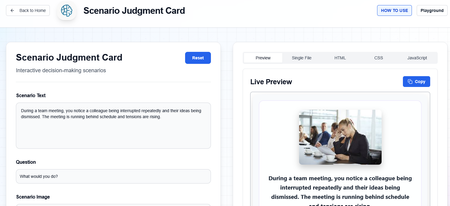
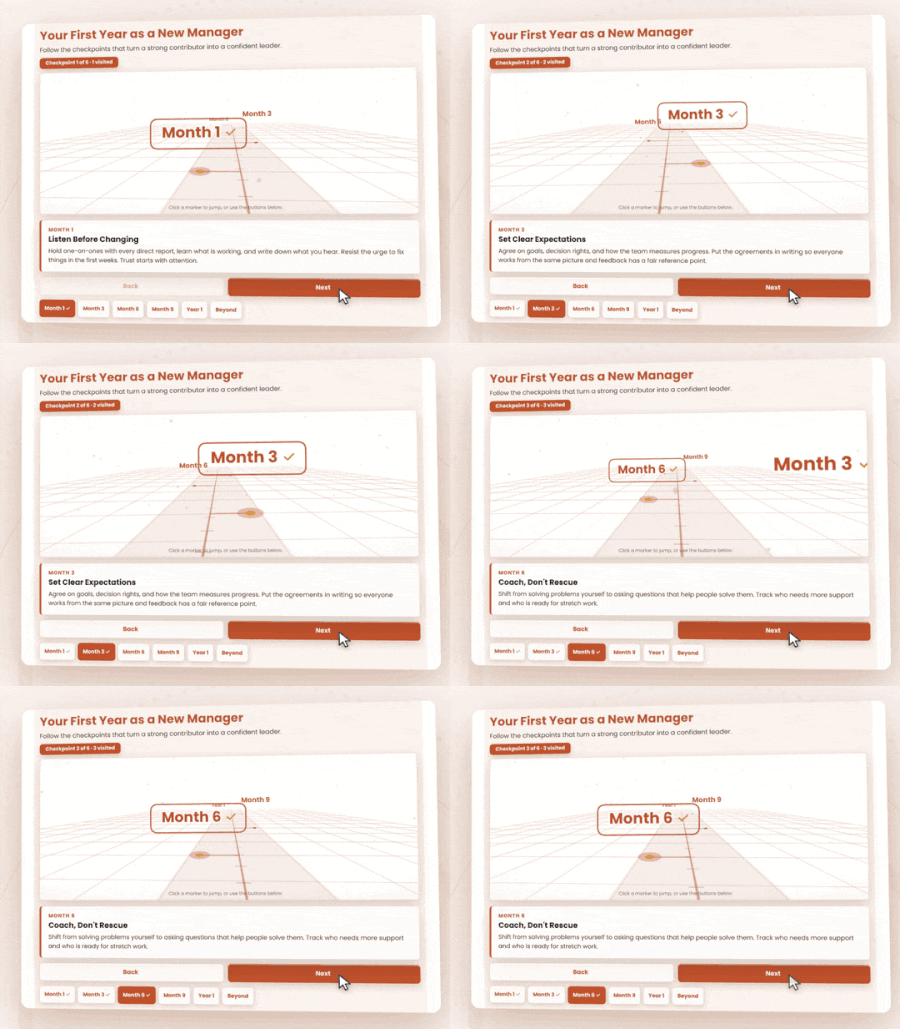
You have six milestones and a deadline. The SME sends a slide with a line, six dots, and a paragraph under each one. Learners skim it and click Next. I wanted to try something different. The 3D Timeline turns each milestone into a stop on a path. Learners move forward one checkpoint at a time, and the details for each stop appear as they arrive. Why This Works for Learning When sequence matters, how we present information makes a difference. Rather than displaying every event at once, this interaction uses segmentation and progressive disclosure to help learners process information one milestone at a time. The 3D path also provides a visual representation of sequence and progression, making it easier to follow how events unfold. At Bloom's Understand level, learners can identify milestones, explain their significance, and recognize chronological relationships. Pairing the timeline with questions about what changed between milestones can encourage deeper analysis. How to Use It in Articulate I built this using my 3D Timeline generator at eLearningDesign.org. It includes Quick Build, which lets you generate milestone content using your preferred AI tool, then paste everything back into the generator at once. Colors, content, and styling are customizable. The completed interaction exports as HTML. Rise 360: Add a Code block and insert the generated HTML, or upload a compatible HTML project ZIP. Storyline 360: Insert the exported HTML as a Web Object. Other platforms: Use the HTML export with authoring tools or learning platforms that support custom HTML. No need to rebuild the interaction with individual layers, triggers, or animations. Explore the Example https://e-learning-tools.vercel.app/3dtimeline.html How It Was Created The interaction was created using the 3D Timeline tool at eLearningDesign.org. https://www.elearningdesign.org/new-generators/3d-timeline254Views6likes5CommentsI Vibe Coded a Course About Vibe Coding 🤖✨
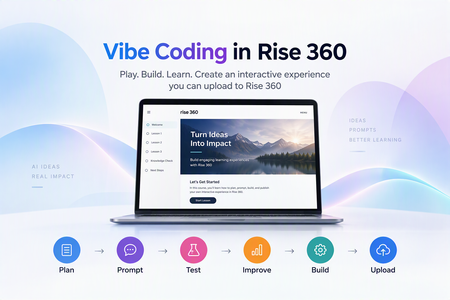
Every week someone in this community asks some version of “Do I need to learn JavaScript to use the Code block?” My answer is no. You need a clear learning goal, a good AI partner, and a willingness to hit Preview about forty times. So I built a short course to show exactly how that works. What is vibe coding, anyway? 🎧 Vibe coding means describing the experience you want, letting AI write the code, and then testing and refining until it works. You stay the designer and AI does the typing. For Rise 360, that means you can build custom practice activities, branching choices, and games that native blocks can’t do (yet). What’s inside 📚 It’s seven short screens, all living in a single Code block: 🔹 A quick practice question so learners feel a custom interaction right away 🔹 When to use Add code and when to use Upload project 🔹 Five flip cards on the things that trip people up 🔹 A prompt builder: pick a topic, an audience, and a behavior, and it writes a full AI prompt for you 🔹 A revision prompt builder that makes you describe what you actually saw (no “it looks weird, fix it” allowed 😄) 🔹 A test checklist, plus quick fixes for the most common Code block headaches Try it 👉 Vibe Coding in Rise 360 And if you want to see where vibe coding can go once you get comfortable, play my Halloween game, Ghosts & Gourds the Haunted Hunt 👻🎃 Your turn 💬 Have you tried vibe coding in Rise yet? What’s the weirdest bug AI has handed you? Drop it below. I promise mine are worse. 🤣266Views3likes1CommentCoded Interactions
I've recently been experimenting with coded interactions in Rise 360 to see how far I can push the interactivity beyond the standard blocks. I've been using GPT to help produce and refine the code, then tweaking and personalising the interactions to meet specific brand guidelines and learning requirements. I'm really happy with the results so far, and it's opened up a lot of possibilities for creating more bespoke learning experiences directly within Rise. There are some limitations I've noticed during testing, particularly around incorporating audio effectively within the interactions and ensuring they remain fully responsive across different screen sizes and mobile devices. I'd be interested to hear from other eLearning developers who are experimenting with coded interactions: What limitations have you come across? How have you approached responsiveness and accessibility? Do you see coded interactions becoming a bigger part of how we build bespoke experiences in Rise? Here's an example I've been working on: https://360.articulate.com/review/content/42e03dcc-6233-4bf0-908e-64d5543c0c7c/review739Views5likes8CommentsA Growing List of Cool Code Block Examples
➡️ View the examples and grab the code Hi everyone! 👋 You'll find (42 so far) examples of what you can do with the Rise Code Block. These are my tests that I've built to be responsive and accessible. I've provided the code for each so you can easily copy, paste, and insert them in your Rise courses. There is a suggestion box if you'd like to upvote an idea or enter your own. If you have any comments, just drop them here in review. You can reach me directly at [email protected]. Latest Updates: A new Latest Updates section that lists existing snippets that have been updated to add new features based on user feedback. I've also moved the Update Log to the top so you can easily determine the latest version/date and details. NEW - Two-Person Scenario helps you build a two-person scenario where the learn can take on the role of one of the characters, or as an observer. You can include your own characters, optional backgrounds and audio narration. There is a UI for this one to help you set up the details without editing the code directly. NEW - Sentiment Check that mimics Rise's new survey block but can remember an earlier response. For example, at the beginning of a course, you check user confidence and, at the end, you recheck it. Your Input Buy Me a Coffee Suggestion Box Interactions Click & Reveal Checklist Display Cards Drag and Drop Flip Cards Glossary You Can Print Hover Definitions & Popup Info Labeled Graphic Matching Activity Memory Match Scratch Card Reveal Scrolling Ticker Sentence Builder Sentiment Check Sorting Interaction with Feedback Spin the Wheel Timeline Vertical & Horizontal Tabs Effects & Media Animated Checklist Confetti Dividers Multi-track audio Player Graphics Blended Image Slider Image Compare Slider Knowledge Checks / Quizzes Card Order Question Flashcard Self-Assessment Row Order Question Swipe Card Quiz Yes/No Swipe Cards User Input Capture & Recall Reflections You Can Print Course Completion Certificate ElevenLabs Chatbot Learner Name with Persistence Notebook You Can Print Pulse Check (no right/wrong answer question) Utilities Compound Interest Calculator Form Wrapper Timer E-Learning Challenges & Fun Stuff #535 Snow Globe #540 Valentine Oracle Fire Triangle Simulator Rise Code Block "Build-a-Thon" Submission Getting Help Introduction Prompts, Workflow and QA Building a Code Snippet The Prompts Editing HTML Working in Other Languages3.1KViews24likes26Comments