e-learning challenge
1052 TopicsUsing Web Objects for Performance Support in E-Learning #220
Using Web Objects in E-Learning #220: Challenge | Recap Storyline’s Web Objects are similar to lightbox slides in that they give course designers a solution for loading on-demand content and resources when they need it. What makes web objects unique is how they allow learners to access external content such as web pages and intranet sites directly inside the course. Ideas for using web objects include: Pulling in compliance documents from intranet sites Loading synchronous discussion forums and chat rooms for performance support Playing educational podcasts and explainer videos Challenge of the Week This week, your challenge is to share an example that demonstrates how web objects can be used in e-learning. If you’re not using Storyline or Studio, feel free to show something comparable in whatever tool you’re using. Resources Here are a few resources to help you get started. If you get stuck or need some help, please post in the forums and we’ll be glad to help you out. Storyline 360: Adding Web Objects Presenter 360: Adding Web Objects Last Week’s Challenge: Before you get started with this week’s challenge, take some time to check out the Valentine’s Day e-learning examples your fellow challengers shared over the past week: Valentine's Day Interactions #219: Challenge | Recap Wishing you a great week, E-Learning Heroes! New to the E-Learning Challenges? The weekly e-learning challenges are ongoing opportunities to learn, share, and build your e-learning portfolios. You can jump into any or all of the previous challenges anytime you want. I’ll update the recap posts to include your demos.2.9KViews0likes111CommentsFeelings Pulse
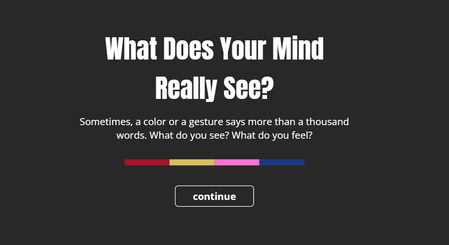
This is an interactive experiment using poll-style questions within a video. It’s designed to describe emotions through colors and characters, using four simple questions. Each question is linked to a color — Red, Yellow, Blue, and Pink — and presents a few emotional choices for you to pick from. You’ll only be able to select one answer per question, and only once per session. Your response is saved anonymously and added to the overall results. At the end, you’ll see how others have answered as well. This isn’t based on any scientific research — it’s just a creative way to reflect on emotions and try out interactive video features. Thank you for being part of it. Feeling PulseWhat’s Your Celestial Learning Persona
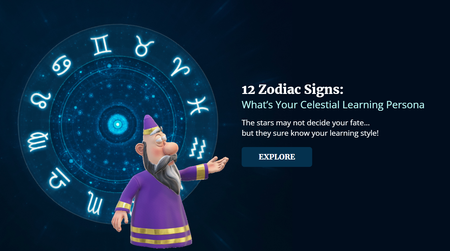
In this challenge, I used a listicle format inside a scroll panel to explore how the 12 zodiac signs connect to learning styles. Each sign reveals a short, scrollable insight into how that type of learner might thrive — whether you're a curious Gemini, focused Capricorn, or imaginative Pisces. Just scroll through the list and discover which celestial style speaks to you :) What’s Your Celestial Learning PersonaFind the Dog
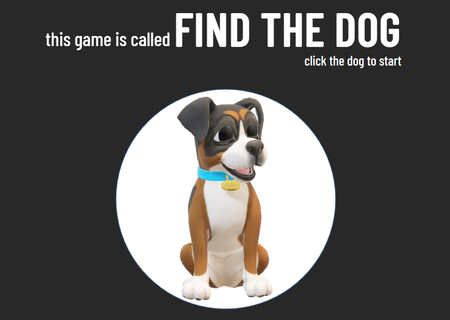
Taking a breather after some intense experimenting with the morph transition! Here’s a simplified version of the classic shell game (I think that’s what it’s called?). I remember watching it as a kid — older guys would play it on the street, trying to earn a bit of extra cash. They’d use matchboxes, shuffle them around with a hidden object underneath. If you guessed right, you’d win a few coins. If not... well, better luck next time! I called it "Find a dog" for the purpose of this challenge. Find the DogStop Child Abuse
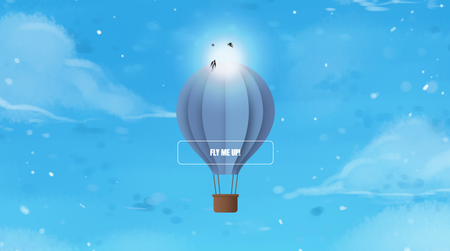
Hello Heroes, This animation was originally intended for the previous challenge. However, because it holds special significance for me, I decided to share it in this landmark 500th challenge instead. The criteria for this challenge differ slightly from my initial plan, so I incorporated a data comparison feature that activates when the ELC counter reaches 500 and the 'Facts' image is clicked, ensuring alignment with the challenge requirements. This animation is dedicated to all children affected by violence in our world today. There are not many interactions for you here – only an invitation to watch until the end, enjoy a song, breathe deeply, and hold them in your thoughts. Like these balloons drifting through the clouds, may every child find peace unburdened, joy unchained, and the freedom to soar. Hope you all enjoy it as much as I did! ELC#500 - Stop Child Abuse Project Description: In this project, I leveraged the JavaScript API in Storyline alongside the Web Animations API to create dynamic, smooth animations for hot air balloons. This included continuous swaying effects with adjustable rotation and downward movement speeds for more lifelike movement. For elements like clouds and birds—which reverse direction once the ELC counter reaches 500—I utilized motion paths within Storyline for seamless transitions. The ELC counter animation was implemented using GSAP, targeting the text variable for precise control. All graphics were designed and customized in Canva. The background features a children’s chorus performing a haunting rendition of Sting’s 1987 song "Fragile" (as heard in the Adolescence TV series). Additional sound effects and music were sourced from Pixabay.Course Starter Templates Inspired by Restaurant Menus #373
Restaurant Menu Inspired Course Starters #373: Challenge | Recap Challenge of the Week This week, your challenge is to design a course starter template using design elements from restaurant menus. You can include as many slides as you like, but your goal should be to find the most essential content slides course designers would need to start building an e-learning course using restaurant menu themes. On average, course starter templates include 6-10 common slide types. Here are some examples you could include in your course starter: Cover slide Objectives slide Content slide Quiz slide Interaction slide (tabs, timeline, etc.) Scenario slide Restaurant Menu Inspired Template This example from Trina does a great job balancing restaurant menu design elements while still following common e-learning navigation patterns. View the example | Download the template Where to Find Restaurant Menu Examples If you're looking for inspiration, check out Art of the Menu. The site showcases restaurant menus from around the world and features options to search by cuisine, restaurant location, or keyword. View Art of the Menu What are Course Starter Templates? Course starters are multi-slide templates that combine the most common e-learning content and interaction slides. Starter templates provide a structure to the design, layout, and flow of an e-learning course. Below you'll find a few examples from previous course starter challenges. Jodi M. Sansone Example | Download | Jodi Sansone | Website | @jodimsansone Susan Schleef View project | Susan Schleef Andrzej Jabłoński View project | Download | Andrzej Jabłoński Share Your E-Learning Work Comments: Use the comments section below to share a link to your published example and blog post. Forums: Start your own thread and share a link to your published example.. Personal blog: If you have a blog, please consider writing about your challenges. We’ll link back to your posts so the great work you’re sharing gets even more exposure. Social Media: If you share your demos on Twitter or LinkedIn, try using #ELHChallenge so your tweeps can track your e-learning coolness. Last Week’s Challenge: To help you build up an appetite for this week's menu challenge, take a few minutes to view the button set examples your fellow challengers shared over the past week: Button Set Examples in Storyline 360 RECAP #372: Challenge | Recap New to the E-Learning Challenges? The weekly e-learning challenges are ongoing opportunities to learn, share, and build your e-learning portfolios. You can jump into any or all of the previous challengesanytime you want. I’ll update the recap posts to include your demos. Learn more about the challenges in this Q&A post and why and how to participate in this helpful article.2.5KViews0likes78CommentsUsing Responsive Custom Blocks in Rise #565
Rise 360 blocks have always adapted to whatever screen a learner opens them on. Custom blocks gave you something different: a blank canvas, and the freedom to put anything anywhere on it. Now you get both. Responsive Custom Blocks are now available as a Labs experiment in Rise 360. Turn the experiment on, and the custom blocks you build reflow across desktop, tablet, and mobile the way the rest of your Rise blocks already do. What Changes You stop placing objects at fixed coordinates and start building with containers. Containers are columns and rows that hold your content and rearrange it as the screen resizes. Each object gets sizing behavior instead of a position: Fixed, Hug, or Fill. That's the shift. You're not positioning objects anymore. You're describing relationships between them. The part worth playing with is Direction. Each device gets its own layout settings, so a two-column layout on desktop can become two stacked rows on mobile. Same content, restructured for the screen. Check outClara's post where she walks you through containers, position settings, and device previews in detail. 🏆 Challenge of the Week This week, your challenge is to build a custom block that works at every screen size. Design it for desktop first, then edit the block for tablet and mobile. A few directions to consider: Take a fixed custom block you've already built and rebuild it responsively Start from a prebuilt template and change the container direction for mobile Build something that genuinely couldn't work as a fixed layout Your Feedback Matters This is a Labs feature, which means it's still being actively developed and shaped by what people tell us. So as you build this week, tell us what you run into: Controls: Are the labels clear? Could you do everything you wanted to? Bugs: Did an object or template reflow in a way you didn't expect? Gaps: What's still missing before you'd use this in real projects? You can share feedback in the Labs forum or use the feedback form inside the feature. Start Here Turn on the Responsive Custom Block experiment in Labs. Open the block library in your training and insert a custom block. Pick a template or start from Blank. Two things to know going in: your existing custom blocks won't change, and most prebuilt templates are now responsive. A few templates aren't responsive and they carry a Fixed Layout badge. 🙌 Share your work You put in the effort. Now make sure your work gets seen: Personal blog: If you have a blog, write about your example from this week's challenge and share the link with your submission. Social media: Share your examples on LinkedIn and mention both David and Articulate using the #ElearningChallenge tag so we can help promote your work. Peer feedback: Try leaving helpful feedback on at least three projects this week. Community forums: Cross-post in the forums to give your work even more visibility. 🙌 Last Week’s Challenge: Before you respond to this week’s challenge, take a look back at how the community branded their courses with style guides: Branding E-Learning Courses with Style Guides #564: Challenge | Recap 👋 New to the E-Learning Challenges? The weekly e-learning challenges are ongoing opportunities to learn, share, and build your e-learning portfolios. You can jump into any or all of the previous challenges anytime you want. I’ll update the recap posts to include your demos. Learn more about the challenges in this Q&A post and why and how to participate in this helpful article.1.3KViews1like0CommentsQuick and Dirty Image Effect for E-Learning Cover Slides #377
E-Learning Cover Slides #377: Challenge | Recap Can You Judge an E-Learning Course by Its Background Image? Need a quick way to set the stage for your course content? Try using a custom background image. Background images are the largest object on your slide, making them one of the best ways to establish context while creating a sense of location. This works equally well for content and course cover slides. But not all projects require custom themes or visual treatments. For example, most e-learning courses are built from existing templates that are modified based on the course content. That’s okay because there’s a background trick for those courses, too! Creating Custom Backgrounds Images Using Transparency In a recent post, Tom Kuhlmann shared a visual design tip commonly used in advertising and high-end product photography. The effect is achieved by using the same image for the focal point and background graphic. The background version is scaled beyond the slide size, and transparency dialed way up to blend the image into the background. Here’s a before-and-after view of the effect: Notice how the faded image fills the background without dominating the slide? This is one of the quickest ways to add richness and depth to your slide backgrounds. And that's what this week's challenge is all about! Challenge of the Week This week, your challenge is to create a cover screen for an e-learning course, real or fictional, using the transparent echo technique. You can share a static image of a cover slide or add a cover screen to an existing project or challenge entry you created. Share Your E-Learning Work Comments: Use the comments section below to share a link to your published example and blog post. Forums: Start your own thread and share a link to your published example.. Personal blog: If you have a blog, please consider writing about your challenges. We’ll link back to your posts so the great work you’re sharing gets even more exposure. Social Media: If you share your demos on Twitter or LinkedIn, try using #ELHChallenge so your tweeps can track your e-learning coolness. Last Week’s Challenge: Before you uncover your slide designs, check out the creative ways course designers build templates from stock vector illustrations: E-Learning Templates from Illustrations #376: Challenge | Recap New to the E-Learning Challenges? The weekly e-learning challenges are ongoing opportunities to learn, share, and build your e-learning portfolios. You can jump into any or all of the previous challengesanytime you want. I’ll update the recap posts to include your demos. Learn more about the challenges in this Q&A post and why and how to participate in this helpful article.4.3KViews0likes119Comments