Forum Discussion

jolondacarter
11 months agoCommunity Member
Articulate 360 Update All button error
Error when selecting Articulate's "UPDATE ALL" button: I currently have Articulate that provides the Articulate "Storyline 360 64-bit version". When the pop-up "Updates are available for Articulate" ...



JudyNollet
11 months agoSuper Hero
I suggest you submit a case directly to the Articulate staff. You can do that here: https://access.articulate.com/support/contact
Be sure to give them details about your computer and operating system.
Note: When you update (or even uninstall) Storyline, that doesn't affect the .story files. They remain wherever you saved them. (All .story files should always be on the local computer. Working on a file over a network can corrupt it.)
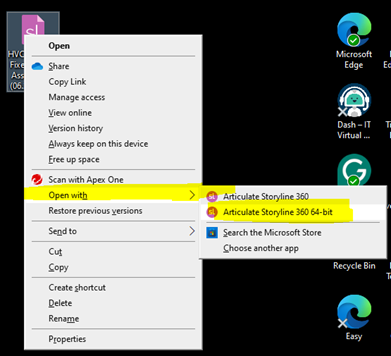
However, the list of files in the "Recent" area of Storyline's Welcome screen might be cleared out. If so, you should still be able to open any .story file on your computer by browsing for it.