Forum Discussion

Embed iFrame Height
- 1 hour ago
Hello everyone,
I'm happy to share that we've just released a new update for Rise 360.
We've released a fix for:
-
Embedded blocks displayed excess space below a full web page.
There's nothing to install for web-based apps, as new features and fixes are immediately available.
Please let us know if you need any additional help!
-


Hi,
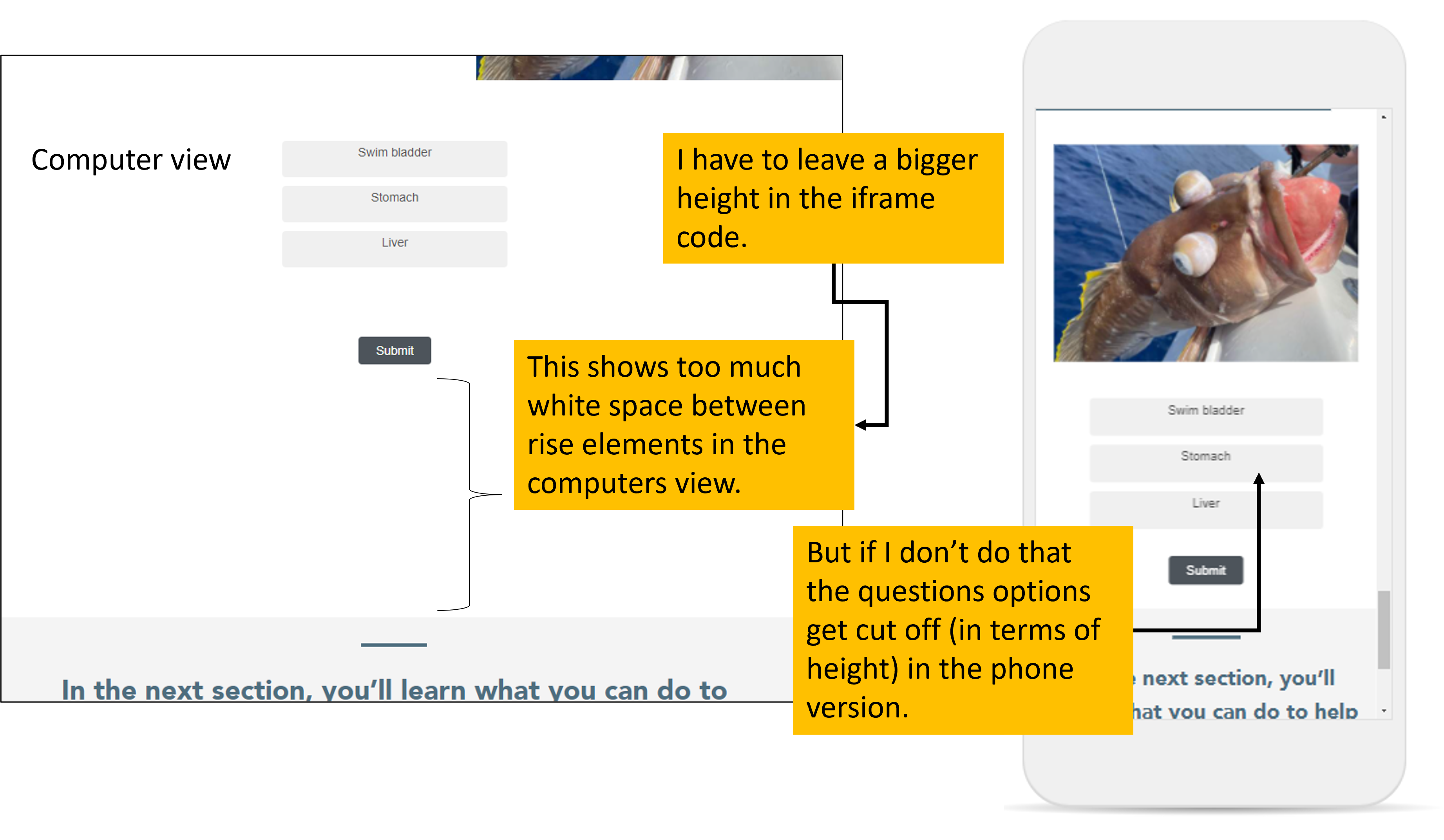
I embedded a question in rise 360 and when I modified the size in the iframe I have to leave a greater height that I want to (which shows a lot of unwanted white space on the computer view), so that the phone view shows all the options of the question (see attachment). Is there a way to get all the options of the question in both views without having to add so much white space in the computer view?
As you will see in the code, we don't want to see the scrolling bar because it is distracting for just one simple question.
Here is the code that I am using:
<iframe src="https://ufl.qualtrics.com/jfe/form/SV_daN44sV8shM3noO" height="1" width="1.5" scrolling="no"></iframe>
Related Content
- 3 years ago
- 10 months ago
- 8 months ago