Forum Discussion

Problem with the screen recording in Articulate. HELP!
Hi everybody. Ok, there is a big problem which I am facing. 😬
- Screen recording I have. Screen recording as simulation was done by me by selecting an 'x' size of screen size, which is never a trouble maker.
- Now I put that same recording as simulation where slide by slide test mode was selected by me.
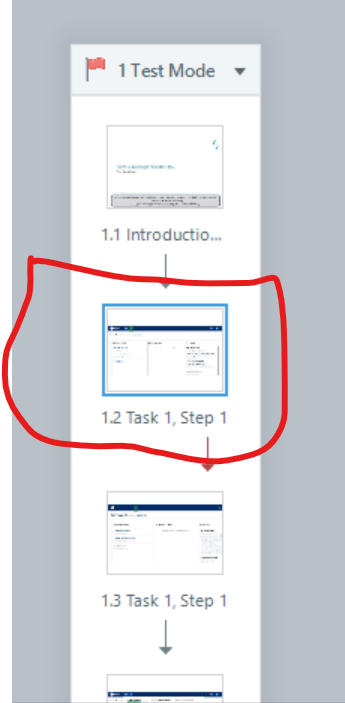
- Now my smart colleague chose to change the screen size to 720x540. I had kept it 960x540 earlier. Now she wants me to simply copy and paste the slide as shown in below screenshots for ref.
- I 'simply' copy it and by doing ctrl+v I could duplicate the slide.😒 (Note: this is happening for any slide that I try to duplicate).
- As shown below in the SS, the recording size or ratio gets distorted and goes out of the slide size or canvas.
- Since its a recording, I get no option to fix this by adjusting the edges of it like how we increase or decrease the picture or image size. It 'simply' doesn't allow me to have a clean duplicate file or slide of the ones created.
Therefore, I seek for help from anyone who could do some miracle. Else, I have to redo everything or to think about some something else. Because these things aren't in my control. Watch the SS attached carefully. Thanks. 😇
4 Replies
- King1Community Member
EricSantos pls help if you could.
- elizabethPartner
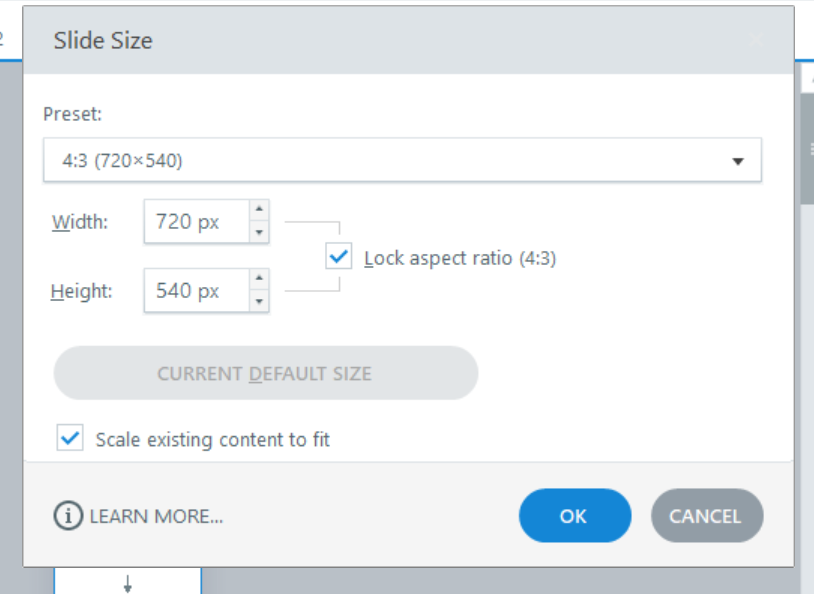
It looks like you recorded in a 16:9 aspect ratio, which is normal since that's what most laptop monitors are (or close to). But your slide is a 4:3 aspect ratio. Storyline has to compress your 16:9 recording to fit on a 4:3.
Screen recording areas should always match the slide size.
Try unchecking the box that says "lock aspect ratio" in your slide size, and resetting your slide back to 960 x 540 (although even that may be a smaller number of pixels than what you recorded).
- King1Community Member
Hi. Thank you so much for your response. I tried your suggestion and I could change the slide size, however; there is still a problem. I am not able to drag the recording to fit the slide size in width. Below is the SS of what happens after unchecking the "lock aspect ratio" in the slide size: (It simply doesn't allow us to drag and adjust the recording like how we always pull and drag or adjust images by the corners)
I have put the screenshots for your reference in the correct order, starting with what happens when we uncheck that (LAR) and select 4:3 ratio and later by again unchecking that (LAR) and selecting 16:9 ratio




Related Content
- 3 months ago