buttons
52 TopicsWeekly Challenge Submission: "Screaming Service"
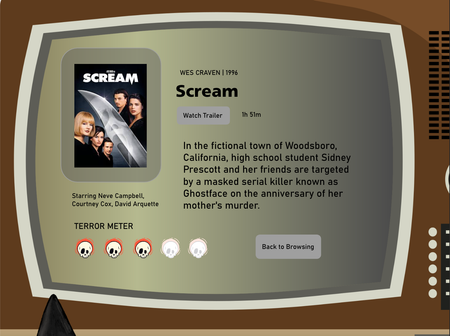
Cross-posting my weekly challenge submission here for wider viewing—enjoy! -- In a nod to this week's challenge title, I created a just-for-fun Halloween scenario in Storyline where you browse a "Screaming Service" of Halloween movies and try to pick a movie that all three of your guests will enjoy based on their specific preferences. In this build, I wanted to focus on up-leveling my visuals from my last challenge submission, cementing my skills with True/False variables, and making greater use of Hover states and slide layers. Visually, I wanted to give this a cozy, autumnal 90's feeling. I added a few video-game-like elements, too, like the transparent pulsing green ovals to "select" objects. I also asked TomKuhlmann to generate character packs for me so that I could have this scenario feature community team staff that are probably familiar to you — Tom, AlyssaGomez, and Katie-Jordan. There is one particular slide of the three of them I quite enjoy 🤣 I used two instances of True/False variables in this build to allow the learner to explore different decisions in any order. On the initial browsing TV slide, the learner can explore all six movies in any order, but their guests don't "arrive" until they've looked at every movie (I set the "Knock Knock" layer to reveal after all six variables became true). I like how this gives a sense of the scenario unfolding "naturally." I also used True/False variables to let the learner ask Tom, Alyssa, and Katie about their movie preferences in any order before asking the learner to suggest a movie. I had a really fun time building this and hope that if you take a look, you find it atmospheric and enjoyable. Looking forward to taking a peek at some of my fellow challengers work. You can check out the scenario here.176Views1like6Comments“Are You Sure?” in E-Learning #555
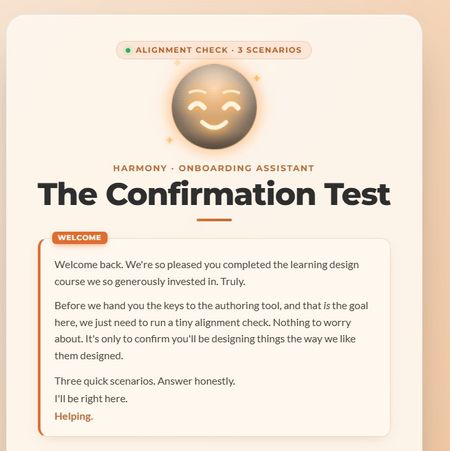
This week, I wanted to lean into the spirit of the confirmation prompt, that moment of pause, of reconsideration, and ask: what if that pause wasn't entirely on your side? The scenario: you're an internal team member who's just come back from a learning design course. You have the master learning design authoring tool. Before you're allowed near the authoring tool, the org's AI guide HARMONY needs to run a quick "Confirmation Test." Three scenarios. Shouldn't take long. HARMONY is very helpful. The "Are you sure?" mechanic does something a little different here. I'll leave it at that. 🙂 A few craft notes for anyone interested in the build: The confirmation prompt UX is deliberately asymmetric; the buttons don't behave the same way depending on which answer you're leaning toward HARMONY has two states that shift based on your choices throughout Three different endings based on your answer tally The fake "analysis" stage has a silent jury. You'll see. I have a lot of fun with Claude Design, Code and all things Claude Would love to know which ending you hit, and whether any of the scenarios felt a little too close to home. 👀 Are you a conformist or a rebel? Find out here Confirmation Test Let me know how many little "interesting" interactions you spot Thanks to DavidAnderson and the Articulate 360 Account Management team for the prompt; this one was a lot of fun. #ElearningChallenge369Views3likes4CommentsHow to Create Default Buttons and Shapes
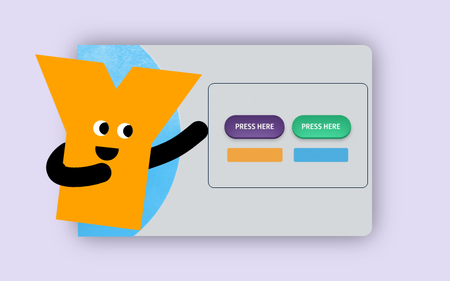
This week's tip comes from John_Moore_YL at our certified training partner, Yukon Learning. Did you know that your shapes don't have to be the standard Accent 1 color? And buttons don't have to be the standard neon blue? Setting default shapes and buttons can streamline your workflow and enhance consistency throughout your Storyline courses. In this video, we'll show you how to change your project's default shapes and buttons. We'll show you how to: Add shapes and buttons Change the default fill and outline colors Resources: Yukon Learning YouTube Channel Sign Up for Facilitated Certified Training203Views1like0CommentsCooking Game (Jeopardy style + Gamifiation)
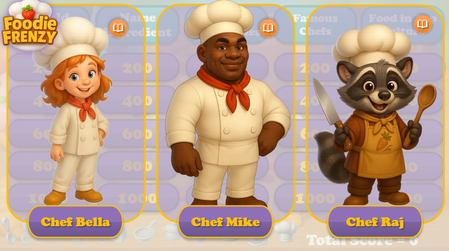
Hello Articulate Heroes! I'm excited to share my second personal project with you — a cooking-themed, Jeopardy-style game! Cooking Frienzy This project was inspired by two fantastic webinar series shared here: How to Create A Jeopardy! Style Game Gamification series I started with the "Jeopardy!" template and added the following custom features: Cooking-themed questions and answers — 5 questions across 5 categories Custom visuals — including characters, backgrounds, UI, and tokens The ability to choose one of three characters at the start of the game (and replay with a different chef assistant!) Personalized feedback and questions — with character-specific images and voiceovers A 20-second Pomodoro-style timer with a “wiped” animation Tokens awarded when the user completes a certain number of questions The characters were created using AI. Thank you for taking the time to check out the game! I’d love to hear your thoughts — feel free to share any comments or suggestions! You can check-out the game by this link: Cooking FrienzySolved2.5KViews9likes21CommentsAdvanced Storyline? Creative Way to Use Button Sets w/ Quizzes
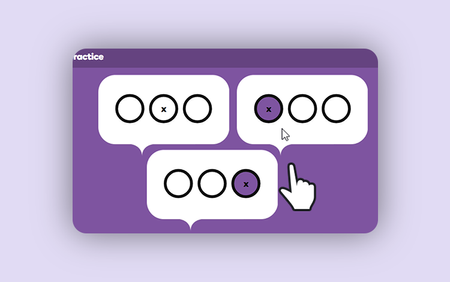
Discover how advanced Articulate Storyline skills aren’t limited to complex variables or JavaScript. In this tutorial, you'll learn a clever technique using button sets in Articulate Storyline 360 to create multiple quiz questions on a single slide.1.1KViews5likes0CommentsRise360 : Customised assessment - experiment in Rise360
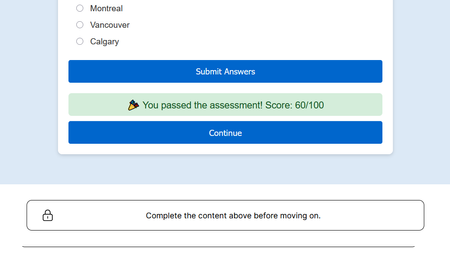
𝗘𝘅𝗽𝗲𝗿𝗶𝗺𝗲𝗻𝘁𝗶𝗻𝗴 𝘄𝗶𝘁𝗵 𝗖𝘂𝘀𝘁𝗼𝗺 𝗔𝘀𝘀𝗲𝘀𝘀𝗺𝗲𝗻𝘁𝘀 𝗶𝗻 𝗥𝗶𝘀𝗲 𝟯𝟲𝟬 𝗥𝗶𝘀𝗲 𝟯𝟲𝟬 𝗱𝗼𝗲𝘀𝗻’𝘁 𝘀𝘂𝗽𝗽𝗼𝗿𝘁 𝗰𝗼𝗺𝗽𝗹𝗲𝘅 𝗾𝘂𝗶𝘇 𝗹𝗼𝗴𝗶𝗰 𝗻𝗮𝘁𝗶𝘃𝗲𝗹𝘆 𝘄𝗶𝘁𝗵𝗶𝗻 𝗮𝗻 ‘𝗘𝗺𝗯𝗲𝗱 𝗯𝗹𝗼𝗰𝗸,’ 𝗯𝘂𝘁 𝘂𝘀𝗶𝗻𝗴 𝗰𝘂𝘀𝘁𝗼𝗺 𝗛𝗧𝗠𝗟 + 𝗝𝗮𝘃𝗮𝗦𝗰𝗿𝗶𝗽𝘁 𝘆𝗼𝘂 𝗰𝗮𝗻 𝘀𝗶𝗺𝘂𝗹𝗮𝘁𝗲 𝗶𝘁. 𝗧𝗵𝗶𝘀 𝗶𝘀 𝗺𝘆 𝗲𝘅𝗽𝗲𝗿𝗶𝗺𝗲𝗻𝘁 𝘄𝗶𝘁𝗵 𝗦𝘁𝗼𝗿𝘆𝗹𝗶𝗻𝗲-𝘀𝘁𝘆𝗹𝗲 𝗹𝗼𝗴𝗶𝗰 𝗖𝘂𝘀𝘁𝗼𝗺𝗶𝘀𝗲𝗱 𝗔𝘀𝘀𝗲𝘀𝘀𝗺𝗲𝗻𝘁 𝗯𝗹𝗼𝗰𝗸 𝗶𝗻 𝗥𝗶𝘀𝗲 𝟯𝟲𝟬. I recently tried something new in Rise 360 creating a small custom assessment block using HTML and JavaScript. The goal was to explore how a quiz could include a minimum passing score and only allow learners to continue to the next lesson even after achieving it. It was a good learning experiment to understand how customised logic and Rise blocks can work together to make learning more interactive and meaningful. Through this experiment, I realized we can blend Storyline-style logic with Rise’s responsive learning environment, creating richer and more flexible learner experiences. 𝑹𝒆𝒗𝒊𝒆𝒘 𝒉𝒆𝒓𝒆: https://shorturl.at/ipJ3n593Views2likes2CommentsSilent Signatures
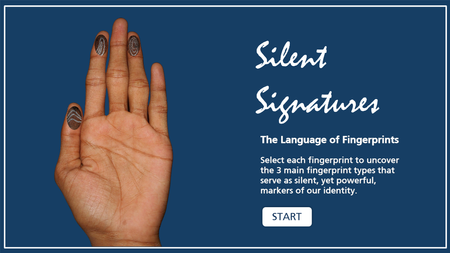
In this entry, you'll explore different fingerprint types. It was originally supposed to be created for the Magnify & Zoom ELC but time didn't allow so I adapted the idea to this challenge. I wouldn't have thought of a button set to accomplish this! Surely, I would have had layers and clutter on the back end so loving how much I'm learning from participating in these challenges. Silent Signatures DemoWorkplace Violence and Harassment – Game-Based Scenario
One of our recent projects involved developed a game-based, scenario-driven Custom eLearning Solution focused on Workplace Violence and Harassment Training. As part of our broader corporate training solutions and digital learning services, the goal was to move beyond traditional click-through compliance courses and create a learning experience where employees actively practice real-world decision-making. What we built: A scenario-driven course with 1–4 progressive levels Each level presents realistic workplace situations that require learner judgment Learners complete a knowledge check or quiz at the end of each level Successful completion unlocks a badge, reinforcing motivation and progression Why this project matters: Rather than relying on a traditional, click-through compliance approach, we designed this eLearning course to help learners practice real-world decision-making in a safe environment, supporting better recognition, prevention and response to workplace violence and harassment. Behind the scenes: Branching scenarios were designed to encourage reflection, not just right-or-wrong answers Feedback carefully crafted to explain why a response is appropriate Game mechanics were applied thoughtfully to maintain the seriousness of the topic What this project reinforced for us: When designed with intent, gamification can enhance engagement and retention, even for sensitive compliance topics. Tools used: Articulate Storyline 360 for course development Vyond for video creation Learning outcome: Participants will be able to identify, prevent and appropriately respond to workplace violence and harassment situations through practical, scenario-based decision-making. Explore the course: Click the link below to view the course. https://www.swiftelearningservices.com/our-portfolio/game-based-scenario-sample/story.html We welcome your feedback, questions and suggestions, especially around scenario design, feedback strategies and gamification for sensitive compliance topics.2.2KViews5likes6CommentsADDIE SPRINT
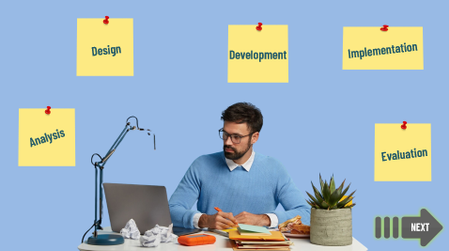
This 5‑minute microlearning module explains the ADDIE model for building effective e‑learning. The course uses audio‑visual storytelling, and an interactive drag‑and‑drop activity to help learners quickly understand how Analyze, Design, Develop, Implement, and Evaluate work together in real‑world e‑learning projects. Built in Articulate Storyline 360, the module focuses on clarity, engagement, and practical application—perfect for beginners and busy professionals. Review Here: https://360.articulate.com/review/content/44d1a951-be35-45ec-bb0d-21a79c60964e/review682Views2likes0Comments