Forum Discussion

Custom block not displaying in LMS
I'm loving the creativity custom blocks encourage but they're not displaying when published for the LMS!
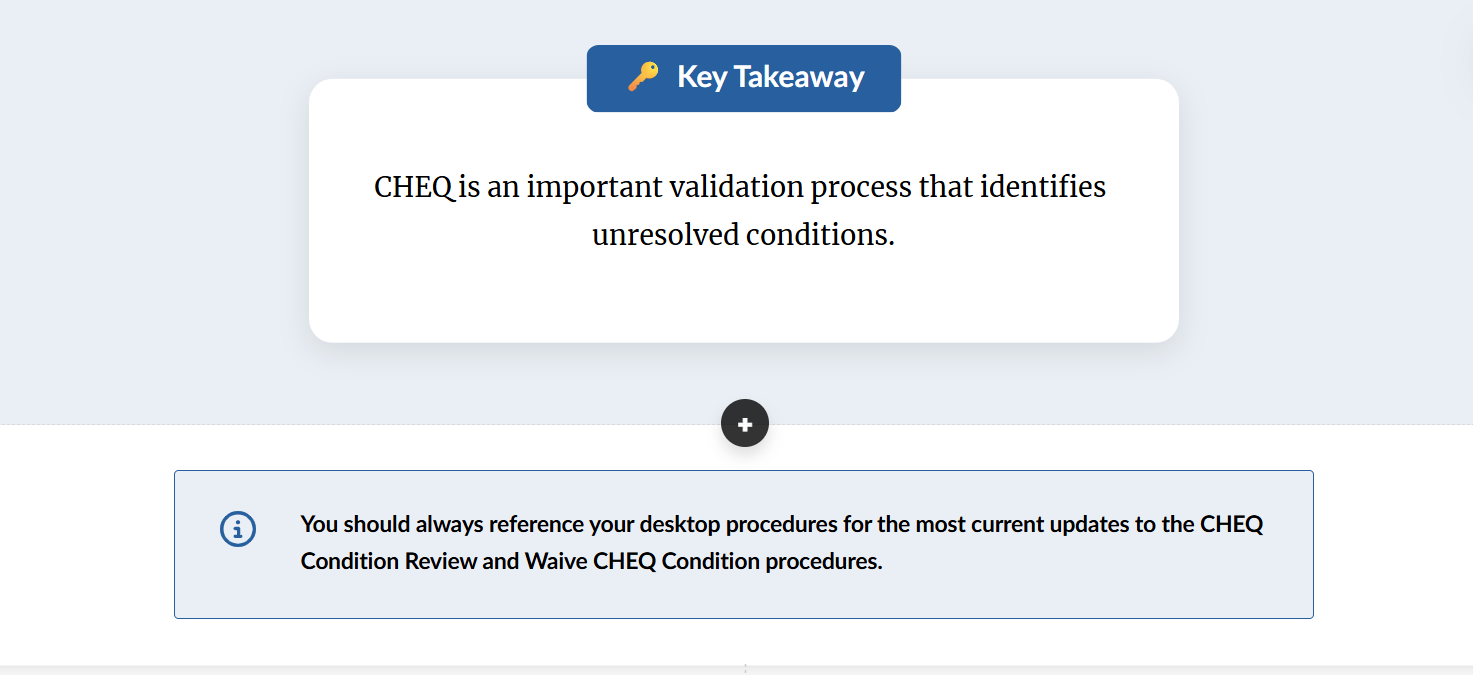
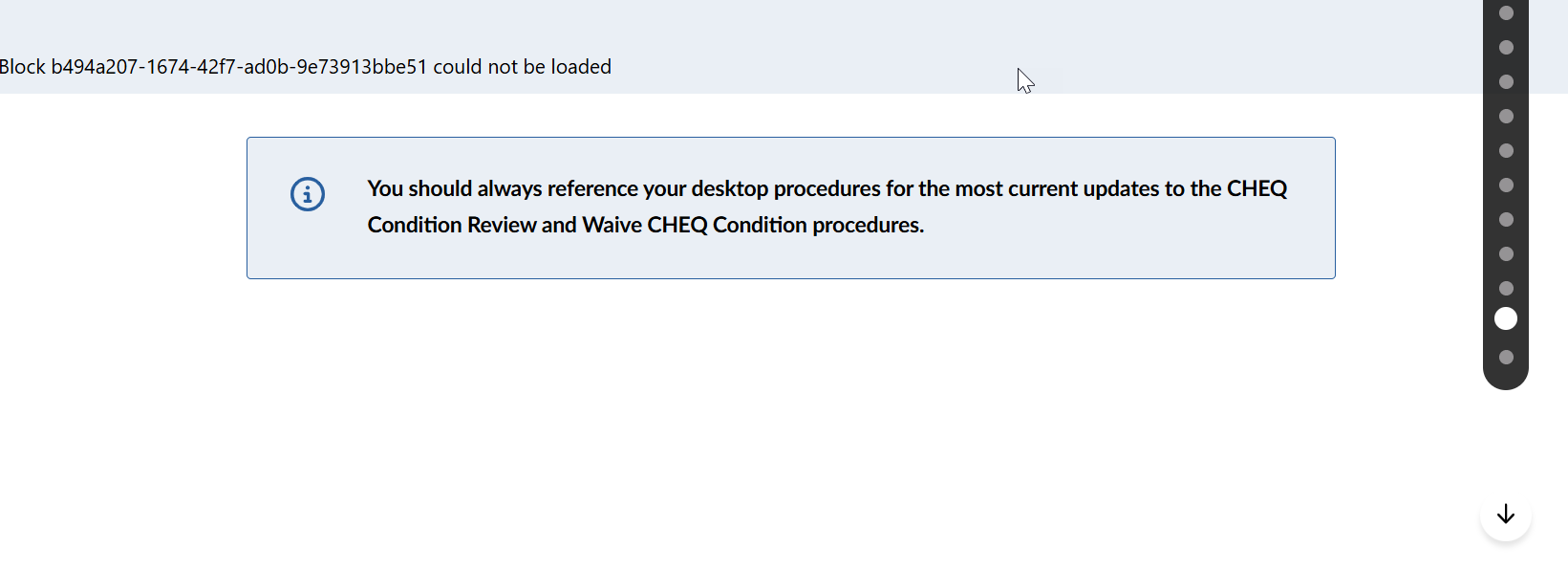
In this example, I used the Key Concept block under Core Concepts but it's not displaying correctly, see attached images. It looks fine in both Rise and Review 360 but when published for the LMS, it's just code. (We use a version of Workday Learning as our LMS.)
Any suggestions on how to trouble shoot this issue?
Weird update... I started working through your recommendation's when it occurred to me that I was working in a really OLD rise course and adding the new blocks. I built a new course from scratch and the new beta blocks work fine in our LMS.
The issue only seemed to be replicable if the new beta blocks were added to an older Rise course -- rebuild it and the issue goes away!
I'm happy to report that new course development with the new beta blocks consistently display as intended in our LMS!
16 Replies
- EricSantosStaff
Hello JoanneBentley-b,
Thanks for the screenshots! That really helps illustrate what’s happening.
Since the block looks right in Rise and Review 360 but fails to load in your LMS, it’s likely that your LMS (Workday Learning) is blocking the custom code Rise uses for that block. Some LMSs restrict JavaScript or HTML tags for security reasons, which can cause the “block could not be loaded” message you’re seeing.
Here’s how to narrow it down:
- Test at SCORM Cloud using your same export. Here’s how.
- If it works fine there, share those results with your LMS admin. They may need to allow custom script execution or adjust a content security setting.
- If it also fails in SCORM Cloud, please share your Rise course with us by opening a support case so we can take a closer look.
Let us know what you find. We’ll be happy to help from there.
- JoanneBentley-bCommunity Member
Weird update... I started working through your recommendation's when it occurred to me that I was working in a really OLD rise course and adding the new blocks. I built a new course from scratch and the new beta blocks work fine in our LMS.
The issue only seemed to be replicable if the new beta blocks were added to an older Rise course -- rebuild it and the issue goes away!
I'm happy to report that new course development with the new beta blocks consistently display as intended in our LMS!
Hi JoanneBentley-b! I didn't even think to check when the course was created. That is super helpful to know! I'm glad that did the trick.
- noha123Community Member
I have the same problem- same message when publishing to Matrix (Cypher). The course was created in 2023 - not that old. It is a long one and will be mundane to redo it. This should not be happening.
Hello noha123,
Thanks for reaching out! I've gone ahead and opened a support case on your behalf so we can take a closer look. Our team will be in touch shortly via email. Thanks so much for your patience!
- ShruthiMoonCommunity Member
Hello! Is there any resolution on this? Our courses which were created in 2026 with custom blocks are experiencing hardships on our LMS. The custom blocks simply don't show up, whether we use a template or start with Blank. Any help is most appreciated.
- ShruthiMoonCommunity Member
And we have tried this:
Our team has identified a separate bug from the one discussed earlier in this thread. This bug causes intermittent loading of Rise 360 Blocks when Entrance Animations are enabled. I've linked this discussion to the bug report so we can notify you as soon as a fix is ready.
In the meantime, as a workaround, we suggest disabling Entrance Animations if possible. This setting can be found under Theme > Blocks > Entrance Animations.
Hi ShruthiMoon,
Thanks for sharing the steps your team has already tried.
The issue you referenced related to blocks not appearing when Entrance Animations are enabled was recently fixed. If you’re still seeing custom blocks fail to appear in your LMS even after that fix, it may be a different issue than the one mentioned earlier in this thread.
Since your courses were created recently and the problem is happening with both templates and blank courses, the best next step would be for our team to take a closer look at your course and the published output.
When you have a moment, please open a support case and share a copy of the Rise course where this occurs, along with details about your LMS environment. That will help us test the behavior and determine what might be preventing the blocks from loading.
We’ll be happy to investigate this further with you.
- ShruthiMoonCommunity Member
Thanks for the response Eric. How do I share my RISE course with you, and what details do you require about our LMS?
Hi ShruthiMoon,
Great to see that Eric has been helping you.
I've opened a support case on your behalf and sent you an email with steps on how to share your affected Rise course with our team. I've also included more on the LMS details that'll be helpful when troubleshooting the issue.
We can continue the conversation through your case!
- ShruthiMoonCommunity Member
StevenBenassi I've submitted the pieces you asked for today. Fingers crossed there is an easy solution!
- daniel-brooksCommunity Member
Glad this got solved for you, Joanne, and thanks to the staff for the SCORM Cloud tip. I use that step myself all the time.
Since I sit on the IT side and handle LMS publishing for our internal training, here is what I check when a Rise course looks fine in Rise and Review 360 but breaks in the LMS:
1. Reproduce it outside the LMS first. Upload the exact same SCORM zip to SCORM Cloud. If it works there, the problem is on the LMS side rather than the course. Custom blocks can get blocked by the content-security policy or sanitization in some LMSs, and your LMS admin may need to allowlist the content.
2. Check whether your LMS unzips the package on import. Some LMSs extract the zip and serve the files individually, which can break relative paths that custom blocks rely on.
3. Republish with the latest version. The Entrance Animations bug mentioned in this thread was a real one, and I have been bitten before by testing an older export after a fix already shipped.
4. Compare publish formats. If you are on SCORM 1.2 and your LMS supports SCORM 2004 4th edition, it is worth a test publish. I have found its completion and reporting behavior more consistent for Rise courses.
ShruthiMoon, for the 2026-created courses the support case route Steven set up is the right call, especially since it is happening with both templates and blank blocks. Hope they find a quick fix for you.







Related Content
- 1 year ago