Forum Discussion

On Visited State of A,B,C Change State of Next to Normal
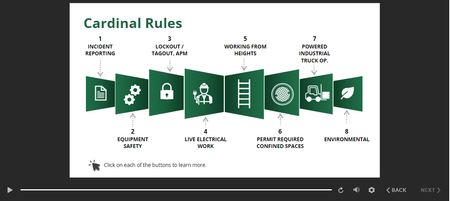
- 1 year ago
You don't need that layer. Instead, add conditions on the trigger that disables the Next button. Use conditions that check whether any of the buttons ≠ Visited. Be sure to connect the conditions with "or." It will look something like this:
- It's more stable to use "≠ (is not) Selected" or “≠ (is not) Visited" as a condition, instead of "= (is) Normal." As Hero Walt Hamilton once put it: Like us, every state thinks it's Normal. In other words, Normal underlies the other states, so the "= Normal" condition doesn't always work as expected.
Here's more info about controlling the Next button: https://community.articulate.com/discussions/discuss/tip-controlling-the-next-button-101/873348


You can use a true/false variable with a default value of false. Change the variable from false to true when the state of all of the buttons is visited (you will have to add this trigger on each layer, if your slide has layers when the users click on the buttons), then change the next button to Normal if the variable is equal to true.
This way, when the user revisits the slide, you can actually set the slide back to its initial state, but the variable is still going to be true, so the Next button will still be normal.
Related Content
- 2 months ago
- 1 year ago
- 4 months ago