Forum Discussion

Recent update to Storyline breaks LMS resume
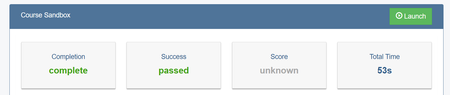
Thanks to everyone that have confirmed this issue. I have also now received the Articulate Support response regarding the Storyline 360 Update 100. Essentially this update has changed the way resume data (suspend data) is saved, so older versions don't match up with newer versions. Ideally, I think it would be best if Articulate developers fix this issue in a future release. I understand that they need to keep the new method of storing data, and that it is not compatible with older versions, but they could at least resolve the JavaScript issue that freezes the SCORM Package. Rather than asking LMS administrators and users to address the issue when it arises. It would be much better for Storyline to catch the JavaScript issue as it occurs and present the user with a notification saying their progress will be reset - and then reset their progress via JavaScript.
In the meantime, I can think of a couple of workaround solutions:
- For me the best solution is to find an old version of Storyline that predates this issue. Note that rolling back doesn't seem to work, so you need to use an old version on a computer that has never updated to an "Update 100" version. I suspect the rollback method is not deleting or overwriting something and that it might be possible to replace/delete system files to do a proper rollback. I might end up comparing my old working version with the new version to see if I can figure it out. If I do, I'll post the solution. But if anyone else is good at figuring that stuff out, please jump in.
- Another solution could be to create new course versions in your LMS. Essentially this issue is treating these re-published SCORM Packages as different/new courses, so you could also think of them that way. So, leave all your existing enrolments in your old version course and create a new version of the course using the newly re-published version. Then all new enrolments will go to the new course. This may create lots of extra ongoing work for reporting etc because there will be 2 courses that may need to be stitched into a single report.
- Seems like the Articulate solution is just to reset everyone's progress. But I guess you could manage the communication and timing of this to minimise inconvenience, rather than waiting for users to report the issue and addressing it as it occurs. Eg - tell everyone in progress to complete their course by a certain date and if they don't their progress will be reset - then apply your update on that date.
I just tried using this method to delete user data: Articulate 360: Script to Remove Local User Data for Articulate 360 Apps on a Windows PC
but unfortunately, the issue persisted. I think the issue is in the system files, because I can see the text for the screen where it freezes - "Would you like to resume where you left off?" is in the Storyline system application file Players\KnownPlayerStrings.xml line 45. My older version on another computer that doesn't have this issue doesn't contain that text in the same file - that file has many differences. I don't think I'll be able to figure out which system files to change - it's a bit too unpredictable.