Forum Discussion

Best Way to Create Multi-Part Spelling Quiz in Storyline 360 with Custom Scoring
Hi Heroes,
I'm working on a spelling quiz in Storyline 360 and need some advice on the best approach. Here's what I'm trying to build:
Quiz:
Scoring Requirement:
- Learners need to get 3 out of 4 OR 4 out of 4 correct to receive 1 point total
- If they get 2 or fewer correct, they receive 0 points
- This counts as a single question worth 1 point in the overall course
My Challenge: I've considered using drop-down menus for each option, but I'm struggling with:
- Whether drop-downs are the most efficient approach
- How to set up the scoring logic to award 1 point only if they achieve 3-4 correct
- How to track all 4 sub-questions and evaluate them together
Questions:
- What's the best question type or combination to use for this scenario?
- How do I set up variables to track the 3/4 passing threshold?
- Is there a simpler built-in solution?
Any guidance or examples would be greatly appreciated!
Thanks in advance!
4 Replies
- MichaelHinzeCommunity Member
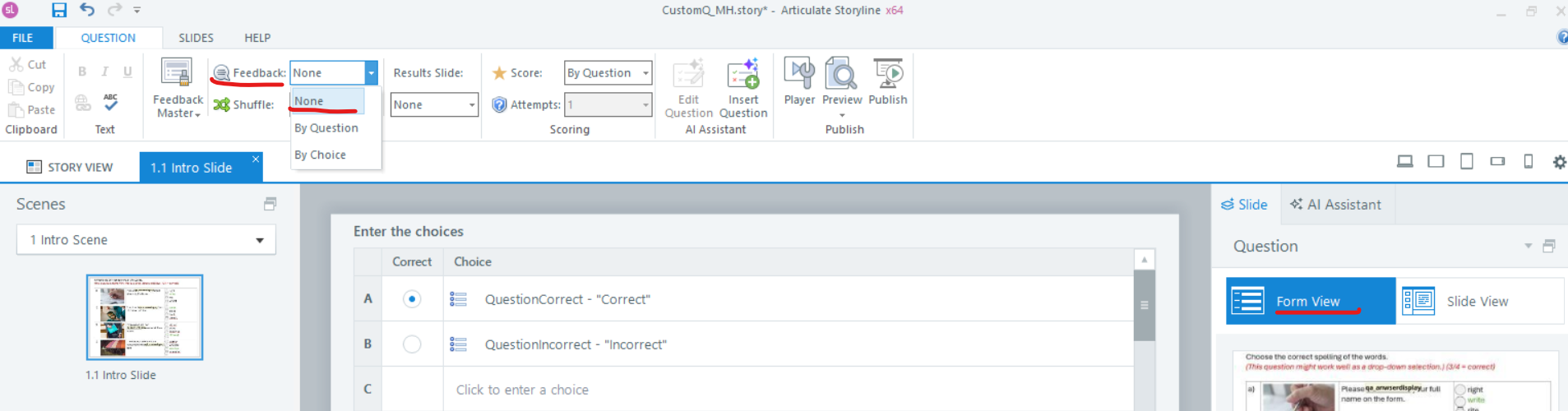
If you want to closely replicate the setup from your screenshot, then I think using a Pick-One Freeform question type is your best bet. See attached a quick example. Based on the number of correct choices for the 4 questions, off-screen Correct/Incorrect buttons are selected and then the choice is submitted for scoring. Have a look and see if that helps you along.
- ElaineWu-18cd25Community Member
Thank you Michael so much for the example. If no feedback is needed, could I delete the 2 correct/incorrect layers? Would this affect the scoring? And how do I ensure the scoring is correct when all 4 correct answer was selected? To be specific, which trigger was set up to achieve the scoring please? Thanks again for your time and advice.
- MichaelHinzeCommunity Member